<JOB # 950>
FREE KEY LAYOUT: FREE KEY
MRS: STANDARD KEY LAYOUT
The following is a description of the default keyboard .
This description may not apply to all and is based upon programming.
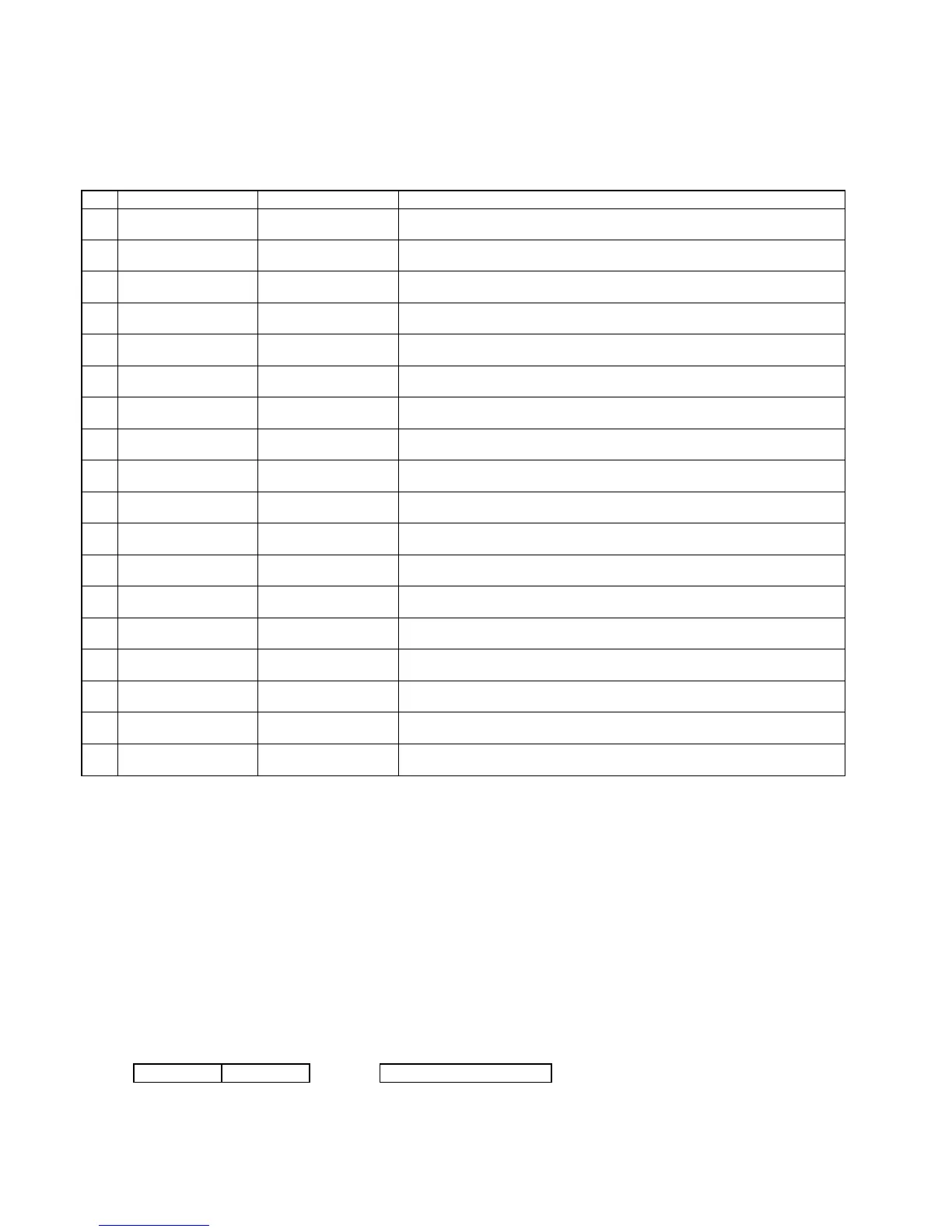
No. Keyboard Name Default TEXT Contents
1 HOME SHARP UP3300 POS This Key Board is the HOME Key board.
(This appears by pushing the HOME key on any keyboard.)
2 MAIN2 MAIN2 This Key Board is used by function keyboard.
(This appears by pushing the right key on HOME keyboard.)
3 MAIN3 MAIN3 This Key Board is used by function keyboard.
(This appears by pushing the right key on Main2 Keyboard.)
4 SUB SUB This Key Board is used by SUB Entry registration.
(This appears by pushing the “SUB” key on HOME or Function Keyboard.)
5 SUB2 SUB2 This Key Board is used by SUB Entry registration.
(This appears by pushing the right key on SUB Keyboard.)
6 SUB3 SUB3 This Key Board is used by item registration.
(This appears by pushing the right key on SUB2 Keyboard.)
7 CONDIMENT/MENU CONDIMENT/MENU This Key Board is used by Condiment PLU and MENU registration.
(This appears by pushing MENU key or Condiment PLU Registration)
8 CONDIMENT/MENU2 CONDIMENT/MENU2 This Key Board is used by Condiment PLU and MENU registration.
(This appears by pushing
→ key on CONDIMENT/MENU keyboard)
9 CONDIMENT/MENU3 CONDIMENT/MENU3 This Key Board is used by Condiment PLU and MENU registration.
(This appears by pushing
→ key on CONDIMENT/MENU2 keyboard)
10 FUNCTION MENU 01 QUANTITY This Key Board is used by QUANTITY registration.
(This appears by pushing the QTY key)
11 FUNCTION MENU 02 DISCOUNT This Key Board is used by DISCOUNT registration.
(This appears by pushing the DISC. key)
12 FUNCTION MENU 03 SUB ENTRY This Key Board is used by SUB ENTRY registration.
(This appears by pushing the MISC key)
13 FUNCTION MENU 04 FUNC.MENU4 This Key Board is used by GLU registration.
(This appears by pushing the G.CHK key)
14 FUNCTION MENU 05 FUNC.MENU5 This Key Board is used by MGR registration.
(This appears by pushing the MGR key)
15 FUNCTION MENU 06 FUNC.MENU6 This Key Board is used by FUNCTION registration.
(This appears by pushing the FUNC.MENU 6 key)
16 FUNCTION MENU 07 FUNC.MENU7 This Key Board is used by FUNCTION registration.
(This appears by pushing the FUNC.MENU 7 key)
17 PAYMENT PAYMENT This Key Board is used by PAYMENT.
(This appears by pushing the PAYMENT MENU key)
18 DRIVE THROUGH DRIVE THROUGH This Key Board is used by DRIVE THROUGH Display.
(This appears by pushing the DRIVE MENU key)
There is three methods which determines the key position of Function keys.
1) Depressing the Free Key
2) Copy from other Keyboard layouts
3) Change to the default layout
The following Key Size can be preset.
1) Standard size (Key Name: 6 characters)
2) Horizontal double size (Key Name: 14 characters)
3) Horizontal three times size (Key Name: 16 characters)
4) Vertical double size (Key Name: Max. 6 characters/1 line, Max. 3 lines, Max. 16 characters (include return symbol "—")
5) Horizontal/Vertical double size (Key Name: Max. 14 characters/1 line, Max. 3 lines, Max. 16 characters (include return symbol "—"))
The method is as follows.
The same key is preset side by side.
Ex. In case of Horizontal double size
Preset Key Display
ENTER ENTER → ENTER
– 24 –



 To Next Page