MODE OSD (ON-SCREEN-DISPLAY) PREPARATIONS
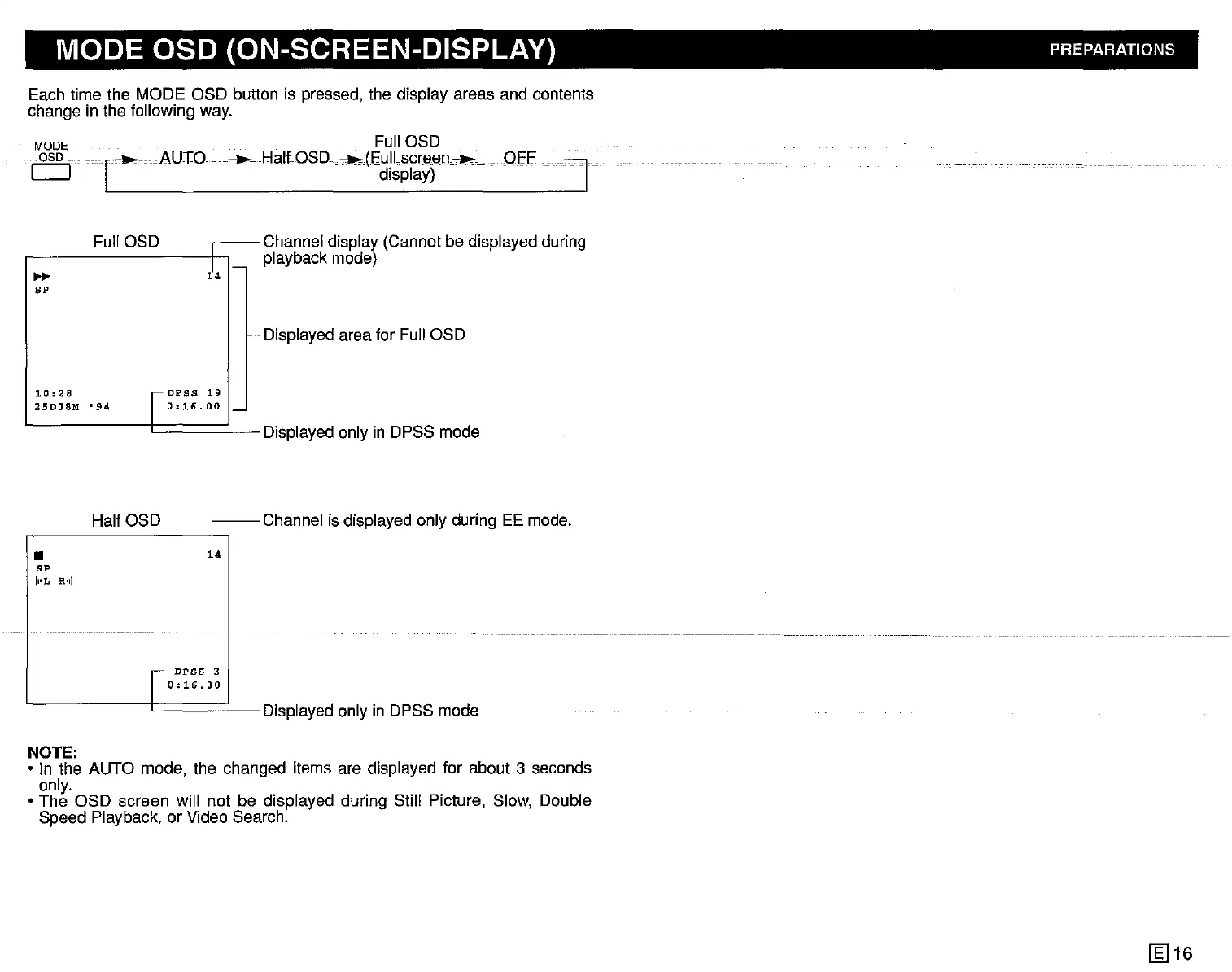
Each time the MODE OSD button is pressed, the display areas and contents
change in the following way.
MODE . Full OSD
10SD
iCcAu:r:O----HaltoSDo-(Cdli~~~)en~~
OH'
Full OSD
~~
BP
e-Displayed area for Full OSD
]
10:28
25D08M
•
94
I
DPSS
19
I
0:16.001_
•
BP
11'x.,
R'11
HalfOSD
i4
DPSS
3
0:16.00
I I I Displayed only in DPSS mode
NOTE:
• In the AUTO mode, the changed items are displayed for about 3 seconds
only.
• The OSD screen will not be displayed during Still Picture, Slow, Double
Speed Piayback, or Video Search.
[gJ
16



 To Next Page