PLAYBACK BASIC OPERATIONS
Inserting a Video Cassette
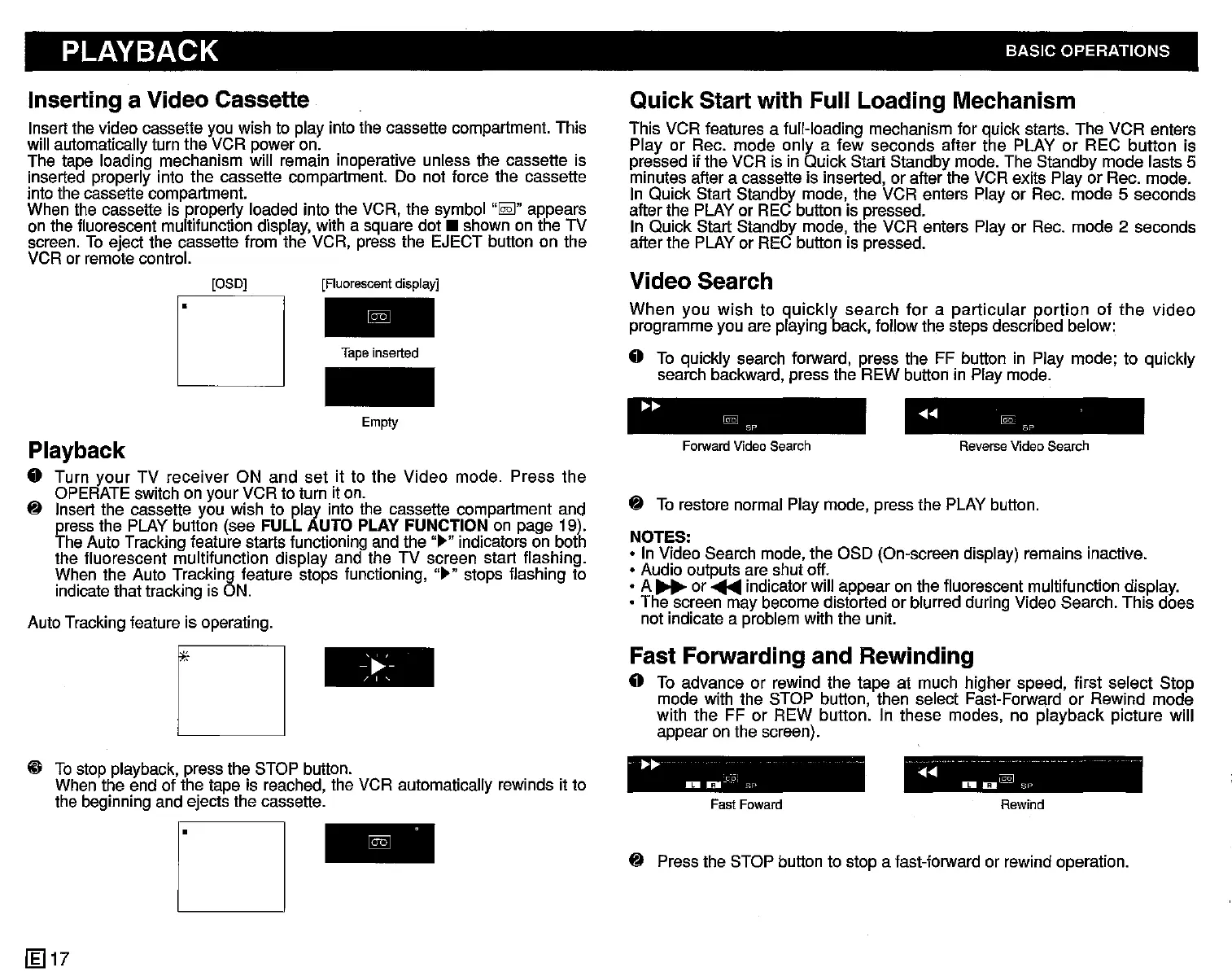
Insert the video cassette you wish to play into the cassette compartment. This
will automatically turn the VCR power on.
The tape loading mechanism will remain inoperative unless the cassette is
inserted properly into the cassette compartment. Do not force the cassette
into the cassette compartment.
When the cassette is properly loaded into the VCR. the symbol
..
~
..
appears
on the fluorescent multifunction display, with a square
dot.
shown on the TV
screen. To eject the cassette from the VCR, press the EJECT button on the
VCR or remote control.
Quick Start with Full Loading Mechanism
This VCR features a full-loading mechanism for quick starts. The VCR enters
Play or Rec. mode only a few seconds after the PLAY or REC button is
pressed if the VCR is in Quick Start Standby mode. The Standby mode lasts 5
minutes after a cassette is inserted, or after the VCR exits Play or Rec. mode.
In Quick Start Standby mode. the VCR enters Play or Rec. mode
5 seconds
after the PLAY or REC button is pressed.
In Quick Start Standby mode. the VCR enters Play or Rec. mode
2 seconds
after the PLAY or REC button is pressed.
Video Search
When
you
wish
to
quickly
search
for
a
particular
portion
of
the
video
programme you are playing back, follow the steps described below:
• To quickly search forward. press the FF button in Play mode; to quickly
search backward, press the REW button in Play mode.
[OSD]
r
[Fluorescent display]
Tape
inserted
Empty
.......
@§J
Sp
....... @2:
SP
~
To restore normal Play mode, press the PLAY button.
NOTES:
• In Video Search mode, the OSD (On-screen display) remains inactive.
• Audio outputs are shut off.
• A
~
or
~
indicator will appear on the fluorescent multifunction display.
• The screen may become distorted or blurred during Video Search. This does
not indicate a problem with the unit.
Playback
• Turn
your
TV
receiver
ON and
set
it to the
Video
mode. Press
the
OPERATE switch on your VCR to turn it on.
~
Insert the cassette you wish to play into the cassette compartment and
press the PLAY button (see
FULL AUTO PLAY FUNCTION on page 19).
The Auto Tracking feature starts functioning and the
..
~
..indicators on both
the fluorescent multifunction display and the TV screen start flashing.
When the Auto Tracking feature stops functioning,
..
~
.. stops flashing to
indicate that tracking is ON.
Auto Tracking feature is operating.
Forward
Video
Search
Reverse
Video
Search
o
-'~'-
, ,,
Fast Forwarding and Rewinding
• To advance or rewind the tape at much higher speed, first select Stop
mode with the STOP button, then select Fast-Forward or Rewind mode
with the FF
or REW button. In these modes, no playback picture will
appear on the screen).
@ To stop playback, press the STOP button.
When the end of the tape is reached, the VCR automatically rewinds it to
the beginning and ejects the cassette.
..
~~
c-oj
_0
SF'
Fast
Foward
- ,,,_
..
.......
DI
D~
Sl~
Rewind
D
~
Press the STOP button to stop a fast-forward or rewind operation.
[g] 17


 To Next Page
 Loading...




