MULTI-FUNCTION DISPLAY
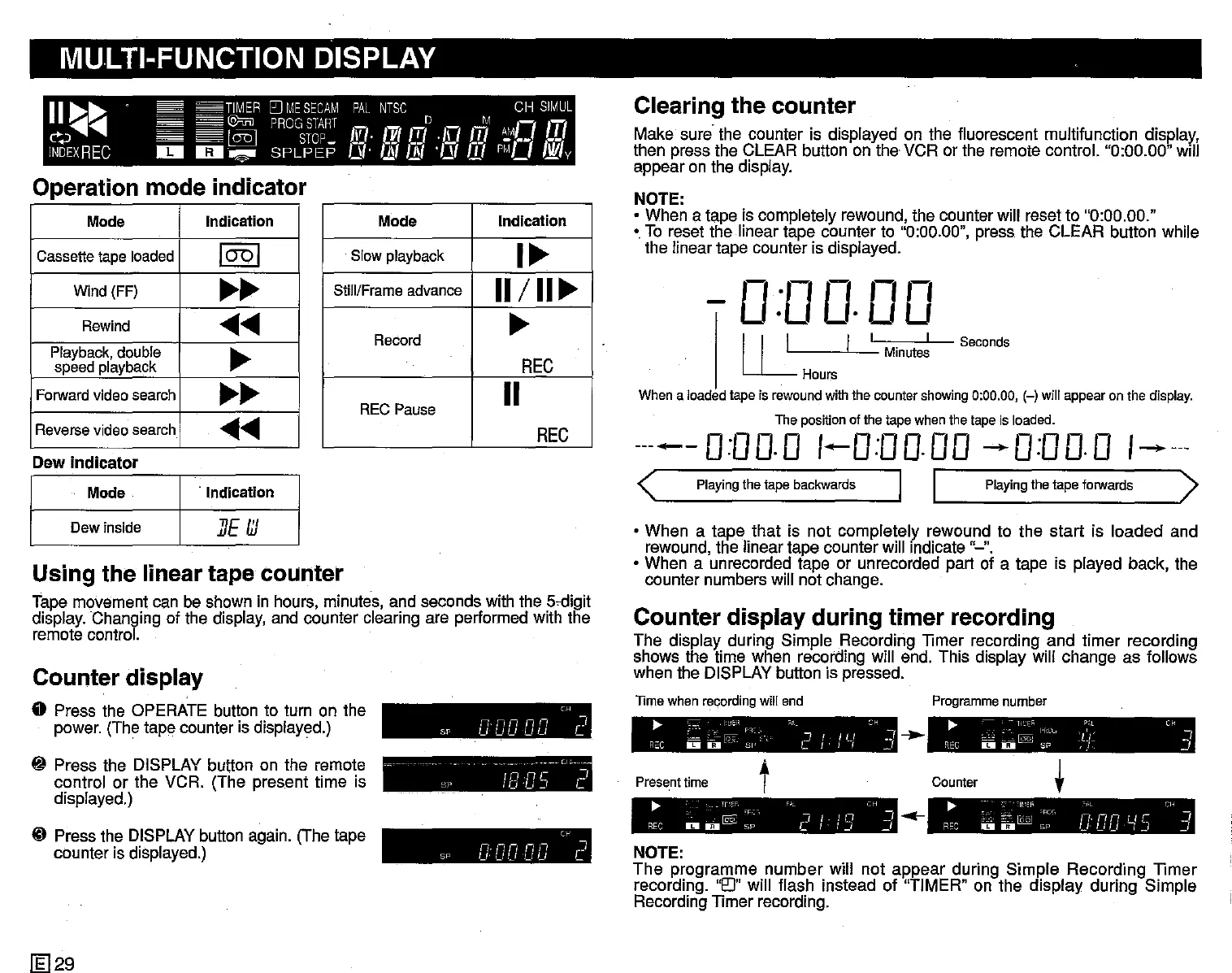
Operation mode indicator
11
~~
TIMER
[JJ
ME
SECAM
PAL
NTSC
CH
SIMUL
~~
@mJPROGSTARTDM
I
-
7
'-7
c>~..........
l@
STOP
In
[vttT/
·1\1
m
~'
••
.L
INDEXREC
II!II
1IiII~
SPLPEP
is.
I.!ft
11/
'/11
m
PI'Ll
Nil
v
Mode
Indication
Cassette tape loaded
1001
Wind (FF)
~~
Rewind
......
Playback, double
~
speed playback
Forward video search
~~
Reverse video search
......
When a loadedtape is rewoundwith the countershowing0:00.00, (-) will appearon the display.
The positionof the tape when the tape is loaded.
-----0:00.0 1-0:00.00 --0:00.0
1-----
<
Playing
thetape
backwards
I I
Playing
thetape
forwards
>
Seconds
I
Minutes
,-,
.,-,
0
rm
U·U
·UU
I I L I
U-
Hours
Clearing the
counter
Make sure the counter is displayed on the fluorescent rnultifunction display',
then press the CLEAR button on the VCR or the remote control. "0:00.00"
Will
appear on the display.
NOTE:
• When
a tape is completely rewound, the counter will reset to "0:00.00."
• To reset the linear tape counter to "0:00.00", press the CLEAR button while
the linear tape counter is displayed.
Mode
Indication
Slow playback
I~
Still/Frame advance
11/
II~
Record
~
REC
REC Pause
11
REC
.
Indication
Mode
Dew
indicator
Dew inside I
IJE
III
Using the linear tape counter
Tape movement can be shown in hours, minutes, and seconds with the
5~digit
display. Changing of the display, and counter clearing are performed with the
remote control.
• When
a tape that is not completely rewound to the start is loaded and
rewound, the linear tape counter will Indicate "-".
• When a unrecorded tape or unrecorded part of a tape is played back, the
counter numbers will not change.
NOTE:
The
programme number will not appear during Simple Recording TImer
recording.
'0"
will flash instead of "TIMER" on the display during Simple
Recording
TImer recording.
t
~
~
ll'-'EF;..
P;,L
C~
ceJ
~.~
@
If-H.
:L:'~
.J
REC
II!IIO
SP
,}.
_I
~
~".,
"''i'.
-~I.,~~_"
'RC" o,·L Cl' I
REC
D
o[QQJ
Sp
Cl:
DD
~15
~
Programme
number
Counter
-..
.-
t
~
c:
L~
~~~
F'C;.;
"1_:1
I i U
~H
w]
R"C D D - SI' L I
!,
_I
~
lI'.:'F, P" CH
@§:
'F,:~,
"l
I.
I n _J
REC
II!IIU
SP C
I-I.J
_,
Presenttime
lime
when recording will end
Counter
display
during
timer recording
The display during Simple Recording TImer recording and timer recording
shows the time when recording will end. This display will change as follows
when the DISPLAY button is pressed.
Cc
nnnnn
I
SI'
uuuuu
C
C~
nnnnn
"]
Sp
uuuuu
L
- - - Cl
~
SI'
IB
C/5
Cl
Counter display
o Press the OPERATE button to turn on the
power. (The tape counter is displayed.)
~
Press the DISPLAY button on the remote
control or the VCR. (The present time is
displayed.)
ID Press the DISPLAY button again. (The tape
counter is displayed.)
[l;]29


 To Next Page
 Loading...




