XEA147BK and XEA147WH Frequently Asked Questions Page 8 of 21
How do I set a Department as taxable or not taxable?
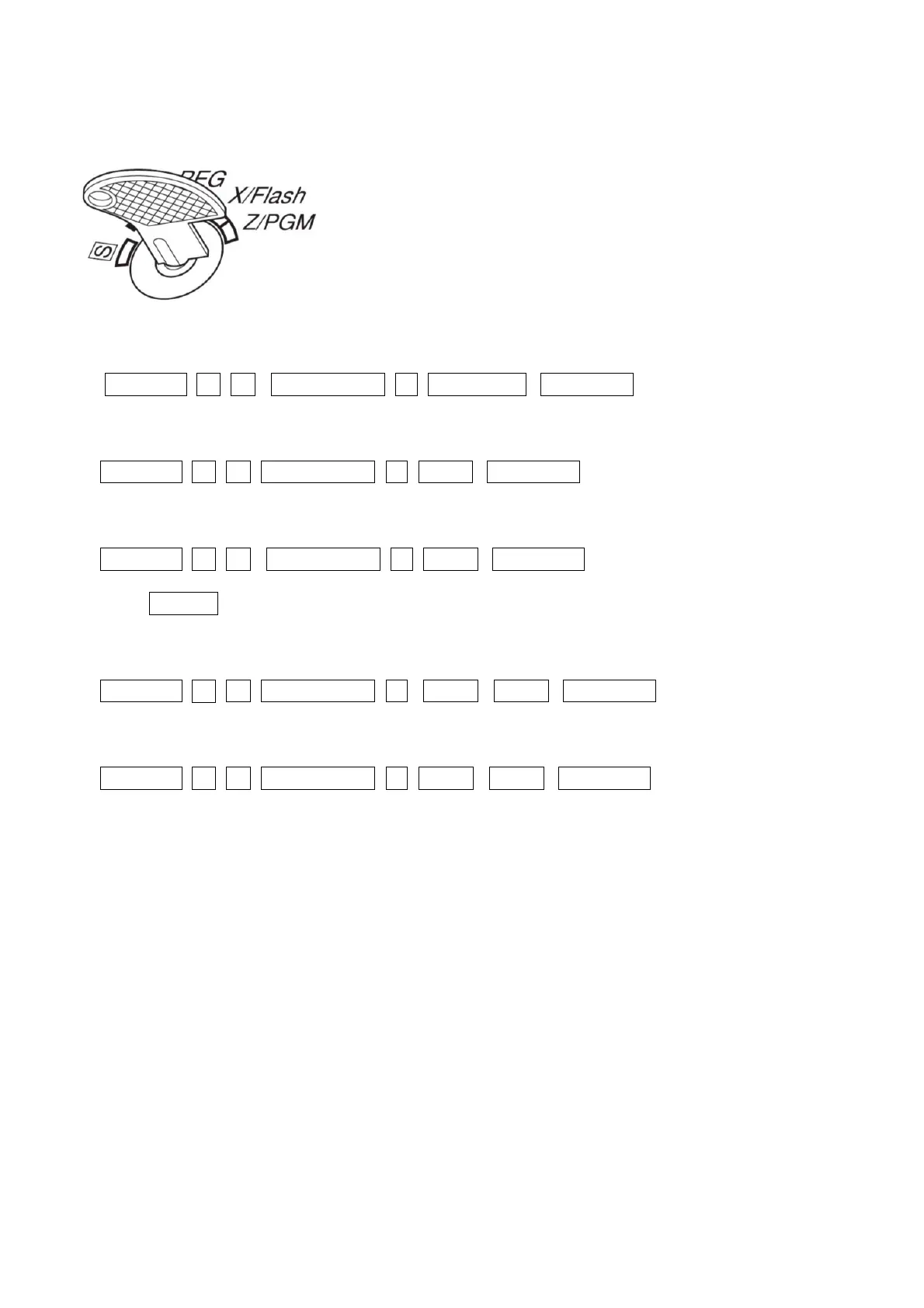
1. Set the mode key to the Z/PGM position
2. To make a department taxable, enter:
#/TM/ST -2- -0- /RCPT SW 1 DEPT KEY TL/AT/NS
For example to make department 1 taxable enter:
#/TM/ST -2- -0- /RCPT SW 1 1
5
TL/AT/NS
For example to make department 1 non-taxable enter:
#/TM/ST -2- -0- /RCPT SW 0 1
5
TL/AT/NS
Press _SHIFT then the department key for departments 5 to 8
For example to make department 5 taxable enter:
#/TM/ST -2- -0- /RCPT SW 1 SHIFT 1
5
TL/AT/NS
For example to make department 5 taxable enter:
#/TM/ST -2- -0- /RCPT SW 0 SHIFT 1
5
TL/AT/NS
Enter 1 before you press the department key to make the department taxable
Enter 0 before you press the department key to make the department non-taxable.


 To Next Page