XEA147BK and XEA147WH Frequently Asked Questions Page 9 of 21
How do I set the letters GST to print on the receipt?
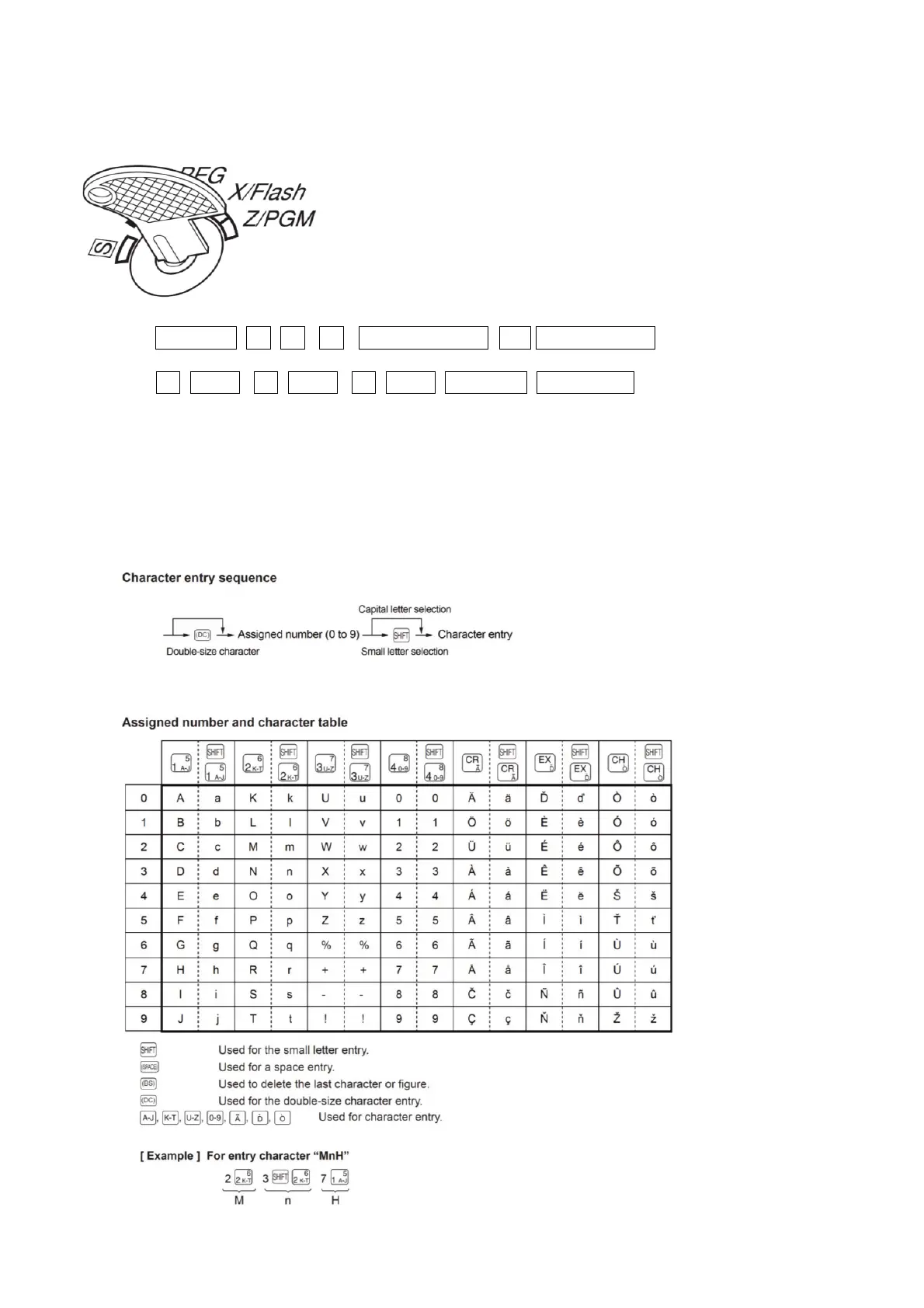
1. Set the mode key to the Z/PGM position
2. Enter: #/TM/ST -1- -0- -3- _/RCPT/SW_ 7 _/RCPT/SW
-6- 1
5
-8- 2
6
-9- 2
6
#/TM/ST TL/AT/NS
You can enter characters with the department and function keys. You will see the
letters of the Alphabet that a key covers in the bottom right hand corner of the key.
You can also enter text using 3 digit codes. Please refer to the full instruction manual (pages 43 -44)
for details. The character table for using the department and function keys is shown below.


 To Next Page