01/1/17 XL-3000(U2)2.fm
19
CD Playback
- Listening to a CD -
To interrupt playback:
Main unit operation:
Press the button.
To resume playback from the same point, press the button again.
Remote control operation:
Press the button.
To resume playback from the same point, press the button.
To stop playback:
Press the button.
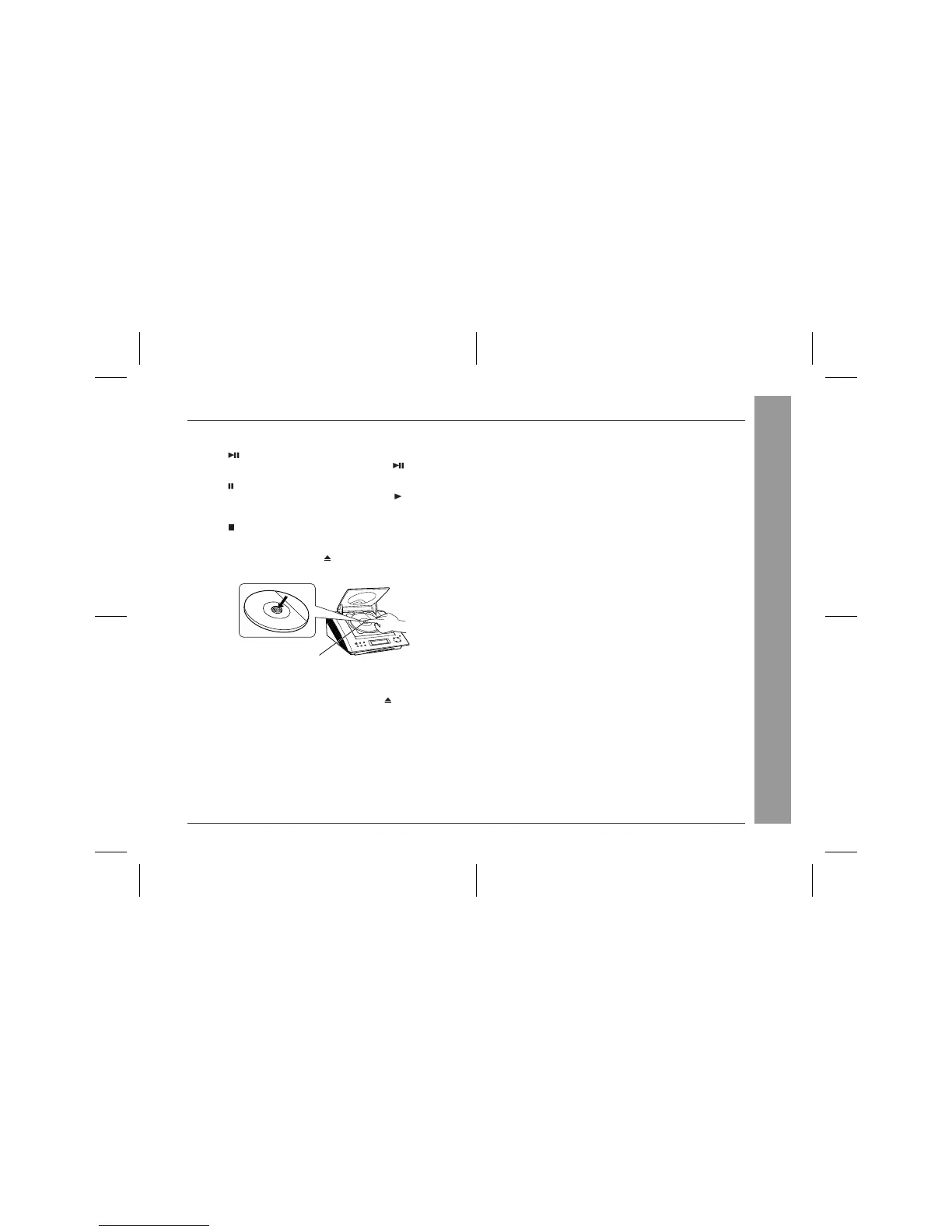
To remove the CD:
While in the stop mode, press the (OPEN/CLOSE) button.
Press the CD eject button and remove the CD.
Notes:
z
After removing the CD, make sure to press the (OPEN/CLOSE)
button and close the CD compartment.
z
When the unit enters the stand-by mode, the opened CD com-
partment cover will be closed automatically.
After use:
Press the POWER button to enter the power stand-by mode.
Caution:
z
Do not stop or move the CD compartment cover manually. It
may cause malfunctions to the unit.
z
Be careful not to jam your fingers in the CD compartment
cover.
z
If the power fails while the compartment is open, wait until the
power is restored.
z
If a disc is damaged, dirty, or loaded upside down, "NO DISC" or
"READ ERR" will appear on the display.
z
Keep foreign objects out of the CD compartment.
z
Subjecting the unit to shock or vibration may cause mistracking.
z
When the unit is not being used, be sure to close the CD com-
partment. If it is left open, the lens may be covered with dust and
the unit may not operate properly.
z
If TV or radio interference occurs during CD operation, move the
unit away from the TV or radio.
CD Eject Button


 To Next Page