01/1/17 XL-3000(U2)3.fm
26
Advanced Features
- Timer and Sleep Operation -
Timer and Sleep Operation (continued)
To reset or change the timer setting:
Perform "Timer playback" from the beginning.
Notes:
z
Once the time is set, the setting will be retained until a new time
is entered.
z
When performing timer playback using another unit connected to
the VIDEO/AUX IN jacks, select "VIDEO/AUX" in step 2. At this
time, only this unit will be turned on or enter the power stand-by
mode automatically. It will enter the power stand-by mode 1 hour
after the timer playback starts. (Another unit will not be turned on
or off.)
6
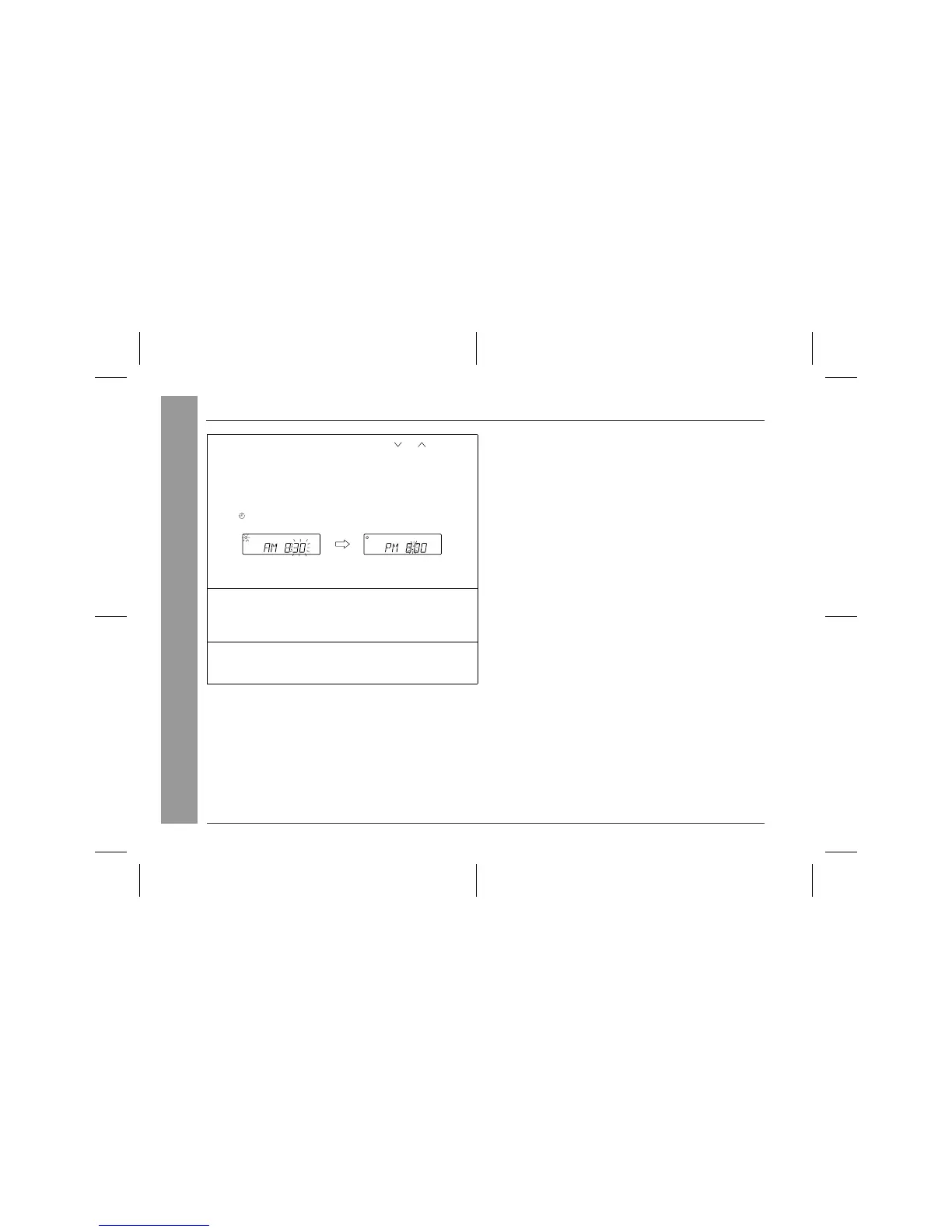
Within 1 minute, press the PRESET ( or ) button to
specify the minutes to start, then press the MEMORY
button.
z
The timer playback starting time, function, and volume will be
displayed, and then the unit will enter the stand-by mode au-
tomatically.
z
" " will appear and the current time will be displayed.
To cancel the timer playback:
Press the POWER button to turn the power on.
7
When the preset time is reached, playback will start.
The volume will increase gradually until it reaches the volume
you were listening at before your system enters the timer stand-
by mode.
8
If you select CD, the unit will enter the stand-by mode
after the playback. If you select TUNER, it will enter the
stand-by mode one hour after the timer playback starts.


 To Next Page