6 7
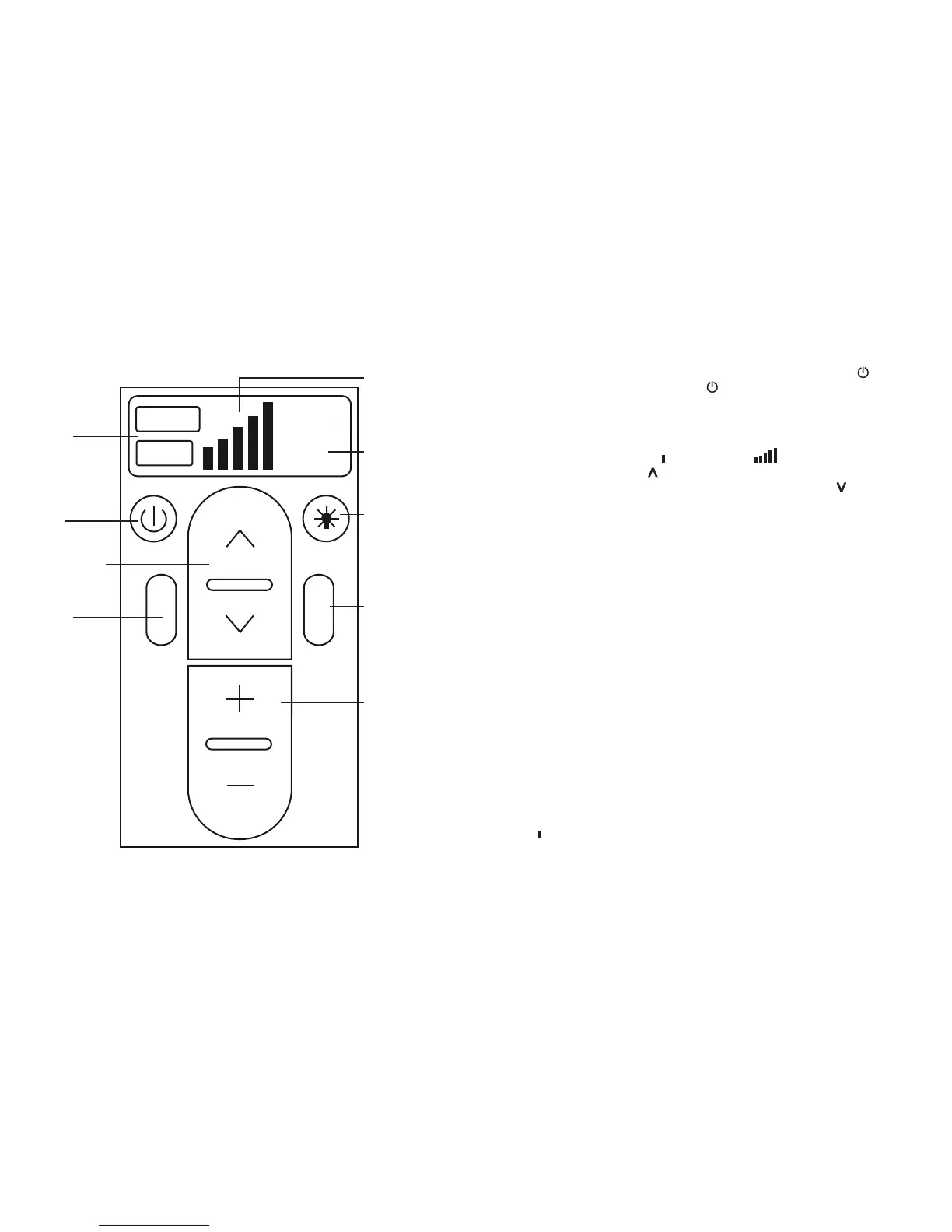
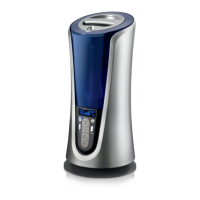
Power ON/OFF
Button
Mist Increase/
Decrease Button
HUMIDIS TAT
MIST
TIMER
TEMP.
Warm
Cool
46
%
6
Hr
Mist Temp Setting
Indicator
Mist Temp Setting
Button
Mist Setting Indicator
Current Humidity
Display/ Humidistat
Setting Indicator
Timer Setting
Night Light
ON/OFF Button
Humidity Increase/
Decrease Button
Fig. 2
Timer Set Button
Power ON/OFF Button
Plug unit in to a 120 volt AC electrical outlet. Press the POWER ON/OFF button to
turn unit on. Press the POWER ON/OFF button again to turn unit off.
ATTENTION: When the water in the water tank is almost empty the power to the unit
will shut off to indicate to the user to refill water.
Mist Adjustment Setting
Mist adjusts from Lowest output to Highest output . To increase the mist output,
press the MIST INCREASE button. The corresponding Mist Level will be lit on the
LCD display. To decrease mist output, press the MIST DECREASE button.
Mist Temperature Setting
When the humidifier is powered ON, it will be operating on the default setting, Cool
Mist. COOL will be lit on the LCD display. To change the Mist Temperature from Cool
Mist to Warm Mist, press the TEMP button. The mist temperature will change to Warm
Mist, and WARM will be lit on the LCD display. The change the Mist Temperature back
to Cool Mist, press the TEMP button again. The mist temperature will change to Cool
Mist, and COOL will again be lit on the LCD display.
Programmable Humidistat
This unit has a Programmable Humidistat that can be set in 1% increments
from 35%-60% humidity. To program the humidity level, press the HUMIDISTAT
INCREASE + button. The humidity level will increase by 1% every time the button is
pressed, and will show on the LCD display screen. Keep pressing the HUMIDISTAT
INCREASE + button until the desired humidity level setting is reached. The LCD
display will show the set humidity level for 5 seconds, then will default back to display
the current humidity. To decrease the humidity level setting, press the HUMIDISTAT
DECREASE - button. The humidity level will decrease on the LCD display by 1%.
Keep pressing the HUMIDISTAT DECREASE - button until the desired humidity
level setting is reached.
NOTE: To eliminate any programmed Humidistat setting, press either + or - until you
reach "CO" level (One level above 60 and one level below 35).
NOTE: When the set humidity level is reached, the humidifier will drop down to LOW
MIST until the humidity in the room drops below the set humidity level, then will kick
back up to the previous mist level setting before it dropped to low until the set humidity
level is again reached.


 To Next Page