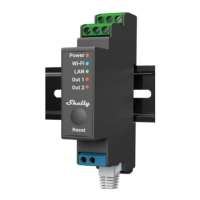
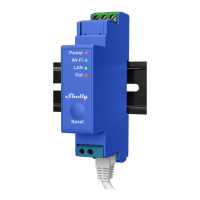
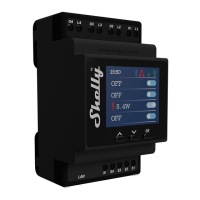
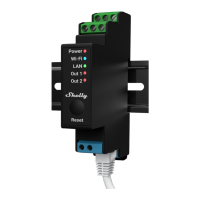
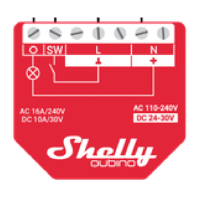
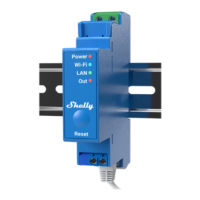
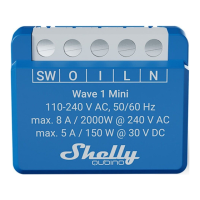
User and safety guide Shelly i4 Gen3
Smart 4-channel switch input
Safety information
For safe and proper use, read this guide, and
any other documents accompanying this product. Keep them for future reference. Failure to
follow the installation procedures can lead to malfunction, danger to health and life, violation of law, and/or refusal of legal and commercial
guarantees (if any).
Shelly Europe Ltd. is not responsible for any
loss or damage in case of incorrect instal lation or improper operation
of this device due to failure to follow the user and safety instructions in this guide.
&.This sign indicates safety information.
<D This sign indicates an important note. &WARNING! Risk of electric shock. Installa tion of the Device to the power grid must be
performed carefully by a qualified electrician. &WARNING! Before installing the Device, turn the circuit breakers off. Use a suitable test
device to make sure there is no voltage on the wires you want to connect. When you are sure that there is no voltage, proceed to the
installation.
&WARNING! Before making any changes to the connections, ensure there is no voltage present at the Device terminals. &CAUTION!
Connect the Device only to a power grid and appliances that comply with all applicable regulations. A short circuit in the power grid or any
appliance connected to the Device can cause fire, property damage, and electric shock.
&CAUTION! Connect the Device only in the way shown in these instructions. Any other method could cause damage and/or injury.
&CAUTION! The Device must be secured by a cable protection switch in accordance with EN60898·1 (tripping characteristic B or C, max.
16 A rated current. min. 6 kA interrupting rating, energy limiting class 3).
&CAUTION! Do not use the Device if it shows any sign of damage or defect. &CAUTION! Do not attempt to repair the Device yourself.
&CAUTION! The Device is intended only for
indoor use.
&CAUTION! Do not install the Device where
it may get wet.
&CAUTION! Do not use the Device in a damp environment. Do not allow the device to get wet.
&CAUTION! Keep the Device away from dirt and moisture
&CAUTION! Do not allow children to play with the buttons/switches connected to the Device. Keep the devices (mobile phones, tab· lets, PCs)
for remote control of Shelly away from children.
Product description
Shelly i4 Gen3 (the Device) is a Wi·Fi switch
input designed to control other devices over the Internet. It can be retrofitted into a stan·
dard
in-wall console, behind light switches or
other places with limited space. Compared to its predecessor, the device also has an
improved
processor and increased memory.
The Device has an embedded web interface used to monitor, control, and adjust the Device. The
web interface is accessible at
http:/1192.168.33.1 when connected directly
to the Device access point or at its IP ad
dress when you and
the Device are connect
ed to the same network.
The Device can access and interact with oth·
er smart devices or automation systems if they are in the same network infrastructure. Shelly
Europe Ltd. provides APls for the de
vices, their integration, and cloud control. For
more information, visit
https://shelly-api-docs.shelly.cloud.
<D The Device comes with factory-installed firmware. To keep it updated and secure, Shelly Europe Ltd. provides the latest firm ware updates
free of charge. Access the updates through either the embedded web interface or the Shelly Smart Control mobile application. Installation of
firmware updates is the user's responsibility. Shelly Europe Ltd. shall not be liable for any lack of conformity of the Device caused by the failure
of the user to install the available updates in a timely manner.
Wiring diagram
Legend
Device terminals
SW1, SW2, SW3, SW4: Switch input terminal
•
L: Live terminal (110-240 V~)
•
N: Neutral terminal Wires
•
L:Livewire(110-240V~)
•
N: Neutral wire
Installation instructions
<D To connect the Device, we recommend us ing solid single-core wires or stranded wires with ferrules. The wires should have insula tion with
increased heat resistance, not fess than PVC T105'C(221"F).
<D Do not use buttons or switches with built-in LED or neon glow lamps.


 To Next Page
 Need help?

 General