Shenchen Pump LabV Series
4.3 Numeric Keypad Input Interface
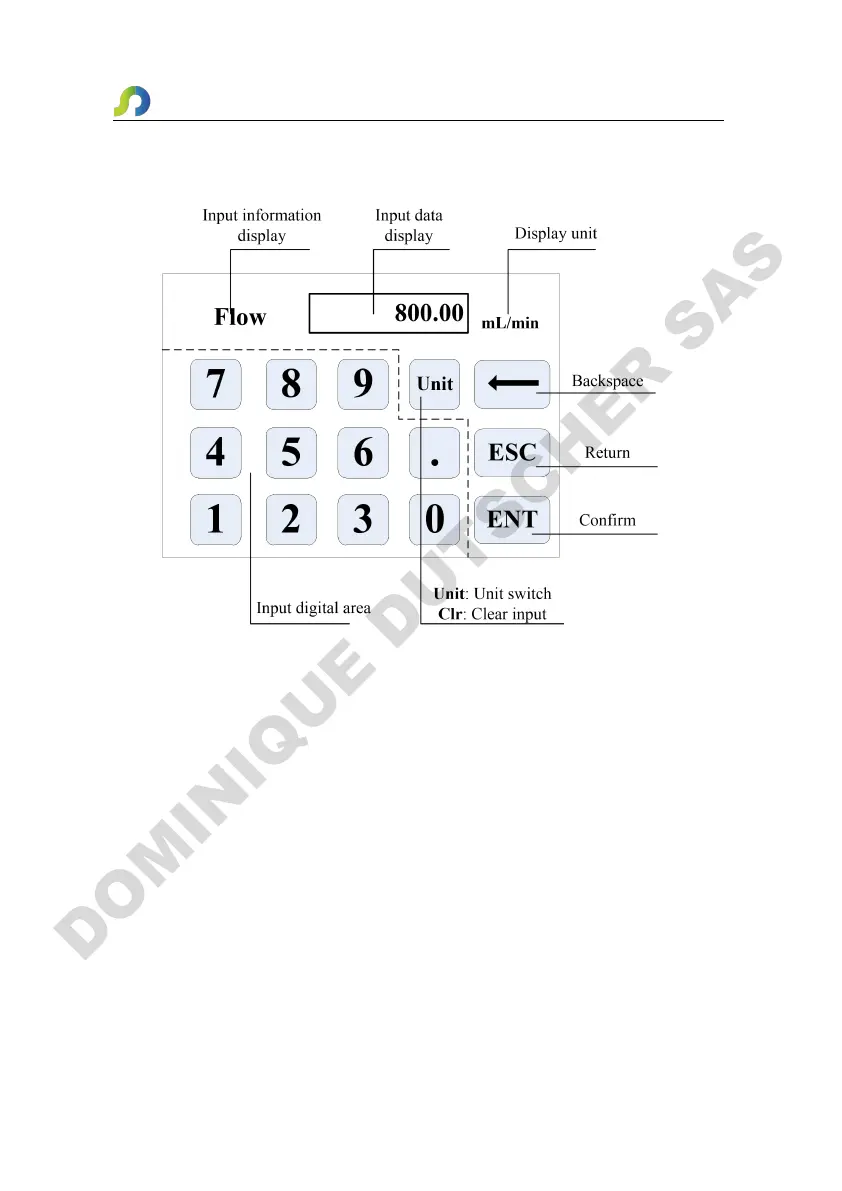
Numeric keypad input interface as below:
Input Information Display: The information displayed is the current operation
object.
Input Data Display: Display the current input data, range is 0.01-9999.
Unit Display: Display input units when input flow rate or volume.
Input Digital Area: Numeric keypad.
Unit/Clr Button: When input flow rate or volume, this button is unit switch, you
can choose different units. When it is Clr, you can clear the current input data.
Backspace Button: Delete an input digital.
ESC Button: Cancel the current input, back to previous interface.
ENT Button: Confirm the current input.


 To Next Page