EasyManua.ls Logo

Sherwood RVD-6090R - User Manual

Sherwood RVD-6090R
24 pages
Print Icon
To Next Page IconTo Next Page
Loading...
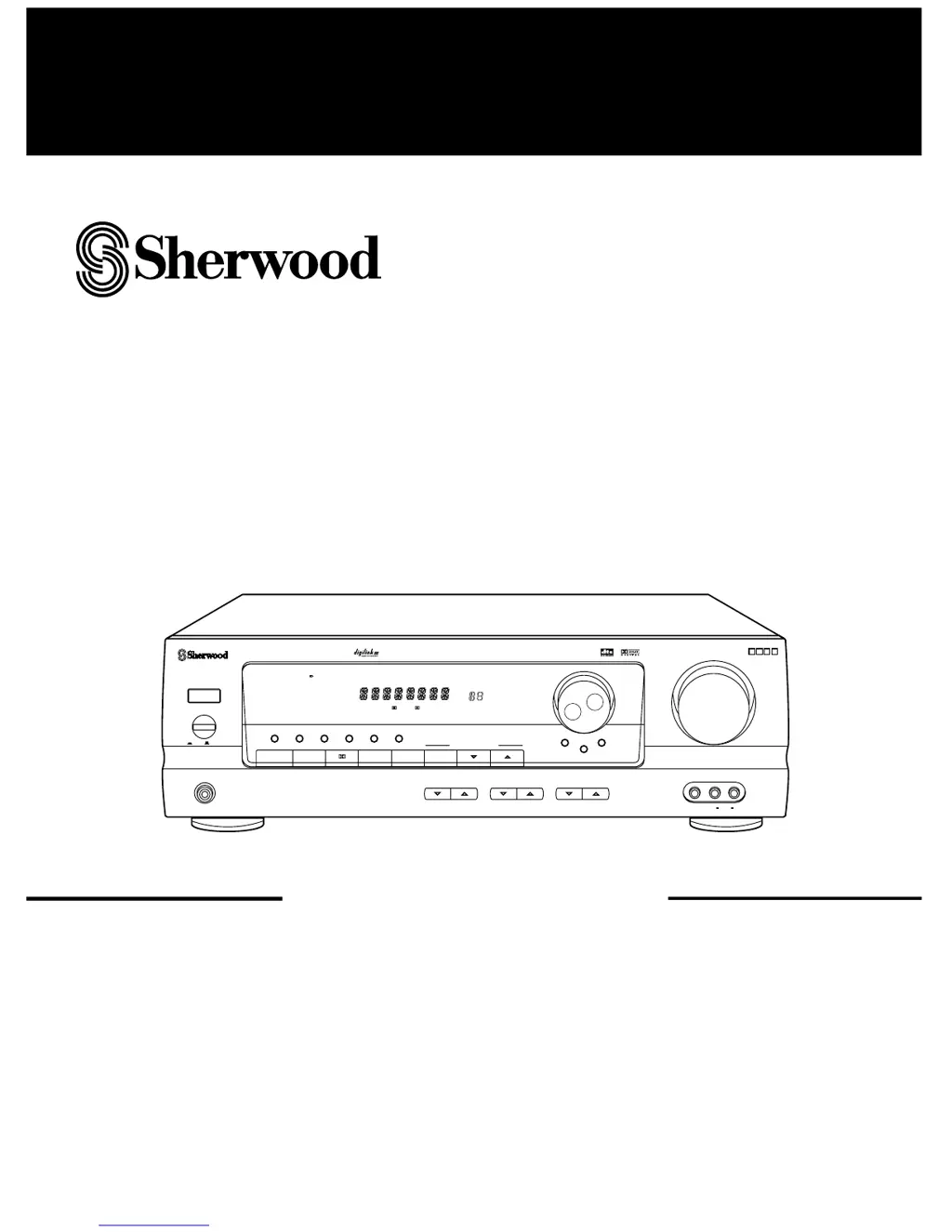
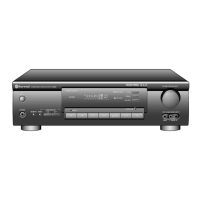
RRVVDD--66009900RR
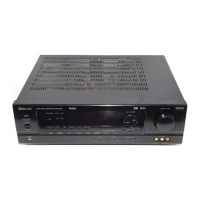
AUDIO/VIDEO RECEIVER
OPERATINGINSTRUCTIONS
ST
TUNED
AUTO
TAPE M
PRESET
Pro Logic 3 Stereo THEATER HALL SLEEP
dB
kHz
MHz
MEM
ms
6 CH
DIRECT
DIGITAL
INPUTS
DSP MODE STEREO
TUNING/PRESET
MODE
MASTER VOLUME
T0TALLY DISCRETE AMPLIFIER STAGE
TDAS
PHONES
BASS TREBLE CHANNEL LEVEL
VCR 2 INPUT
VIDEO L AUDIO R
POWER
ON
/
OFF
SPEAKER
AUDIO
VIDEO
BAND
CHANNEL SELECTOR
TAPE MONITOR
ON/ OFF
TUNING/PRESET
INPUT SELECTOR
AUDIO/VIDEO RECEIVER RVD-6090R
REMOTE SENSOR
STANDBY
DIRECT
COAXIALOPTICAL
DIGITAL
DYNAMIC RANGE
CINEMA EQ DIRECT SPEAKER MODE FM MODE MEMO/ENTER

Other manuals for Sherwood RVD-6090R

Questions and Answers

  • M
    Mr. Wayne Simmons Jr.Aug 17, 2025
    What to do if my Sherwood Receiver has no power?
    • T
      Theresa PorterAug 17, 2025
      If your Sherwood Receiver isn't powering on, there could be a couple of reasons. First, ensure the AC input cord is securely connected. If it is, check the AC wall outlet by plugging in a lamp or another appliance to see if the outlet is working.
  • K
    kimberly20Aug 20, 2025
    How to fix no sound on Sherwood Receiver?
    • S
      stephensdanielAug 20, 2025
      If you're not getting any sound from your Sherwood Receiver, there are several things to check: * Make sure the speaker cords are properly connected. * Adjust the master volume to a suitable level. * Ensure the MUTE button on the remote is not activated. * Verify that the speakers are switched on. * Confirm you've selected the correct input source. * Check all connections between the components.
  • M
    mariaclarkAug 23, 2025
    Why is the Sherwood Receiver remote control not working?
    • H
      heather79Aug 23, 2025
      If your Sherwood Receiver remote control isn't working, the batteries may be exhausted or not loaded correctly; try replacing them. Also, make sure nothing is obstructing the remote sensor on the receiver; remove any obstacles.
  • B
    Brian NelsonAug 26, 2025
    How to get stations on my Sherwood RVD-6090R?
    • R
      Robert TorresAug 26, 2025
      If your Sherwood Receiver isn't picking up any stations, make sure an antenna is connected. Also, ensure you're tuning to the desired station frequency. If the antenna is connected, try moving it to a different position and then retry tuning.
  • S
    Shannon MasonAug 28, 2025
    How to improve poor FM reception on Sherwood RVD-6090R?
    • R
      rodriguezscottAug 28, 2025
      To improve poor FM reception on your Sherwood Receiver, first ensure that an antenna is connected. If an antenna is already connected, try changing its position to find a spot with better reception.
  • J
    Julia PenningtonAug 31, 2025
    Why is there no sound from the rear speakers on my Sherwood RVD-6090R?
    • E
      Erica BerryAug 31, 2025
      If you're not hearing sound from the rear speakers on your Sherwood Receiver, check that a surround mode is selected and not normal stereo mode. Also, adjust the master volume and rear level to ensure they aren't too low. If you are using a monaural source, select a stereo or surround source instead. Finally, check the rear speaker setting and select the desired setting.
  • T
    Tonya SteeleSep 3, 2025
    Why is there no sound from the center speaker on my Sherwood RVD-6090R?
    • D
      Daniel SavageSep 3, 2025
      If you're not getting any sound from the center speaker of your Sherwood Receiver, make sure that a surround mode is selected. Also, check that the center speaker setting isn't set to “N”. Finally, ensure that the master volume and center level are appropriately adjusted.
  • W
    wendy92Sep 5, 2025
    What to do if preset stations cannot be received on Sherwood Receiver?
    • T
      Tracy WilliamsSep 5, 2025
      If your Sherwood Receiver isn't receiving preset stations, it's possible that an incorrect station frequency was memorized; try memorizing the correct frequency. It's also possible that the memorized stations were cleared, so you may need to memorize the stations again.
  • F
    fulleraliciaSep 8, 2025
    How to stop hissing noise during FM reception on Sherwood RVD-6090R?
    • M
      Matthew GillSep 8, 2025
      If you're experiencing a continuous hissing noise during FM reception on your Sherwood Receiver, especially with stereo broadcasts, it could be due to weak signals. Try changing the position of the antenna. Consider installing an outdoor antenna.
  • J
    Joseph MooreSep 12, 2025
    How to eliminate hissing noise during AM reception on Sherwood RVD-6090R?
    • K
      Kayla MorrisSep 12, 2025
      If you're hearing continuous or intermittent hissing noise during AM reception on your Sherwood Receiver, especially at night, it could be caused by motors, fluorescent lamps, or lightning. Try to keep the receiver away from these noise sources. Consider installing an outdoor AM antenna.

Summary

Introduction

UNPACKING AND INSTALLATION

Guide for unpacking and properly setting up the audio/video receiver for optimal performance and safety.

READ THIS BEFORE OPERATING YOUR UNIT

AC VOLTAGE SELECTION

Instructions for setting the correct AC voltage for the receiver based on the region of use.

System Connections

CONNECTING SPEAKERS

Proper procedure for connecting front, center, and rear speakers to the receiver.

Operations

LISTENING TO A PROGRAM SOURCE

Step-by-step guide to turning on the unit and selecting an input source.

When CD, VCR2 or DVD is selected as input source

How to select digital or analog input for specific sources like CD, VCR2, or DVD.

SURROUND SOUND

Surround modes

Overview of the 5 different surround sound modes available on the receiver.

DOLBY DIGITAL(AC-3)

Explanation of the Dolby Digital surround sound format and its benefits.

DOLBY PRO LOGIC

Description of the Dolby Pro Logic surround decoder for theater-like audio.

Speaker placement

Optimal positioning guidelines for front, center, rear speakers, and subwoofer.

ENJOYING SURROUND SOUND

Steps to select and enjoy different surround sound modes.

Adjusting delay time

Fine-tuning speaker delay times for optimal surround sound effect.

Adjusting the speaker settings

Adjusting each channel level

In Dolby Digital (AC-3) or Dolby Pro

Using the test tone function for precise channel level balancing.

LISTENING TO RADIO BROADCASTS

Auto tuning

Automatic search and tuning for radio stations.

RECORDING

Troubleshooting Guide

No power

Common causes and remedies for the receiver not turning on.

No sound

Troubleshooting steps for no audio output from the receiver.

No sound from the rear speakers

Diagnosing and fixing issues with rear speaker audio.

No sound from the center speaker

Troubleshooting problems related to the center speaker's audio output.

Stations cannot be received

Solutions for problems with tuning in radio stations.

Preset stations cannot be received

Issues with accessing or receiving preset radio stations.

Poor FM reception

Tips for improving the quality of FM radio signals.

Continuous hissing noise during FM reception

Identifying and eliminating static or hiss during FM broadcasts.

Continuous or intermittent hissing noise during AM reception

Troubleshooting AM reception noise issues.

Remote control unit does not operate

Solutions for when the remote control is unresponsive.

Other system components do not react to remote control commands

Troubleshooting issues with remote control communication between components.

Specifications

Sherwood RVD-6090R Specifications

General IconGeneral
Channels5.1
Frequency Response10 Hz - 100 kHz
Total Harmonic Distortion0.05%
Input Impedance47 kOhms
Tuning rangeAM/FM
Input sensitivity200 mV
Video ConnectionsComposite, S-Video
Speaker load impedance6Ω - 16Ω
Digital inputsOptical, Coaxial
Speaker Impedance8 Ohms
Tuner Frequency RangeFM: 87.5 - 108MHz, AM: 522 - 1611kHz
Power Output100W per channel

Related product manuals