EasyManua.ls Logo

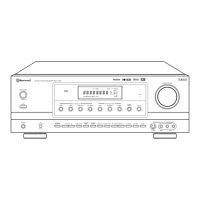
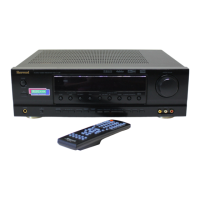
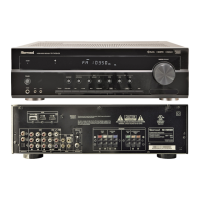
Sherwood RD-7502 - User Manual

Sherwood RD-7502
56 pages
Print Icon
To Next Page IconTo Next Page
Loading...
RD-7502

Other manuals for Sherwood RD-7502

Questions and Answers

  • K
    Kim WeaverAug 19, 2025
    What to do if my Sherwood RD-7502 Receiver has no power?
    • M
      Megan WarrenAug 19, 2025
      If your Sherwood Receiver isn't powering on, there are a couple of things to check. First, make sure the AC input cord is securely connected. If it is, test the AC wall outlet with a lamp or another appliance to ensure the outlet isn't dead or switched off.
  • G
    Gabriel ChungAug 21, 2025
    How to fix no sound on Sherwood RD-7502 Receiver?
    • M
      Mark GarciaAug 21, 2025
      If you're not getting any sound from your Sherwood Receiver, try these steps: * Check the speaker wire connections. * Adjust the master volume to a higher level. * Ensure the MUTE button is not activated. * Verify that you've selected the correct input source. * Confirm that all connections between components are correct.
  • A
    Anna RayAug 23, 2025
    Why Sherwood RD-7502 stations cannot be received?
    • R
      Ricardo BensonAug 25, 2025
      If your Sherwood Receiver isn't picking up any stations, make sure an antenna is connected. Also, try tuning in the desired station frequency. If that doesn't work, reposition the antenna and try tuning again.
  • K
    Kevin BurnsAug 26, 2025
    Why does my Sherwood RD-7502 Receiver remote control not work?
    • R
      richardperryAug 26, 2025
      If your Sherwood Receiver's remote control isn't working, first replace the batteries. If that doesn't solve the issue, make sure nothing is blocking the remote sensor on the receiver.
  • B
    brandimccallAug 28, 2025
    How to improve poor FM reception on Sherwood Receiver?
    • J
      jacoblewisAug 28, 2025
      To improve poor FM reception on your Sherwood Receiver, ensure an antenna is connected. If one is already connected, try changing its position to find the best reception.
  • T
    Theresa BakerAug 30, 2025
    What to do if there is no sound from the surround speakers on Sherwood Receiver?
    • D
      David RomeroAug 30, 2025
      If you're not hearing sound from the surround speakers on your Sherwood Receiver, check these things: * Make sure a surround mode is selected instead of stereo mode. * Adjust both the master volume and surround level. * Ensure you're using a stereo or surround source, not a monaural one. * Verify that the surround speaker setting isn't set to "N" (None); select the desired setting.
  • M
    Michael RodgersSep 1, 2025
    What to do if preset stations cannot be received on Sherwood RD-7502?
    • E
      Evan CarrollSep 1, 2025
      If you can't receive preset stations on your Sherwood Receiver, it could be due to an incorrect station frequency being memorized. Try memorizing the correct station frequency. Alternatively, the memorized stations might have been cleared, so try memorizing the stations again.
  • A
    Angela MaddoxSep 3, 2025
    How to troubleshoot no sound from the center speaker on Sherwood RD-7502?
    • T
      Tammy BarnettSep 3, 2025
      If you're not getting any sound from the center speaker of your Sherwood Receiver, verify that you've selected the desired surround mode instead of Dolby Virtual Speaker or stereo mode. Also, make sure the center speaker setting isn't set to "N" (None); select the correct setting. Finally, adjust the master volume and center level to ensure they aren't too low.
  • K
    Katherine RamirezSep 5, 2025
    How to eliminate continuous hissing noise during FM reception on Sherwood RD-7502 Receiver?
    • M
      Michael YoungSep 5, 2025
      If you're experiencing continuous hissing noise during FM reception, especially with stereo broadcasts on your Sherwood Receiver, it could be due to weak signals. Try changing the position of the antenna.
  • G
    George ColemanSep 7, 2025
    What causes no sound from surround back speakers on Sherwood Receiver?
    • C
      Crystal YoungSep 7, 2025
      If you're not getting sound from the surround back speakers on your Sherwood Receiver, it might be because the input signal format or the current surround mode doesn't support 7.1 (or 6.1) surround. Ensure you are using the proper conditions for 7.1 (or 6.1) surround playback. Also, check that the master volume and surround back level are appropriately adjusted. Finally, verify the surround back speaker setting isn't set to "N" (None); select the desired setting.

Summary

SAFETY INSTRUCTIONS

Introduction

Before Operating Your Unit

Essential preliminary reading before powering on the unit for the first time.

System Connections

Connecting Antennas

Instructions for connecting FM and AM antennas to the receiver.

Connecting Video Components

Guidance on connecting various video sources like DVD players and TVs.

Connecting Audio Components

Instructions for connecting audio devices such as CD players and tape decks.

Connecting External Inputs

Connecting external sources with 6, 7, or 8 channel analog audio outputs.

Connecting Digital Inputs and Outputs

Connecting digital audio sources via optical or coaxial inputs/outputs.

Connecting Subwoofer Pre Out

Connecting a powered subwoofer to enhance bass reproduction.

Connecting Speakers

Guidance on correctly connecting front, surround, and back speakers.

Speaker Placement

Recommendations for optimal speaker positioning in a listening environment.

Front Panel Controls

Remote Controls

Operations

Listening to a Program Source

Step-by-step guide to selecting and playing audio/video program sources.

System Setup

Setting the System

Setting the Input

Setting the Speaker Setup

Auto Set (Auto Setup)

Automated speaker setup and channel level calibration.

Speaker Configuration (CONFIG)

Selecting speaker sizes (Large/Small) and subwoofer presence.

Speaker Distance (DISTANCE)

Setting speaker distances for accurate delay time adjustment.

Speaker Crossover (X-OVER)

Setting the crossover frequency for 'Small' speakers.

Setting the Channel Level

Setting the Sound Parameter

Troubleshooting Guide

Sherwood RD-7502 Specifications

General IconGeneral
Channels5.1
Surround outputDolby Digital, DTS
Tuning rangeFM: 87.5 MHz - 108.0 MHz, AM: 530 kHz - 1710 kHz
Total Harmonic Distortion (THD)0.08%
Input Sensitivity200mV (line)
Signal-to-Noise Ratio100 dB
Digital inputscoaxial, optical
Video Connectionscomposite
Power Output100W per channel (8 ohms, 20Hz-20kHz, 0.08% THD)
Frequency Response10 Hz - 100 kHz

Related product manuals