EasyManua.ls Logo

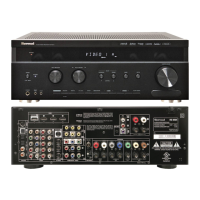
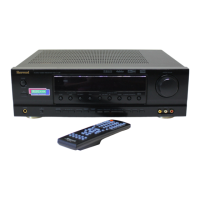
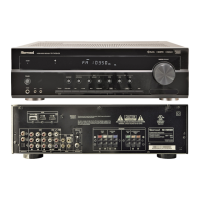
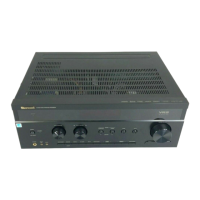
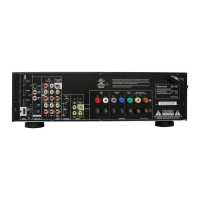
Sherwood RD-7505 - User Manual

Sherwood RD-7505
57 pages
Print Icon
To Next Page IconTo Next Page
Loading...
RD-7505
AUDIO / VIDEO RECEIVER
OPERATING INSTRUCTIONS
7505(A) cover_cover.qxp 2010-10-14 오전 10:25 페이지 1

Questions and Answers

  • D
    Donald NelsonAug 19, 2025
    What to do if my Sherwood Stereo Receiver has no sound?
    • S
      Samuel TaylorAug 19, 2025
      If there is no sound from your Sherwood Stereo Receiver, check the following: * Ensure the speaker wires are properly connected. * Adjust the master volume to an audible level. * Make sure the MUTE button is not activated. * Verify that you have selected the correct input source. * Confirm that all connections between components are correct. * If using HDMI, ensure the HDMI AUDIO OUT is set to AMP, not THRU. * Check that all audio settings are configured correctly.
  • M
    Mrs. Kristen ThompsonAug 21, 2025
    Why isn't my Sherwood Stereo Receiver remote control working?
    • T
      Tara HuntAug 22, 2025
      If the remote control for your Sherwood Stereo Receiver isn't working, try replacing the batteries first. If that doesn't solve the issue, make sure there are no obstructions between the remote and the receiver's sensor.
  • J
    john25Aug 25, 2025
    Why is there no sound from the surround speakers on my Sherwood Stereo Receiver?
    • T
      tina95Aug 25, 2025
      If you're not getting sound from the surround speakers on your Sherwood Stereo Receiver, check that a surround mode is selected instead of stereo mode. Also, make sure the master volume and surround level are appropriately adjusted. Ensure you are using a stereo or surround source, and verify the surround speaker setting is not set to "NO".
  • V
    vsmithAug 26, 2025
    Why is there no sound from the center speaker on my Sherwood Stereo Receiver?
    • D
      Deborah ClarkAug 27, 2025
      If there's no sound from the center speaker of your Sherwood Stereo Receiver, confirm that a surround mode is selected, not stereo mode. Check that the center speaker setting is not set to "NO". Also, ensure that the master volume and center level are adequately adjusted.
  • M
    Michael WagnerAug 28, 2025
    Why no sound from surround back speakers Sherwood Stereo Receiver?
    • M
      Marcus ThomasAug 28, 2025
      If there is no sound from the surround back (or front height) speakers on your Sherwood Stereo Receiver, it could be due to several reasons: * The input signal format or current surround mode may not support 7.1 (or 6.1) surround. * The surround back channels' power amplifier might be assigned to "BIAMP" or "ROOM 2". * The master volume and surround back (or front height) level might be too low. * The surround back (or front height) speaker setting might be set to "NO". Adjust the settings accordingly.
  • A
    Arthur RamirezAug 30, 2025
    Why is my Sherwood Receiver not turning on?
    • L
      Lisa SmallAug 30, 2025
      If your Sherwood Receiver has no power, first ensure that the AC input cord is securely connected. Then, check the AC wall outlet by plugging in a lamp or another appliance to verify it's functioning correctly. The issue might stem from a disconnected cord or a faulty outlet.
  • L
    ljacksonSep 1, 2025
    How to troubleshoot no power on my Sherwood Stereo Receiver?
    • M
      michaelroseSep 1, 2025
      If your Sherwood Stereo Receiver has no power, first, ensure the AC input cord is securely connected. Then, check the AC wall outlet by plugging in a lamp or another appliance to verify it's working.
  • J
    Jessica HuffSep 3, 2025
    How to fix Sherwood Stereo Receiver when it cannot receive stations?
    • K
      kaitlynmullenSep 3, 2025
      If your Sherwood Stereo Receiver isn't receiving stations, ensure that an antenna is connected. Then, tune in the desired station frequency. If the problem persists, try moving the antenna to a different position and retry tuning.
  • J
    John HaynesSep 5, 2025
    How to improve FM reception on Sherwood Stereo Receiver?
    • C
      Colin PayneSep 5, 2025
      To improve poor FM reception on your Sherwood Stereo Receiver: * Connect an antenna. * Change the position of the antenna to find the best reception. * Consider installing an outdoor FM antenna if the signal is weak.
  • E
    Edwin AustinSep 7, 2025
    What to do if there is no picture from my Sherwood Stereo Receiver?
    • M
      Michael LewisSep 8, 2025
      If your Sherwood Stereo Receiver is not displaying a picture, first, ensure that the video connections between the unit and the monitor TV are correctly made. Next, verify that you have selected the correct input source on the monitor TV. Finally, check that all video-related settings are properly configured.

Summary

Important Safety Instructions

General Safety Precautions

Crucial safety precautions to prevent hazards and damage during operation and installation.

System Connections

Connecting Speakers

Detailed instructions for connecting front, surround, back, and height speakers.

Controls and Operation

Enjoying Surround Sound Modes

Guide to selecting and experiencing various surround sound modes.

System Setup Procedures

Speaker and Room Equalization Setup

Adjusting speaker sizes, crossover, distance, and room equalization.

Troubleshooting and Specifications

Troubleshooting Common Issues

Solutions for common problems encountered with the receiver, from no power to poor reception.

Sherwood RD-7505 Specifications

General IconGeneral
Audio output channels- channels
Total Harmonic Distortion (THD)1 %
Power output per channel (1KHz@6 Ohm)110 W
Power output per channel (20-20KHz@8 Ohm)- W
HDMI in3
Digital audio optical in2
Number of HDMI outputs1
Connectivity technologyWired
Speakers connectivity typeBinding post
Ethernet LANNo
RDS featuresCT, PS, PTY, RT, TA, TP
Supported radio bandsAM, FM
Radio Data System (RDS)Yes
Preset stations quantity30
Card reader integrated-
HDMI version1.4
Product colorBlack
Audio decodersDolby Digital, Dolby Digital EX, Dolby Digital Plus, Dolby Pro Logic IIz, Dolby TrueHD, DTS 96/24, DTS Neo:6, DTS-ES (Discrete 6.1), DTS-ES (Matrix 6.1), DTS-HD
Apple docking compatibilityNot supported
Weight and Dimensions IconWeight and Dimensions
Depth330 mm
Width435 mm
Height141 mm
Weight9200 g

Related product manuals