EasyManua.ls Logo

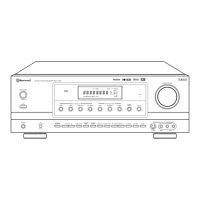
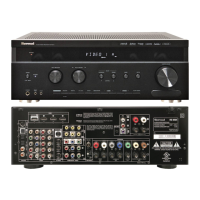
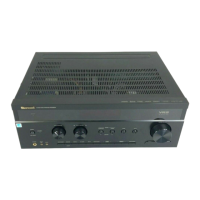
Sherwood RD-8504 - User Manual

Sherwood RD-8504
71 pages
Print Icon
To Next Page IconTo Next Page
Loading...
RD-8504
cover_8504:cover_8504 2009-11-04 오후 2:34 페이지 1

Table of Contents

Questions and Answers

  • C
    Christopher OrtegaAug 19, 2025
    Why is there no sound coming from my Sherwood RD-8504?
    • P
      pcummingsAug 20, 2025
      If your Sherwood Receiver has no sound, check the speaker connections and make sure the speaker wires are properly connected. Adjust the master volume to ensure it's not too low. Verify that the MUTE button is not activated. Ensure the correct input source is selected and that all components are correctly connected. If using HDMI, confirm that the HDMI Audio Output is set to Speaker. Also, check your audio settings.
  • B
    Beth FordAug 21, 2025
    How to fix a Sherwood RD-8504 Receiver with no power?
    • M
      Matthew WagnerAug 21, 2025
      If your Sherwood Receiver has no power, ensure the AC input cord is securely connected. Also, check the AC wall outlet by testing it with a lamp or another appliance to rule out a faulty outlet.
  • F
    fdominguezAug 25, 2025
    What to do if my Sherwood RD-8504 Receiver has no picture?
    • S
      Shannon CarsonAug 25, 2025
      If your Sherwood Receiver is not producing a picture, ensure that the video connections between the unit and the monitor TV are correctly made. Also, verify that the input source is correctly selected on the monitor TV. Check the video settings.
  • M
    Megan ButlerAug 26, 2025
    Why is the FM reception poor on my Sherwood RD-8504 Receiver?
    • L
      Leah YoungAug 26, 2025
      If you're not getting any FM stations on your Sherwood Receiver, start by connecting an antenna. If an antenna is already connected, try repositioning it for better reception. If the signals are weak, consider installing an outdoor FM antenna.
  • R
    Robert FryAug 28, 2025
    Why no picture with HDMI connection on my Sherwood Receiver?
    • M
      Mary JohnsonAug 28, 2025
      If your Sherwood Receiver has no picture with an HDMI connection, first ensure that the HDMI connection between the unit and the monitor TV is correctly made. Confirm that the monitor TV or other equipment supports HDCP, as the unit will not output video signal without HDCP support.
  • D
    Damon RichardsAug 30, 2025
    Why does the remote control unit not operate my Sherwood RD-8504?
    • M
      melindasanchezAug 30, 2025
      If your Sherwood Receiver remote control isn't working, replace the batteries first. If that doesn't solve the issue, make sure nothing is blocking the remote sensor on the receiver.
  • K
    Kimberly RogersSep 1, 2025
    Why is there no sound from the surround speakers on my Sherwood RD-8504?
    • R
      Robert KnoxSep 1, 2025
      If you are not hearing sound from the surround speakers on your Sherwood Receiver, make sure that a surround mode is selected instead of stereo mode. Adjust the master volume and surround level to appropriate settings. Ensure you're using a stereo or surround source, not a monaural one. Finally, check that the surround speaker setting is not set to "No."
  • T
    tpowellSep 3, 2025
    Why is the picture noisy or distorted on my Sherwood RD-8504 Receiver?
    • A
      adkinscarrieSep 3, 2025
      If there's noise or a distorted picture on your Sherwood Receiver, it might be due to a video format incompatibility. Try changing the video format to PAL.
  • S
    Shawn SalinasSep 5, 2025
    Why is there no sound from the center speaker on my Sherwood RD-8504?
    • S
      Sally HallSep 5, 2025
      If you're not getting sound from the center speaker on your Sherwood Receiver, ensure that you've selected the desired surround mode instead of Dolby Virtual Speaker or stereo mode. Check that the center speaker setting is not set to "No". Adjust the master volume and center level to appropriate settings.
  • R
    Robert FarmerSep 8, 2025
    Why can't stations be received on my Sherwood RD-8504 Receiver?
    • D
      Derek WilsonSep 8, 2025
      If you cannot receive stations on your Sherwood Receiver, connect an antenna. If an antenna is already connected, tune in the desired station frequency. Try moving the antenna to a different position and retry tuning.

Sherwood RD-8504 Specifications

General IconGeneral
OutputPreamp output, headphone output
Tuning rangeFM: 87.5 MHz - 108.0 MHz, AM: 530 kHz - 1710 kHz
Frequency Response10 Hz - 100 kHz
Total Harmonic Distortion0.08%
Input Sensitivity2.5mV (MM)
Signal to noise ratio100 dB
Speaker load impedance8Ω to 16Ω
Video Connectionscomposite
Power Output100 watts per channel (8 ohms, 20Hz-20kHz, 0.08% THD)

Related product manuals