EasyManua.ls Logo

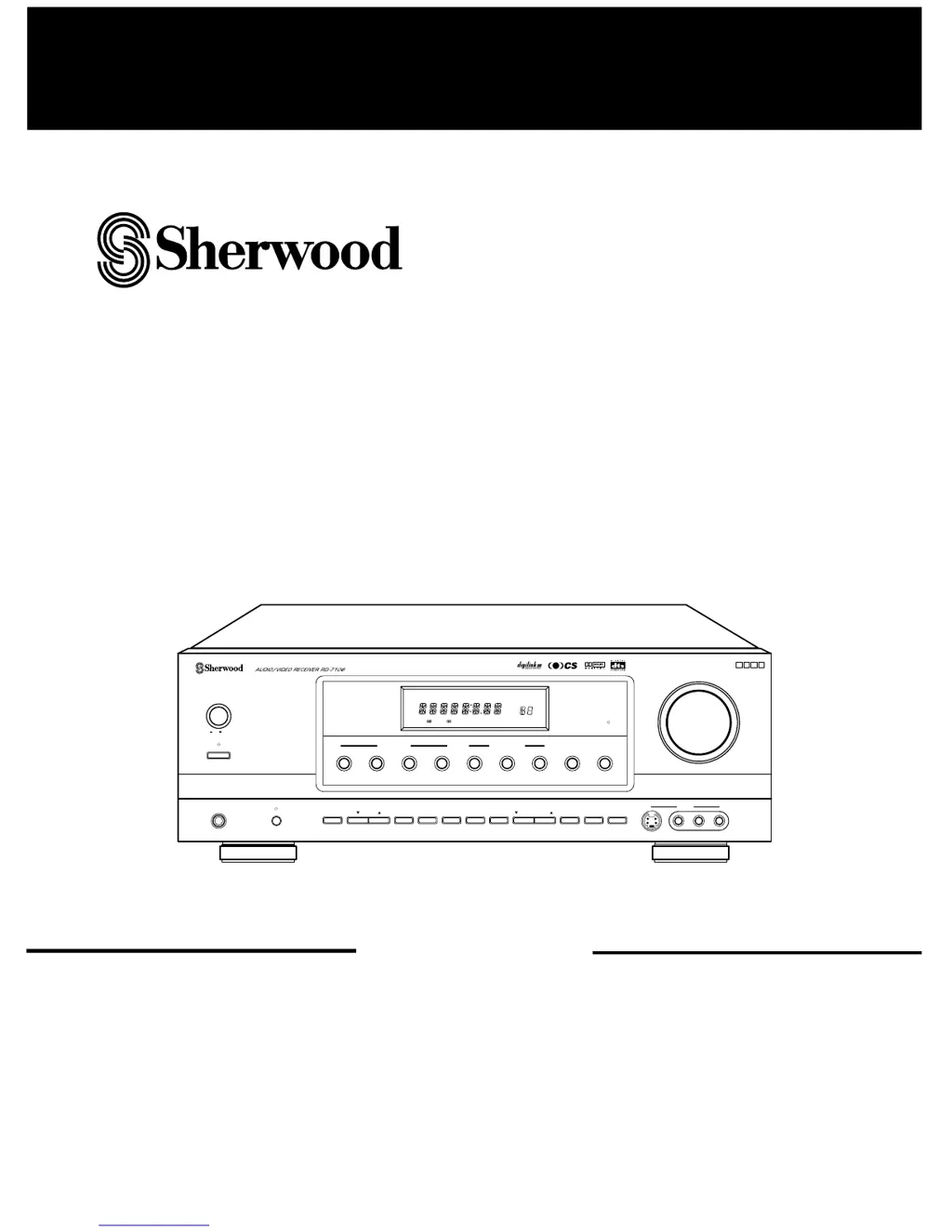
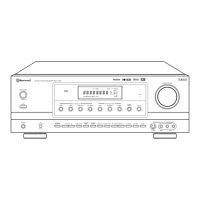
Sherwood RD-7106 - User Manual

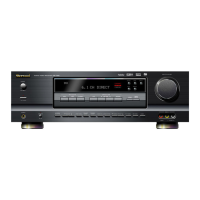
Sherwood RD-7106
29 pages
Print Icon
To Next Page IconTo Next Page
Loading...
OPERATINGINSTRUCTIONS
SURROUND MODE
TUNING/PRESETADJUST
INPUT SELECTOR
ON/STANDBY
MAIN POWER
STANDBY
S-VIDEO
PHONES
CHANNEL
SELECTOR
AUDIO
VIDEO TAPE MON.
6CH DIRECT DSP MODEAUTO STEREO CHECK
VIDEO L
-
AUDIO
-
R
VIDEO 4
REMOTE
SENSOR
MASTER VOLUME
BANDFM MODET/P MODETONE MODE
SPEAKER
MODE
DYNAMIC
RANGE
MEMO/ENTERCINEMA EQ
ON/OFF
SPEAKER
DIGITAL
INPUTS
LOCK
ON/ OFF
TOTALLY DISCRETE AMPLIFIER STAGE
TDAS
ST TUNED TAPE M PRESET
Pro LogicDIGITAL
DTS
SLEEP
dB
kHz
MHz
MEM
ms
RRDD--77110066
AUDIO/VIDEO RECEIVER

Questions and Answers

  • M
    Mark Hansen MDAug 19, 2025
    Why is there no sound from my Sherwood RD-7106 Receiver?
    • E
      Elizabeth GonzalezAug 19, 2025
      If you are experiencing no sound from your Sherwood Receiver, there might be several reasons: * The speaker wires could be disconnected; ensure they are properly connected. * The master volume might be too low; adjust it to a suitable level. * The MUTE button on the remote control might be activated; press it to cancel the muting effect. * Speakers might not be switched on; press the SPEAKER button to turn them on. * You might have selected an incorrect input source; choose the correct one. * There might be incorrect connections between the components; double-check and correct them.
  • M
    Michael ParkerAug 21, 2025
    What to do if my Sherwood RD-7106 has no power?
    • T
      turnerdanielAug 21, 2025
      If your Sherwood Receiver has no power, it could be due to the AC input cord being disconnected. Ensure the cord is securely connected. Another possibility is a poor connection at the AC wall outlet, or the outlet might be dead or off. Check the outlet using a lamp or another appliance to confirm it's working.
  • G
    Gerald BaileyAug 23, 2025
    What to do if the remote control unit does not operate my Sherwood RD-7106 Receiver?
    • A
      Alejandro MartinezAug 25, 2025
      If the remote control unit isn't operating your Sherwood Receiver, the batteries might not be loaded or could be exhausted; try replacing them. Also, the remote sensor might be obstructed; remove any obstacles blocking the sensor.
  • D
    Donald JohnsonAug 26, 2025
    Why is there no sound from the rear speakers of my Sherwood RD-7106 Receiver?
    • A
      anthonyweissAug 26, 2025
      If you're not getting sound from the rear speakers of your Sherwood Receiver, it could be due to several reasons: * The surround mode might be switched off (set to normal stereo mode); select a surround mode. * The master volume and rear level might be too low; adjust them accordingly. * You might be using a monaural source; select a stereo or surround source. * The rear speaker setting might be set to ā€œNā€; select the desired rear speaker setting.
  • W
    Wendy LopezAug 28, 2025
    Why is there no sound from the center speaker of my Sherwood RD-7106 Receiver?
    • S
      Sean RodriguezAug 28, 2025
      If you're experiencing no sound from the center speaker of your Sherwood Receiver, it could be because: * The surround mode is switched off (set to normal stereo mode); select the desired surround mode. * The center speaker setting is set to ā€œNā€; select the desired center speaker setting. * The master volume and center level are too low; adjust them accordingly.
  • J
    john47Aug 30, 2025
    Why does my Sherwood RD-7106 Receiver have poor FM reception?
    • A
      apriljacksonAug 30, 2025
      Poor FM reception on your Sherwood Receiver can be caused by: * No antenna being connected; connect an antenna. * The antenna not being positioned for the best reception; change the position of the antenna.
  • A
    Amber PalmerSep 1, 2025
    How to fix continuous hissing noise during FM reception on my Sherwood Receiver?
    • G
      gwrightSep 1, 2025
      If you're experiencing continuous hissing noise during FM reception, especially when a stereo broadcast is received, weak signals could be the cause. Try changing the position of the antenna. You might also consider installing an outdoor FM antenna.
  • B
    Brittany RomanSep 3, 2025
    Why can't my Sherwood RD-7106 receive stations?
    • X
      xcoxSep 3, 2025
      If your Sherwood Receiver can't receive stations, it could be due to: * No antenna being connected; connect an antenna. * The desired station frequency not being tuned in; tune in the desired station frequency. * The antenna being in the wrong position; move the antenna and retry tuning.
  • N
    Noah PowellSep 5, 2025
    Why can't my Sherwood RD-7106 Receiver receive preset stations?
    • B
      Barbara MurphySep 5, 2025
      If your Sherwood Receiver can't receive preset stations, it might be because an incorrect station frequency has been memorized; memorize the correct station frequency. Alternatively, the memorized stations might have been cleared; memorize the stations again.
  • T
    Teresa ReyesSep 8, 2025
    How to eliminate hissing noise during AM reception on Sherwood RD-7106?
    • A
      Ashley GonzalezSep 8, 2025
      If you're experiencing continuous or intermittent hissing noise during AM reception, especially at night, it's often caused by noise from motors, fluorescent lamps, or lightning. Try keeping the receiver away from these noise sources. Installing an outdoor AM antenna might also help.

Summary

Introduction

Unpacking and Installation

Guide to safely unpacking and setting up the audio/video receiver for optimal performance.

Safety and Regulatory Information

Important safety warnings, precautions, and FCC compliance details for the receiver.

Before Operating Your Unit

Voltage and Power Requirements

Details on voltage selection, power supply, and safety precautions for different regions.

System Connections

Connecting Audio Components

Instructions for connecting audio sources like CD players and tape decks to the receiver.

Connecting Video Components

Guide for connecting video sources like VCRs and DVD players to the receiver.

Connecting Antennas

Steps for connecting FM and AM antennas for optimal radio reception.

Connecting Speakers

How to properly connect front, rear, and center speakers to the receiver.

Connecting Digital Inputs

Guide for connecting digital audio sources via coaxial or optical cables.

Connecting System Control

Instructions for interconnecting Sherwood components using DIGI LINK system.

PRE OUT Connections

How to use pre-out jacks for external amplifiers or powered speakers.

AC Input and Switched Outlets

Information on connecting the AC power cord and using switched AC outlets.

Front Panel Controls

Front Panel Controls Overview

Overview of buttons, indicators, display, and input jacks on the receiver's front panel.

DIGI LINK III System Remote Controls

Remote Control Functions

Explanation of remote control buttons for receiver and component operation.

Remote Operation Range and Batteries

Information on the remote's effective range and battery installation.

Operations

Listening to a Program Source

Steps to power on the receiver and select an audio or video input source.

Adjusting Tone and Sound Effects

How to adjust bass, treble, Cinema EQ, and mute the sound.

Headphone Listening

Instructions for listening privately using headphones.

SURROUND SOUND

Surround Sound Modes Overview

Description of the 8 available surround sound modes for immersive audio.

Speaker Placement and Connectivity

Guidelines for optimal speaker placement and supported speaker configurations.

ENJOYING SURROUND SOUND

Selecting Surround Modes

How to choose and activate different surround sound processing modes.

Adjusting Speaker Settings

Setting speaker size, position, and subwoofer for optimal surround.

Adjusting Channel Levels

Fine-tuning the volume level for each individual speaker channel.

Adjusting Channel Levels with Test Tone

Using the test tone function to balance speaker volume levels accurately.

Adjusting Speaker Delay Times

Setting delay times for speakers to synchronize sound arrival for better imaging.

Downmixing to 2 Front Channels

Reproducing multi-channel audio through two speakers or headphones.

LISTENING TO RADIO BROADCASTS

Radio Tuning Methods

Guide to auto tuning, manual tuning, and presetting radio stations.

Preset Station Scanning

How to scan through stored radio stations sequentially.

RECORDING

Recording with Tape Monitor

Instructions for recording audio using the tape monitor function.

Dubbing Audio and Video

Steps for dubbing video and audio content between components.

Dubbing Audio and Video Separately

How to dub video and audio signals from different sources onto VIDEO 1.

OTHER FUNCTIONS

Checking Settings and Dynamic Range

Viewing current settings and adjusting dynamic range compression for Dolby Digital.

Sleep Timer and Display Brightness

Setting the sleep timer and adjusting the brightness of fluorescent displays.

Using the OSD

Current Status Display

On-screen display of current input source, test tone status, and volume.

Menu Screen Operations

Navigating setup menus for speaker mode, surround, delay time, and channel trim.

Troubleshooting Guide

Troubleshooting Common Issues

A guide to diagnosing and resolving common issues with the receiver.

Specifications

Technical Specifications

Detailed technical data for amplifier, digital audio, video, tuner, and general sections.

Sherwood RD-7106 Specifications

General IconGeneral
BrandSherwood
ModelRD-7106
CategoryReceiver
LanguageEnglish

Related product manuals