EasyManua.ls Logo

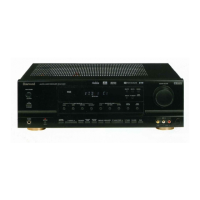
Sherwood RD-6500 - User Manual

Sherwood RD-6500
26 pages
Print Icon
To Next Page IconTo Next Page
Loading...
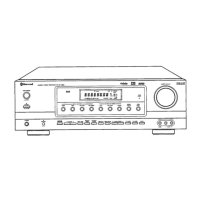
RD-6500
AUDIO/VIDEO RECEIVER

Questions and Answers

  • A
    Amy LiAug 16, 2025
    How to troubleshoot no power on my Sherwood RD-6500 Receiver?
    • B
      Brenda JohnsonAug 16, 2025
      If your Sherwood Receiver has no power, first ensure the AC input cord is securely connected. Also, check the AC wall outlet by testing it with a lamp or another appliance to make sure the outlet is active.
  • A
    Alyssa VargasAug 19, 2025
    Why is there no sound coming from my Sherwood RD-6500?
    • D
      Dakota SnyderAug 19, 2025
      If your Sherwood Receiver has no sound, check the speaker connections and make sure they are secure. Ensure that the master volume is not set too low, and verify that the MUTE button on the remote control is not activated. Confirm that the speakers are switched on by pressing the SPEAKER button. Also, check that you have selected the correct input source and that all connections between the components are correctly made.
  • K
    Kevin SmithAug 22, 2025
    What to do if the Sherwood Receiver remote control is not working?
    • M
      Mr. Christopher SwansonAug 22, 2025
      If the remote control unit for your Sherwood Receiver isn't working, first replace the batteries. If that doesn't solve the issue, check to see if anything is obstructing the remote sensor and remove the obstacle.
  • V
    victoria25Aug 25, 2025
    Why can't my Sherwood RD-6500 Receiver receive any stations?
    • C
      Chad RandallAug 26, 2025
      If your Sherwood Receiver isn't receiving stations, ensure that an antenna is connected. Tune in the desired station frequency. If the issue persists, try moving the antenna to a different position and retry tuning.
  • C
    Christopher BennettAug 28, 2025
    How to improve poor FM reception on Sherwood RD-6500 Receiver?
    • R
      robbinsstevenAug 28, 2025
      If you're experiencing poor FM reception with your Sherwood Receiver, make sure an antenna is connected. If an antenna is already connected, try changing its position to improve reception.
  • S
    Sarah ChanAug 31, 2025
    What to do if there is no sound from the rear speakers on my Sherwood RD-6500 Receiver?
    • A
      anthony89Aug 31, 2025
      If you're not getting any sound from the rear speakers on your Sherwood Receiver, make sure a surround mode is selected instead of stereo mode. Adjust both the master volume and the rear level. Ensure that you are using a stereo or surround source, not a monaural source. Verify that the rear speaker setting is correctly configured and not set to ā€œNā€.
  • M
    Michael SerranoSep 3, 2025
    Why is there no sound from the center speaker of my Sherwood RD-6500 Receiver?
    • O
      owensarthurSep 3, 2025
      If you're not getting any sound from the center speaker on your Sherwood Receiver, ensure that a surround mode is selected, not stereo mode. Check that the center speaker setting is not set to ā€œNā€. Adjust the master volume and center level to appropriate levels.
  • T
    Tiffany GoodwinSep 6, 2025
    Why won't my Sherwood RD-6500 receive preset stations?
    • R
      robert74Sep 6, 2025
      If your Sherwood Receiver isn't receiving preset stations, it might be because an incorrect station frequency was memorized. Try memorizing the correct station frequency. If the memorized stations are cleared, memorize the stations again.
  • D
    David CabreraSep 9, 2025
    How to stop hissing noise during FM reception on Sherwood RD-6500 Receiver?
    • A
      Alexis KleinSep 9, 2025
      If you are experiencing a continuous hissing noise during FM reception on your Sherwood Receiver, especially when a stereo broadcast is received, try changing the position of the antenna. If the problem persists, consider installing an outdoor antenna.
  • K
    Kaitlyn AyalaSep 12, 2025
    What causes hissing noise during AM reception on Sherwood Receiver?
    • A
      alyssa09Sep 12, 2025
      If you experience continuous or intermittent hissing noise during AM reception with your Sherwood Receiver, particularly at night, it could be due to interference from motors, fluorescent lamps, or lightning. Try to keep the receiver away from these noise sources. You might also consider installing an outdoor AM antenna.

Summary

Introduction

Read This Before Operating Your Unit

Essential safety and operational guidelines to follow before using the Sherwood RD-6500 receiver.

Safety Instructions

System Connections

Connecting Antennas

Instructions for connecting FM and AM antennas to ensure optimal signal reception.

Connecting Audio;Video Components

Details on connecting external sources like DVD players, video decks, and CD players via audio/video inputs.

Connecting 6 CH Direct Inputs

Steps for connecting multi-channel audio sources like 6 CH decoders for surround sound.

Subwoofer Pre Out Connection

Connecting Digital Inputs

Connecting Speakers

Front Panel Controls

Fluorescent Display

Explanation of the information displayed on the receiver's front panel fluorescent screen.

Video 3 Input Jacks

Details on the rear panel VIDEO 3 input jacks for connecting additional video components.

Remote Controls

Remote Control Operation Range

Loading Batteries

Operations

Listening to a Program Source

Step-by-step instructions for selecting and listening to different audio and video input sources.

Adjusting Tone Controls

Tone Direct Function

How to bypass tone controls for a direct audio signal path.

Surround Sound Modes

Dolby Digital

Details on the Dolby Digital multi-channel digital audio format and its benefits.

Dolby Pro Logic II Surround Modes

Information on Dolby Pro Logic II modes (Movie, Music, Matrix, Custom) for enhanced surround sound.

Other Sound Environment Modes

Details on modes like MATRIX, THEATER, HALL, STADIUM, and CHURCH for creating specific sound environments.

Delay Time Adjustment

Speaker Placement Guidelines

Enjoying Surround Sound

Selecting Decoding Mode

Instructions on choosing between AUTO, IN-AUTO, and IN-PCM decoding modes for digital signals.

Selecting Surround Mode

How to select various DSP surround sound modes based on input signal and decoding.

Dolby Pro Logic II Parameter Fine-Tuning

Speaker Settings Adjustment

Adjusting Channel Levels

Procedure for fine-tuning the volume of each speaker channel.

Subwoofer Setting

How to set the subwoofer mode to 'Yes' or 'No' based on its usage.

Channel Level and Test Tone Adjustment

Adjusting Channel Levels

Procedure for fine-tuning the volume of each speaker channel.

Test Tone Function

How to use the test tone to ensure correct speaker channel level calibration.

Speaker Delay Time Settings

2-Channel Downmix Mode

Listening to Radio Broadcasts

Auto Tuning

Guide to automatically scanning and tuning to available radio stations.

Manual Tuning

How to manually tune to a specific radio station frequency.

Presetting Radio Stations

Steps to store and recall favorite radio stations for quick access.

Tuning to Preset Stations

Listening to FM Stereo Broadcasts

Scanning Preset Stations

Recording Functions

Recording with Tape Monitor

How to record audio from selected sources using the TAPE MONITOR function.

Dubbing Video Components

Instructions for dubbing video signals from one component to another.

Dubbing Audio and Video Separately

How to record video and audio from different sources onto VIDEO 1.

Other Functions

Dynamic Range Compression

How to compress the dynamic range of Dolby Digital sources for clearer night listening.

Sleep Timer Operation

How to set the receiver to automatically turn off after a specified time.

Fluorescent Display Brightness

How to adjust the brightness or turn off the front panel display.

Troubleshooting Guide

Specifications

Sherwood RD-6500 Specifications

General IconGeneral
BrandSherwood
ModelRD-6500
CategoryReceiver
LanguageEnglish

Related product manuals