EasyManua.ls Logo

Sherwood RD-5503 - User Manual

Sherwood RD-5503
42 pages
Print Icon
To Next Page IconTo Next Page
Loading...
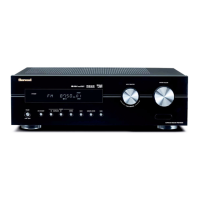
SURROUND RECEIVER
OPERATING INSTRUCTIONS
RD-5503

Questions and Answers

  • M
    Morgan BrownAug 14, 2025
    Why my Sherwood RD-5503 has no power?
    • C
      cherylsandersAug 14, 2025
      If your Sherwood Receiver has no power, first ensure the AC input cord is securely connected. Also, check the AC wall outlet by testing it with a lamp or another appliance to confirm it is active.
  • J
    James JonesAug 17, 2025
    How to fix no sound on Sherwood RD-5503 Receiver?
    • Y
      Yvonne MooreAug 17, 2025
      If there is no sound from your Sherwood Receiver, check the speaker connections to ensure they are properly connected. Also, make sure the master volume is not set too low and that the MUTE button on the remote control is not activated. Verify that you have selected the correct input source and that all components are correctly connected.
  • P
    Patricia GuzmanAug 20, 2025
    What to do if Sherwood Receiver remote control is not working?
    • J
      Jared DavisAug 20, 2025
      If the remote control unit for your Sherwood Receiver isn't working, first replace the batteries. If that doesn't work, make sure there are no obstructions blocking the remote sensor.
  • L
    Lauren WebbAug 25, 2025
    Why Sherwood RD-5503 Receiver stations cannot be received?
    • A
      Amanda BarberAug 25, 2025
      If your Sherwood Receiver isn't receiving stations, ensure that an antenna is connected. Also, make sure you have tuned in the desired station frequency and that the antenna is positioned correctly for optimal reception. Try moving the antenna and retuning.
  • M
    mirandavalentineAug 27, 2025
    How to improve FM reception on Sherwood Receiver?
    • M
      Melissa TranAug 27, 2025
      If you are experiencing poor FM reception with your Sherwood Receiver, first ensure that an antenna is connected. If an antenna is connected, try changing its position to improve reception.
  • D
    Denise Allen DVMAug 30, 2025
    Why no sound from center speaker on Sherwood Receiver?
    • J
      Jacob FordAug 30, 2025
      If there is no sound from the center speaker of your Sherwood Receiver, ensure that a surround mode is selected (not stereo). Also, check that the center speaker setting is not set to ā€œNā€. Finally, adjust the master volume and center level to appropriate levels.
  • L
    Linda MaynardSep 2, 2025
    Why Sherwood RD-5503 Receiver preset stations cannot be received?
    • D
      Denise FisherSep 2, 2025
      If your Sherwood Receiver isn't receiving preset stations, it may be because an incorrect station frequency was memorized. Try memorizing the correct station frequency. It's also possible that the memorized stations were cleared, so try memorizing the stations again.
  • S
    Scott WoodwardSep 6, 2025
    What causes hissing noise during FM reception on Sherwood RD-5503 Receiver?
    • A
      Allison HaynesSep 6, 2025
      If you are experiencing continuous hissing noise during FM reception on your Sherwood Receiver, especially with stereo broadcasts, try changing the position of the antenna. Weak signals can cause this issue.
  • S
    Steven JacksonSep 9, 2025
    Why hissing noise during AM reception on Sherwood Receiver?
    • R
      Robert RobinsonSep 9, 2025
      If you hear continuous or intermittent hissing noise during AM reception with your Sherwood Receiver, especially at night, the noise might be caused by motors, fluorescent lamps, or lightning. Try keeping the receiver away from these noise sources.

Summary

Introduction

READ THIS BEFORE OPERATING YOUR UNIT

Crucial safety precautions and warnings before initial use.

System Connections

1. CONNECTING ANTENNAS

Guidance on connecting FM and AM antennas for radio reception.

2. CONNECTING AUDIO;VIDEO COMPONENTS

Steps for linking external audio and video sources to the receiver.

3. CONNECTING DIGITAL INs

How to connect digital audio sources like CD or DVD players.

4. CONNECTING SUBWOOFER PRE OUT

Connect a powered subwoofer for enhanced bass output.

5. CONNECTING SPEAKERS

Instructions for properly connecting speaker cables to the unit.

6. AC INPUT CORD

Procedure for connecting the unit to the AC power supply.

Front Panel Controls

FLUORESCENT DISPLAY

Explanation of the display indicators and their meanings.

Remote Controls

REMOTE CONTROL OPERATION RANGE

Guidelines for the effective operating range and angles of the remote.

LOADING BATTERIES

Instructions for inserting batteries into the remote control.

Operations

LISTENING TO A PROGRAM SOURCE

How to turn on the receiver and select an audio input source.

SURROUND SOUND

Overview of different surround sound modes available.

ENJOYING SURROUND SOUND

Steps to select and activate desired surround sound modes.

LISTENING TO RADIO BROADCASTS

How to tune in and listen to FM and AM radio stations.

RECORDING

Instructions for recording audio from various sources.

OTHER FUNCTIONS

Explanation of sleep timer and display brightness adjustments.

USING DIFFERENT FUNCTIONS ON THE FRONT PANEL

How to use various functions directly from the receiver's front panel.

System Setup

SETTING THE SYSTEM

Configuration options for subwoofer modes and tone adjustments.

SETTING THE INPUT

Assigning digital inputs and configuring auto surround modes.

SETTING THE SPEAKER SETUP

Adjusting speaker settings for optimal acoustic performance.

SETTING THE CH LEVEL

Fine-tuning individual channel volume levels for balanced sound.

Adjusting the current channel level

Adjusting individual channel volume levels to user preferences.

Memorizing the adjusted channel levels

Saving custom channel level settings into memory.

SETTING THE PARAMETER

Adjusting advanced sound parameters for optimal listening experience.

When selecting the NIGHT MODE

Adjusting dynamic range compression for low-volume listening.

When selecting the DOLBY PLII MUSIC

Adjusting surround parameters for Dolby Pro Logic II Music mode.

Troubleshooting Guide

Specifications

Sherwood RD-5503 Specifications

General IconGeneral
Channels5.1
Input Sensitivity200 mV (line)
Weight7.5 kg
TypeReceiver
Tuning rangeFM: 87.5 - 108 MHz
Frequency Response20 Hz - 20 kHz
Total Harmonic Distortion0.08%
OutputSpeaker outputs
Speaker load impedance8 ohms
Digital inputsOptical
Video ConnectionsComposite
Outputsheadphones

Related product manuals