EasyManua.ls Logo

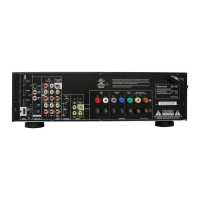
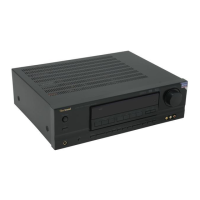
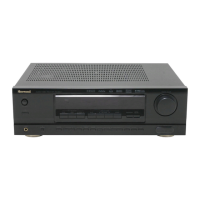
Sherwood RD-8601 - User Manual

Sherwood RD-8601
58 pages
Print Icon
To Next Page IconTo Next Page
Loading...
RD
-
8601
OPERATING INSTRUCTIONS
Audio/Video Receiver

Questions and Answers

  • K
    Kathryn HatfieldAug 18, 2025
    How to troubleshoot no power on my Sherwood Receiver?
    • R
      Ronald FloresAug 18, 2025
      If your Sherwood Receiver has no power, ensure the AC input cord is securely connected and check the AC wall outlet by testing it with another appliance or a lamp. It's possible the cord is disconnected or the outlet is inactive.
  • C
    crandolphAug 20, 2025
    What to do if my Sherwood RD-8601 has no sound?
    • A
      Amy FreyAug 20, 2025
      If there is no sound from your Sherwood Receiver, first check the speaker connections and make sure they are secure. Then, adjust the master volume to a suitable level. Also, verify that the MUTE button on the remote control is not activated. Ensure that the speakers are switched on and that the correct input source is selected. Finally, double-check all connections between the components to ensure they are correct.
  • K
    Katherine KaiserAug 23, 2025
    Why is my Sherwood RD-8601 remote control not working?
    • J
      Joshua LopezAug 23, 2025
      If your Sherwood Receiver remote control isn't working, first, try replacing the batteries. If that doesn't solve the problem, check for any obstructions between the remote and the receiver's sensor. The batteries may be exhausted or not loaded, or the remote sensor might be obstructed.
  • Z
    Zachary PatelAug 25, 2025
    How to fix no sound from surround speakers on Sherwood RD-8601 Receiver?
    • D
      David CoxAug 26, 2025
      If you're not getting any sound from the surround speakers on your Sherwood Receiver, make sure a surround mode is selected instead of stereo mode. Also, check that the master volume and surround level are appropriately adjusted. Ensure that you are using a stereo or surround source, and verify that the surround speaker setting is not set to “N”.
  • A
    adamtaylorAug 27, 2025
    What to do if there is no sound from the center speaker on my Sherwood RD-8601?
    • G
      Gregory RubioAug 27, 2025
      If you're not getting any sound from the center speaker of your Sherwood Receiver, ensure that Dolby Virtual Speaker or stereo mode is not selected; instead, choose a surround mode. Also, verify that the center speaker setting is not set to “N”. Finally, check that the master volume and center level are appropriately adjusted.
  • C
    Cameron WallaceAug 30, 2025
    Why is there no sound from the surround back speaker on my Sherwood Receiver?
    • E
      Edward KleinAug 30, 2025
      If you're not getting any sound from the surround back speaker on your Sherwood Receiver, ensure that the input signal format or the current surround mode supports 6.1 surround playback. Also, check that the master volume and surround back level are appropriately adjusted. Finally, verify that the surround back speaker setting is not set to “N”.
  • W
    Wanda SuttonSep 1, 2025
    How to fix Sherwood RD-8601 when stations cannot be received?
    • L
      liubenjaminSep 1, 2025
      If your Sherwood Receiver isn't picking up stations, make sure an antenna is connected. Tune to the desired station frequency, and try repositioning the antenna to improve reception. It's possible that no antenna is connected, the desired station frequency is not tuned in, or the antenna is in a poor position.
  • J
    Jacob BarnesSep 3, 2025
    What to do if preset stations cannot be received on my Sherwood Receiver?
    • E
      Eric LawsonSep 4, 2025
      If your Sherwood Receiver isn't receiving preset stations, you may have memorized an incorrect station frequency, or the memorized stations may have been cleared. Try memorizing the correct station frequency or memorizing the stations again.
  • E
    Eric OnealSep 6, 2025
    Why is the FM reception poor on my Sherwood RD-8601?
    • W
      William DennisSep 6, 2025
      If you're experiencing poor FM reception on your Sherwood Receiver, ensure that an antenna is connected. Try changing the position of the antenna to improve the signal. It's possible that no antenna is connected, or the antenna is not positioned for the best reception.
  • H
    hmurraySep 8, 2025
    How to stop continuous hissing noise during FM reception on Sherwood RD-8601?
    • R
      Richard LopezSep 8, 2025
      If you're experiencing a continuous hissing noise during FM reception on your Sherwood Receiver, especially when a stereo broadcast is received, the signals might be weak. Try changing the position of the antenna or installing an outdoor antenna to improve signal strength.

Summary

Introduction

READ THIS BEFORE OPERATING YOUR UNIT

Crucial instructions and warnings to read before operating the audio/video receiver.

FOR YOUR SAFETY

Important safety precautions for operating the receiver, including electrical and environmental considerations.

FCC INFORMATION

Details on FCC compliance for digital devices and guidelines to prevent radio interference.

Note to CATV System Installer

Guidance for CATV system installers regarding proper grounding connections.

SAFETY INSTRUCTION

System Connections

1. CONNECTING ANTENNAS

Instructions for connecting FM and AM antennas for optimal reception.

2. CONNECTING VIDEO COMPONENTS

Guide to connecting various video sources like DVD players and VCRs.

3. CONNECTING AUDIO COMPONENTS

Instructions for connecting audio sources like CD players and tape decks.

4. CONNECTING EXTERNAL INs

How to connect external components with multi-channel audio outputs.

5. CONNECTING DIGITAL INs and OUT

Connecting digital sources and recorders via optical or coaxial ports.

6. CONNECTING SYSTEM CONTROL

Connecting Sherwood components using the DIGI LINK system.

7. SUBWOOFER PREOUT connection

Connecting a powered subwoofer to enhance bass response.

8. CONNECTING SPEAKERS

Properly connecting speakers to the receiver for correct sound output.

Speaker placement

Front left and right speakers and center speaker

Recommendations for positioning front and center speakers for optimal sound.

Surround left and right speakers

Guidance on placing surround speakers for an immersive audio experience.

Surround back speaker

Instructions for positioning the surround back speaker for enhanced surround effects.

Subwoofer

Advice on placing the subwoofer for powerful bass reproduction.

Front Panel Controls

FLUORESCENT DISPLAY

Explanation of indicators and information shown on the receiver's front display.

Universal Remote Controls

Digi link system remote controls

Information on operating Sherwood components with the DIGI LINK system.

FUNCTION TABLE of the NUMBERED BUTTONS

Chart detailing the functions of remote control buttons for various device types.

OPERATING COMPONENTS WITH REMOTE CONTROL

Steps for operating external audio and video components using the remote.

REMOTE CONTROL OPERATION RANGE

Specifications for the effective range and angle of the remote control.

LOADING BATTERIES

Instructions for replacing and maintaining batteries in the remote control.

Speaker Setup

About the speaker size

Guidance on selecting speaker size settings based on frequency response capabilities.

About the speaker distance

Explanation of setting speaker distances for accurate surround sound delay.

SETTING THE SPEAKER SETUP MANUALLY

SETTING THE SPEAKER SETUP AUTOMATICALLY (AUTO SPEAKER SETUP)

Operations

LISTENING TO A PROGRAM SOURCE

How to select and listen to various audio and video input sources.

ENJOYING SURROUND SOUND

Guide to selecting and using different surround sound modes for an enhanced experience.

LISTENING TO RADIO BROADCASTS

Instructions for tuning and listening to FM and AM radio stations.

RECORDING

Procedures for recording audio and video signals onto tape or other media.

DIGITAL AUDIO RECORDING WITH MD RECORDER

Steps for high-quality digital audio recording using an MD recorder or CD recorder.

OTHER FUNCTIONS

Details on additional features like dynamic range compression and sleep timer.

Using the OSD

CURRENT STATUS DISPLAY

Displays current operating status like input source and volume level.

OSD Menu Settings

Overview of accessing and performing setup procedures via the on-screen display menu.

SPEAKER SETUP

Performing speaker setup adjustments through the OSD menu.

FUNCTION SELECT

Selecting digital inputs, video sources, or tone controls via the OSD menu.

SURROUND MODE

Selecting desired surround sound modes through the OSD interface.

CH LEVEL SETUP

Adjusting channel levels and memorizing settings via the OSD.

AUTO OSD

Configuring the automatic display of status information on the monitor TV.

Troubleshooting Guide

Specifications

AMPLIFIER SECTION

Technical specifications for the receiver's amplifier, including power output and distortion.

DIGITAL AUDIO SECTION

Technical details for digital audio inputs, sampling frequencies, and levels.

VIDEO SECTION

Technical specifications for video inputs, formats, and signal levels.

FM TUNER SECTION

Specifications related to the FM tuner's performance and sensitivity.

AM TUNER SECTION

Specifications for the AM tuner's tuning range and sensitivity.

GENERAL

General specifications including power supply, dimensions, and weight.

Setup Code Table

TV

Setup codes for programming the remote control to operate TV devices.

VCR

Setup codes for programming the remote control to operate VCR devices.

CBL

Setup codes for programming the remote control to operate Cable Box devices.

DVD

Setup codes for programming the remote control to operate DVD players.

Sherwood RD-8601 Specifications

General IconGeneral
BrandSherwood
ModelRD-8601
CategoryReceiver
LanguageEnglish

Related product manuals