EasyManua.ls Logo

Sherwood RD-6513 - User Manual

Sherwood RD-6513
44 pages
Print Icon
To Next Page IconTo Next Page
Loading...
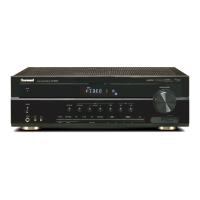
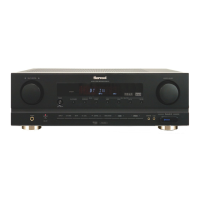
AUDIO/VIDEO RECEIVER
OPERATING INSTRUCTIONS
RD-6513
cover 2008.8.21 12:21 PM 페이지 2

Other manuals for Sherwood RD-6513

Questions and Answers

  • N
    nlewisAug 16, 2025
    How to fix a Sherwood RD-6513 Receiver with no power?
    • M
      michaelstephensonAug 16, 2025
      If your Sherwood Receiver has no power, ensure the AC input cord is securely connected. Also, check the AC wall outlet by testing it with a lamp or another appliance to confirm it's active.
  • J
    jonathancameronAug 18, 2025
    Why does my Sherwood Receiver have no sound?
    • J
      Joseph RhodesAug 18, 2025
      If your Sherwood Receiver has no sound, check the speaker connections to ensure they are secure. Adjust the master volume to an audible level, and make sure the MUTE button on the remote control is not activated. Also, verify that the speakers are switched on by pressing the SPEAKER button and that the correct input source is selected. Finally, check all connections between the components to ensure they are correctly made.
  • V
    vanessa72Aug 22, 2025
    What to do if Sherwood RD-6513 Receiver remote control unit does not operate?
    • J
      Jason WernerAug 22, 2025
      If your Sherwood Receiver remote control isn't working, first replace the batteries. If that doesn't solve the issue, check for any obstructions blocking the remote sensor and remove them.
  • M
    Marie BatesAug 25, 2025
    Why is there no sound from the surround speakers on my Sherwood Receiver?
    • M
      Michael GardnerAug 26, 2025
      If you're not getting any sound from the surround speakers on your Sherwood Receiver, first, ensure that a surround mode is selected instead of stereo mode. Then, adjust both the master volume and surround level to appropriate settings. Also, confirm that you are using a stereo or surround source, not a monaural one, and verify that the surround speaker setting is not set to “N”.
  • R
    Rhonda BennettAug 28, 2025
    How to improve poor FM reception on Sherwood Receiver?
    • G
      George SuarezAug 28, 2025
      If you're experiencing poor FM reception on your Sherwood Receiver, make sure an antenna is connected. If an antenna is connected, try repositioning it to improve the signal.
  • K
    Kathryn MarksAug 30, 2025
    What to do if there is no sound from the center speaker of Sherwood RD-6513 Receiver?
    • B
      briana10Aug 30, 2025
      If you're not getting any sound from the center speaker on your Sherwood Receiver, check that a surround mode is selected instead of stereo mode. Also, verify that the center speaker setting is not set to “N”, and adjust both the master volume and center level to suitable settings.
  • K
    kcabreraSep 2, 2025
    What to do if Sherwood RD-6513 Receiver stations cannot be received?
    • C
      Caroline GraySep 2, 2025
      If your Sherwood Receiver is not receiving stations, connect an antenna. Tune in the desired station frequency. If you still have problems, move the antenna and retry tuning.
  • R
    Rebecca LeeSep 5, 2025
    Why is there continuous hissing noise during AM reception on my Sherwood Receiver?
    • S
      Scott MurraySep 5, 2025
      If you are experiencing continuous or intermittent hissing noise during AM reception, especially at night with your Sherwood Receiver, the noise may be caused by motors, fluorescent lamps, or lightning. Try to keep the receiver away from these noise sources. You may also need to install an outdoor AM antenna.
  • W
    Whitney MyersSep 8, 2025
    Why is there continuous hissing noise during FM reception on my Sherwood RD-6513?
    • A
      Alexandra CarlsonSep 9, 2025
      If you are experiencing continuous hissing noise during FM reception, especially when a stereo broadcast is received on your Sherwood Receiver, the signals may be weak. Try changing the position of the antenna. You may also need to install an outdoor FM antenna.
  • E
    Eddie RichardsonSep 12, 2025
    Why Sherwood Receiver preset stations cannot be received?
    • A
      aaron60Sep 12, 2025
      If your Sherwood Receiver is not receiving preset stations, you may have memorized an incorrect station frequency. Memorize the correct station frequency. If the memorized stations are cleared, memorize the stations again.

Summary

Sherwood RD-6513 Audio;Video Receiver

Operating Instructions

Guide to operating the Sherwood RD-6513 receiver.

Important Safety Instructions

System Connections

Connecting Speakers and Subwoofer

Steps for connecting subwoofer and main speakers, plus placement.

Operations and Sound Modes

Listening to a Program Source

How to select sources, power on, switch speakers, and adjust volume.

Surround Sound Modes and Usage

Explanation of surround modes and how to enjoy them.

System Setup

System Setup Menu Structure and Flow

Detailed diagram of the system setup menu hierarchy.

Setting the System (SW, Tone, Room EQ)

Configuring subwoofer mode, tone, and room equalization settings.

Setting Speaker Configuration and Distance

Adjusting speaker size, distance, and crossover frequency.

Setting Channel Levels and Parameters

Adjusting channel levels, memorizing settings, and sound parameters.

Troubleshooting Guide

Sherwood RD-6513 Specifications

General IconGeneral
BrandSherwood
ModelRD-6513
CategoryReceiver
LanguageEnglish

Related product manuals