EasyManua.ls Logo

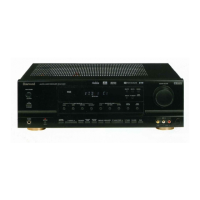
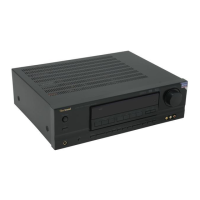
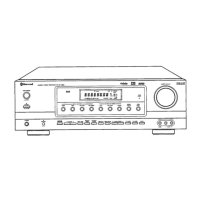
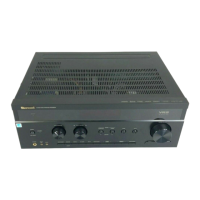
Sherwood RD-606i - User Manual

Sherwood RD-606i
54 pages
Print Icon
To Next Page IconTo Next Page
Loading...
RD-606i
NETWORK AV RECEIVER
OPERATING INSTRUCTIONS
NETZWERK AV RECEIVER
RED RECEPTEUR AV
RESEAU RECEPTOR DE AV
АУДИО/ВИДЕО СЕТИ РЕСИВЕР
606i(G) cover_cover.qxp 2011-05-12 오전 9:37 페이지 1

Questions and Answers

  • C
    conniewaltonSep 23, 2025
    How to fix hissing noise during AM reception on my Sherwood RD-606i Receiver?
    • T
      Teresa RobinsonSep 23, 2025
      To address continuous or intermittent hissing noise during AM reception on your Sherwood Receiver, especially at night, keep the receiver away from noise sources such as motors or fluorescent lamps. Consider installing an outdoor AM antenna.
  • J
    Jennifer ReynoldsAug 25, 2025
    Why is there no sound coming from my Sherwood Receiver?
    • H
      Hayden FoleyAug 25, 2025
      If you're not getting any sound from your Sherwood Receiver, check these potential causes: * Ensure the speaker wires are properly connected. * Increase the master volume. * Make sure the MUTE button is not activated. * Verify that you've selected the correct input source. * Confirm that all components are connected correctly. * Check the HDMI AUDIO OUT setting; it should be set to AMP.
  • K
    kimsharpAug 25, 2025
    How to fix no picture on my Sherwood RD-606i?
    • T
      Teresa ThorntonAug 26, 2025
      If you're not seeing a picture when using your Sherwood Receiver, ensure that the video connections between the receiver and your TV are correctly and securely connected. Also, verify that you've selected the correct input source on your TV.
  • M
    Misty GillAug 27, 2025
    What to do if my Sherwood Receiver remote control doesn't operate?
    • M
      molinarodneyAug 27, 2025
      If the remote control for your Sherwood Receiver isn't working, first replace the batteries. If that doesn't solve the issue, make sure there's nothing blocking the remote sensor on the receiver.
  • E
    elizabethhayesAug 27, 2025
    Why is there no sound from the surround speakers on my Sherwood Receiver?
    • E
      Emily CainAug 27, 2025
      If you're not hearing sound from the surround speakers on your Sherwood Receiver, check that a surround mode is selected (and not stereo mode). Also, ensure that the master volume and surround level are appropriately adjusted. Make sure you are using a stereo or surround source. Finally, check that the surround speaker setting is not set to "NO".
  • J
    Jose JohnsonSep 14, 2025
    How to troubleshoot network connection issues with my Sherwood RD-606i?
    • N
      Natalie WebsterSep 14, 2025
      If your Sherwood Receiver can't connect to the network, verify that your network is working correctly. Also, check the firewall settings on your computer or router to ensure they are not blocking the connection.
  • R
    Robin NewmanSep 12, 2025
    How to improve poor FM reception on my Sherwood RD-606i Receiver?
    • D
      Deborah EscobarSep 12, 2025
      If you're experiencing poor FM reception on your Sherwood Receiver, first, connect an antenna to the receiver. If an antenna is already connected, try repositioning it for better reception. If the signals are weak, consider installing an outdoor FM antenna.
  • D
    dean55Sep 13, 2025
    What to do if there is no picture on my Sherwood Receiver?
    • J
      John GraySep 13, 2025
      If there's no picture on your Sherwood Receiver, verify that the video connections between the unit and the monitor TV are correctly made. Also, ensure that you have selected the correct input source on your monitor TV.
  • L
    Lori ClarkSep 5, 2025
    Why can't my Sherwood RD-606i play Internet radio broadcasts?
    • C
      Charles TurnerSep 5, 2025
      If your Sherwood Receiver is unable to play internet radio broadcasts, verify that the Ethernet cable is properly connected and that your network is connected. Also, confirm that the program is broadcasting in a compatible format (MP3 or WMA). Finally, ensure that the internet radio station is currently broadcasting.
  • H
    Heather GonzalesSep 2, 2025
    Why is the FM reception poor on my Sherwood RD-606i Receiver?
    • R
      Robert WallaceSep 2, 2025
      If you're experiencing poor FM reception with your Sherwood Receiver, ensure an antenna is connected. Try repositioning the antenna for better reception. If the signal is weak, consider installing an outdoor FM antenna.

Summary

Introduction

Before Operating Your Unit

Essential instructions to read before operating the unit for safe and proper use.

Installation Cautions

Guidance on proper installation to ensure adequate heat dissipation and prevent damage.

General Safety Precautions

Important safety precautions to prevent electric shock, fire, and other hazards.

System Connections

Connecting Video Components

Detailed guide on connecting various video components like DVD players and VCRs.

Connecting Audio Components

Instructions for connecting audio equipment such as tape decks and MD recorders.

Connecting to Network

Steps to connect the unit to a broadband home network for internet radio and streaming.

Connecting Speakers

Detailed guide on correctly connecting speakers to the receiver for optimal sound.

Operations

Listening to Program Sources

Step-by-step guide on selecting and listening to various program sources.

Surround Sound Modes

Explanation of various surround sound modes available for an immersive audio experience.

Enjoying Surround Sound

Guidance on selecting and using surround sound modes for optimal playback.

System Setup

Speaker Setup

Setting speaker configuration, crossover, and distance for optimal audio performance.

Troubleshooting Guide

Troubleshooting Guide

Guide to diagnose and resolve common problems encountered with the receiver.

Sherwood RD-606i Specifications

General IconGeneral
Tuning rangeFM, MW
Frequency Response20 Hz to 20 kHz
Total Harmonic Distortion0.08%
Input Sensitivity200mV (line)
Signal-to-Noise Ratio100dB
Speaker load impedance6 ohms
Digital inputscoaxial, optical
Video ConnectionsComponent, Composite

Related product manuals