EasyManua.ls Logo

Sherwood RD-6505 - User Manual

Sherwood RD-6505
42 pages
Print Icon
To Next Page IconTo Next Page
Loading...
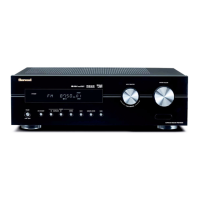
RD-6505
AUDIO/VIDEO RECEIVER
OPERATING INSTRUCTIONS
6505(E) cover_cover.qxp 2010-05-24 오전 9:57 페이지 1

Questions and Answers

  • N
    Nicholas GonzalezSep 8, 2025
    What to do if Sherwood RD-6505 Receiver remote control unit does not operate?
    • M
      mcconnellericSep 8, 2025
      If your Sherwood Receiver remote control isn't working, first replace the batteries. If that doesn't solve the issue, check for any obstructions blocking the remote sensor and remove them.
  • S
    smithchaseAug 23, 2025
    How to fix a Sherwood RD-6505 Receiver that has no power?
    • J
      Jennifer ToddAug 23, 2025
      If your Sherwood Receiver is not getting power, ensure the AC input cord is securely connected. Test the AC wall outlet with another device, like a lamp, to confirm it's working.
  • J
    Joshua SmithAug 25, 2025
    What to do if my Sherwood RD-6505 Receiver remote control is not working?
    • C
      Colin WoodAug 25, 2025
      If the remote control for your Sherwood Receiver isn't working, first replace the batteries. If that doesn't solve the issue, check for any obstructions blocking the remote sensor.
  • L
    Lisa ParksAug 27, 2025
    Why can't my Sherwood RD-6505 Receiver receive any stations?
    • A
      Anthony MyersAug 27, 2025
      If you're not receiving any stations on your Sherwood Receiver, make sure an antenna is connected. Tune in to the desired station frequency. Try repositioning the antenna for better reception.
  • N
    Natasha MacdonaldAug 27, 2025
    What to do if there is no sound from the surround speakers on my Sherwood RD-6505?
    • L
      lisahillAug 27, 2025
      If there's no sound from the surround speakers on your Sherwood Receiver, ensure that a surround mode is selected instead of stereo mode. Adjust both the master volume and surround level. Confirm you are using a stereo or surround source, and verify that the surround speaker setting is correctly configured.
  • C
    Casey SuarezSep 22, 2025
    Why Sherwood RD-6505 Receiver preset stations cannot be received?
    • C
      Caleb JohnsonSep 22, 2025
      If your Sherwood Receiver is not receiving preset stations, you may have memorized an incorrect station frequency. Memorize the correct station frequency. If the memorized stations are cleared, memorize the stations again.
  • J
    Jennifer HermanSep 16, 2025
    Why is there continuous hissing noise during AM reception on my Sherwood RD-6505?
    • D
      danielsrandySep 16, 2025
      If you are experiencing continuous or intermittent hissing noise during AM reception, especially at night with your Sherwood Receiver, the noise may be caused by motors, fluorescent lamps, or lightning. Try to keep the receiver away from these noise sources. You may also need to install an outdoor AM antenna.
  • D
    Dr. Joseph MckinneySep 18, 2025
    Why is there continuous hissing noise during FM reception on my Sherwood Receiver?
    • S
      Sean PrestonSep 18, 2025
      If you are experiencing continuous hissing noise during FM reception, especially when a stereo broadcast is received on your Sherwood Receiver, the signals may be weak. Try changing the position of the antenna. You may also need to install an outdoor FM antenna.
  • J
    Julie RodriguezSep 7, 2025
    Why does my Sherwood RD-6505 Receiver have no sound?
    • D
      Deanna TaylorSep 7, 2025
      If your Sherwood Receiver has no sound, check the speaker connections to ensure they are secure. Adjust the master volume to an audible level, and make sure the MUTE button on the remote control is not activated. Also, verify that the speakers are switched on by pressing the SPEAKER button and that the correct input source is selected. Finally, check all connections between the components to ensure they are correctly made.
  • A
    Alicia WilliamsSep 4, 2025
    What causes continuous hissing noise during FM reception on my Sherwood RD-6505?
    • J
      James FernandezSep 4, 2025
      If you are experiencing continuous hissing noise during FM reception on your Sherwood Receiver, especially when receiving a stereo broadcast, it might be due to weak signals. Try changing the position of the antenna. Consider installing an outdoor FM antenna.

Summary

Introduction

Before Operating Your Unit

Essential safety and operational guidance before using the audio/video receiver.

System Connections

Connecting Audio, Video, and Speaker Components

Detailed instructions for connecting various audio, video, digital, and speaker components.

Front Panel and Remote Controls

Front Panel Interface and Jacks Overview

Identification and explanation of buttons, indicators, and jacks on the receiver's front panel.

Basic Operations

Listening to Sources and Adjusting Volume;Tone

Steps for selecting input sources, adjusting volume, muting, and modifying tone settings.

Surround Sound and Audio Settings

System Setup Procedures

Troubleshooting Guide

Common Problems and Solutions

A diagnostic table listing common problems, their possible causes, and remedies.

Technical Specifications

Sherwood RD-6505 Specifications

General IconGeneral
BrandSherwood
ModelRD-6505
CategoryReceiver
LanguageEnglish

Related product manuals