EasyManua.ls Logo

Sherwood RX-4100 - User Manual

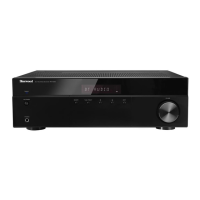
Sherwood RX-4100
17 pages
Print Icon
To Next Page IconTo Next Page
Loading...
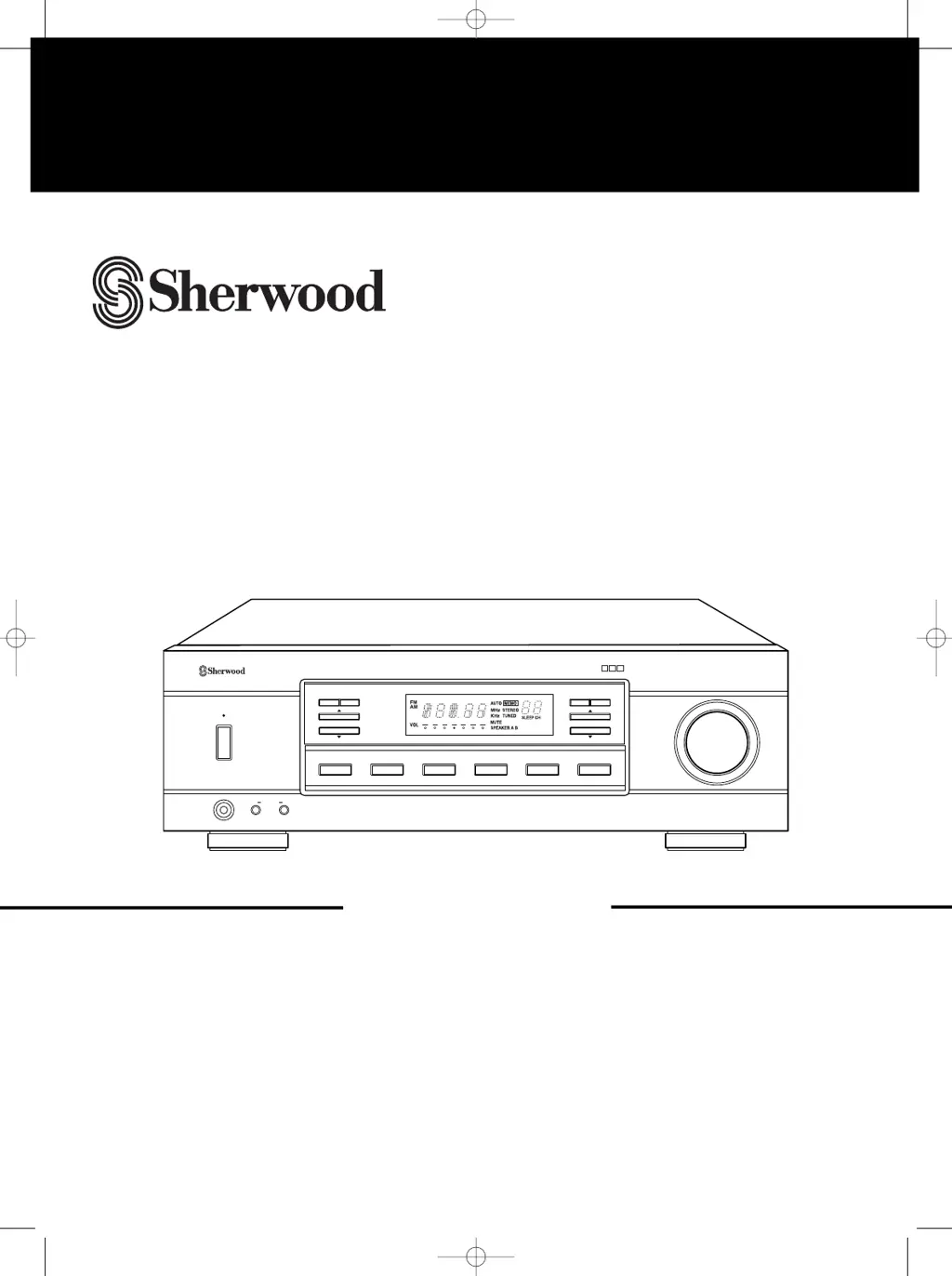
VOLUME
STANDBY
ON/STANDBY
AM/FM STEREO RECEIVER
RX
-
4100
PHONES
SPEAKERAB
FM/AM CD TAPE TV/AUX VCR TONE DIRECT
TUNING/PRESET
T/P MODEMEMORY
BALANCETONE
REMOTE
SENSOR
DISCRETE AMPLIFIER STAGE
DAS
RX-4100
AM/FM STEREO RECEIVER
OPERATINGINSTRUCTIONS

Questions and Answers

  • C
    csloanAug 14, 2025
    Why is there no sound coming from my Sherwood Stereo Receiver?
    • J
      Jason OdonnellAug 14, 2025
      If you're not getting any sound from your Sherwood Stereo Receiver, here are a few things to check: * Make sure the speaker cords are properly connected. * Ensure the volume isn't set too low. * Verify that the MUTE button on the remote is not activated. * Confirm that the correct speakers (A or B) are switched on. * Select the correct input source. * Double-check all connections between your components.
  • M
    Mary BoyleAug 17, 2025
    Why does my Sherwood Stereo Receiver remote control not operate?
    • N
      Nicholas BakerAug 17, 2025
      If the remote control for your Sherwood Stereo Receiver isn’t working, try replacing the batteries. Also, make sure nothing is blocking the remote sensor on the receiver.
  • P
    Paul NelsonAug 21, 2025
    What to do if my Sherwood Stereo Receiver has no power?
    • G
      Gregory WolfAug 21, 2025
      If your Sherwood Stereo Receiver isn't turning on, check that the AC input cord is securely connected and ensure the AC wall outlet is working by testing it with another device.
  • M
    Marcus YoungAug 25, 2025
    What causes poor FM reception on my Sherwood Stereo Receiver?
    • R
      Reginald SharpAug 25, 2025
      Poor FM reception on your Sherwood Stereo Receiver can be due to a disconnected antenna or the antenna not being positioned correctly. Connect an antenna and try repositioning it for better reception.
  • X
    xhallAug 27, 2025
    Why can't my Sherwood Stereo Receiver receive stations?
    • V
      vasquezstephanieAug 27, 2025
      If your Sherwood Stereo Receiver isn't picking up stations, make sure an antenna is connected, you've tuned to the correct station frequency, and the antenna is properly positioned. Try moving the antenna and retuning.
  • J
    Jennifer KiddAug 31, 2025
    What causes continuous hissing noise during FM reception on Sherwood Stereo Receiver?
    • W
      westjenniferAug 31, 2025
      If you're experiencing continuous hissing during FM reception on your Sherwood Stereo Receiver, especially with stereo broadcasts, it could be due to weak signals. Try changing the position of the antenna or installing an outdoor antenna.
  • C
    Christopher BensonSep 3, 2025
    What causes continuous hissing noise during AM reception on Sherwood Stereo Receiver?
    • T
      Tyler GordonSep 3, 2025
      If you're hearing continuous or intermittent hissing noise during AM reception, especially at night, it could be caused by interference from motors, fluorescent lamps, or lightning. Try moving the Sherwood Stereo Receiver away from these noise sources or installing an outdoor AM antenna.
  • C
    Christopher ColemanSep 6, 2025
    Why can't my Sherwood Stereo Receiver receive preset stations?
    • N
      Natalie ColemanSep 6, 2025
      If your Sherwood Stereo Receiver isn't receiving preset stations, it could be due to incorrect station frequencies being memorized or the memorized stations being cleared. Try memorizing the correct station frequencies again.
  • L
    laraanthonySep 10, 2025
    What to do if my Sherwood Stereo Receiver is not recording?
    • C
      Chris WestSep 12, 2025
      If your Sherwood Stereo Receiver is not recording, check that the connections between the components are correct and ensure that each component is being operated correctly for playback and recording.

Summary

Introduction and Safety

Unpacking and Installation

Guidance on unpacking the receiver and initial setup considerations.

Important Safety Precautions

Key safety instructions, warnings, and cautions for operating the receiver.

Voltage Selection and Guidelines

Information on selecting the correct voltage for different regions and country-specific advice.

System Connections

Connecting Antennas and Audio;Video Components

Instructions for connecting antennas and various audio/video input sources to the receiver.

Connecting Speakers

Detailed guide on connecting speaker systems to the receiver's terminals, including impedance considerations.

Front Panel and Remote Controls

Front Panel Control Identification

Identification of the receiver's front panel buttons, knobs, and indicators.

Remote Control Identification and Operation

Overview of the remote control unit's buttons and their primary operations.

Fluorescent Display Explanation

Explanation of the receiver's fluorescent display and its indicators.

Remote Control Battery Installation

Instructions for installing batteries into the remote control unit.

Receiver Operations

Listening to a Program Source

Steps for powering on, selecting speakers, input sources, and listening to audio.

Adjusting Audio Settings

Guidance on adjusting tone controls (bass, treble) and sound volume balance.

Listening to Radio Broadcasts

Instructions for tuning into FM/AM radio stations and managing preset stations.

Recording Audio

Steps for recording audio signals onto tape decks or VCRs.

Other Operational Functions

Details on using the sleep timer and adjusting display brightness.

Troubleshooting Guide

Problem Diagnosis and Solutions

A table listing common problems, their causes, and recommended solutions for the receiver.

Technical Specifications

Unit Specifications

Detailed technical specifications for amplifier, FM/AM tuners, and general unit features.

Sherwood RX-4100 Specifications

General IconGeneral
Speaker Load Impedance4 - 16 ohms
Power Output100 watts per channel (8 ohms)
Frequency Response20Hz to 20kHz
Total Harmonic Distortion0.08%
InputsPhono, CD
Input Sensitivity2.5 mV (Phono), 150 mV (Line)
OutputsTape
Tuning RangeFM: 87.5 - 108.0 MHz, AM: 530 - 1700 kHz
Weight22 lbs (10 kg)

Related product manuals