EasyManua.ls Logo

Sherwood RX-4503 - User Manual

Sherwood RX-4503
21 pages
Print Icon
To Next Page IconTo Next Page
Loading...
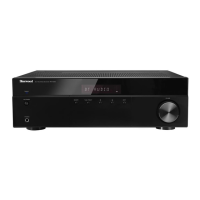
AM/FM STEREO RECEIVER
OPERATING INSTRUCTIONS
RX-4503
cover 2008.8.12 3:44 PM 페이지 2

Questions and Answers

  • E
    Evelyn BryantAug 14, 2025
    What to do if my Sherwood Stereo Receiver has no power?
    • T
      Thomas BellAug 14, 2025
      If your Sherwood Stereo Receiver isn't powering on, there could be a few reasons. First, ensure the AC input cord is securely connected. Also, check the AC wall outlet by testing it with a lamp or another appliance to rule out a faulty outlet.
  • P
    Patrick WebsterAug 17, 2025
    Why is there no sound coming from my Sherwood RX-4503?
    • B
      Brian NelsonAug 18, 2025
      If you're not getting any sound from your Sherwood Stereo Receiver, several things could be wrong. Check the speaker connections to make sure they are secure. Ensure the volume isn't set too low, and that the MUTE button is not activated. Also, verify that the speakers are switched on by pressing the SPEAKER A or B button. Finally, confirm that you've selected the correct input source and that all connections between the components are correctly made.
  • L
    Lance MendezAug 21, 2025
    How to fix a Sherwood RX-4503 remote control that isn't working?
    • S
      smithtracyAug 21, 2025
      If your Sherwood Stereo Receiver's remote control isn't working, first, replace the batteries. If that doesn't solve the issue, make sure nothing is obstructing the remote sensor on the receiver.
  • M
    Mitchell TerryAug 25, 2025
    What to do if my Sherwood Stereo Receiver cannot receive stations?
    • V
      Victoria HallAug 25, 2025
      If your Sherwood Stereo Receiver isn't picking up any stations, make sure an antenna is connected. Also, ensure you've tuned in to the desired station frequency. Try repositioning the antenna to improve reception.
  • J
    jcastilloAug 27, 2025
    Why is the FM reception so poor on my Sherwood Stereo Receiver?
    • D
      Donna AndersonAug 27, 2025
      Poor FM reception on your Sherwood Stereo Receiver can be due to a couple of things. First, ensure that an antenna is connected. If an antenna is connected, try changing its position to find the best reception.
  • D
    Donald HuntAug 30, 2025
    What to do if my Sherwood RX-4503 Stereo Receiver cannot receive preset stations?
    • T
      Timothy EvansAug 30, 2025
      If your Sherwood Stereo Receiver isn't receiving preset stations, it could be due to an incorrect station frequency being memorized. In this case, memorize the correct station frequency. It's also possible that the memorized stations have been cleared, so try memorizing the stations again.
  • H
    helengonzalesSep 3, 2025
    How to stop hissing noise during FM reception on my Sherwood RX-4503 Stereo Receiver?
    • H
      Heather FergusonSep 3, 2025
      If you're experiencing continuous hissing noise during FM reception on your Sherwood Stereo Receiver, especially during stereo broadcasts, it could be due to weak signals. Try changing the position of the antenna. Consider installing an outdoor antenna.
  • P
    perrylarrySep 7, 2025
    Why is my Sherwood RX-4503 Stereo Receiver making a hissing noise during AM reception?
    • W
      William BushSep 7, 2025
      If you're hearing continuous or intermittent hissing noise during AM reception with your Sherwood Stereo Receiver, especially at night, it's often caused by motors, fluorescent lamps, or lightning. Try to keep the receiver away from these noise sources. Consider installing an outdoor AM antenna.
  • P
    paulbennettSep 9, 2025
    What to do if my Sherwood RX-4503 Stereo Receiver is not recording?
    • K
      Katrina RyanSep 10, 2025
      If your Sherwood Stereo Receiver isn't recording, ensure that all connections between the components are correctly made. Also, verify that you are operating each component correctly for both playback and recording.

Summary

Important Safety Instructions

Portable Cart Warning

Warning regarding the use of carts to prevent tip-over injuries.

System Connections

Connecting Antennas

Instructions for connecting FM and AM antennas for optimal reception.

Connecting Audio Components

Connecting External Inputs

Connecting Speakers

Front Panel Controls

Front Panel Layout and Functions

Description of all buttons, knobs, and jacks on the front panel of the receiver.

Bluetooth In Connector

Remote Controls

Remote Control Layout and Functions

Detailed breakdown of buttons and their functions on the remote control unit.

Operations

Listening to Radio Broadcasts

Manual Presetting of Radio Stations

Troubleshooting Guide

Common Problems and Solutions

Table listing common issues, their possible causes, and recommended remedies.

Specifications

Sherwood RX-4503 Specifications

General IconGeneral
Output impedance8 Ω
Pre-out channels1 SW
Speaker selectorA+B
Input sensitivity200 mV
Pre-out connectivityYes
Audio output channels2.1 channels
Signal-to-Noise Ratio (SNR)96 dB
Total Harmonic Distortion (THD)0.02 %
Power output per channel (20-20KHz@8 Ohm)100 W
Audio (L/R) in3
Multichannel audio input typeRCA
Audio (L/R) out1
Connectivity technologyWired
Speakers connectivity typeClamp terminals
Ethernet LANNo
AM band range520 - 1710 kHz
FM band range87.5 - 108 MHz
Supported radio bandsAM, FM
Preset stations quantity30
DisplayLCD
Product colorBlack
Audio decodersDolby Digital
Volume controlRotary
Apple docking compatibilityNot supported
Sustainability certificatesRoHS
AC input voltage120 V
AC input frequency60 Hz
Audio input channels5.1 channels
Weight and Dimensions IconWeight and Dimensions
Depth365 mm
Width440 mm
Height141 mm
Weight8300 g

Related product manuals