EasyManua.ls Logo

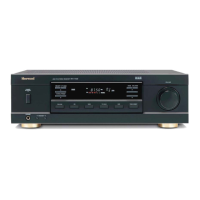
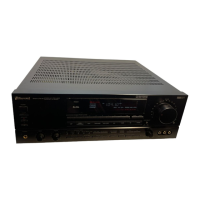
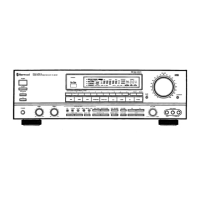
Sherwood RX-773 - User Manual

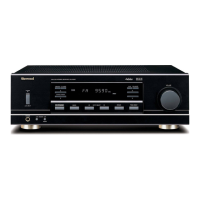
Sherwood RX-773
44 pages
Print Icon
To Next Page IconTo Next Page
Loading...

Questions and Answers

  • J
    Jennifer RamosAug 20, 2025
    What to do if my Sherwood Stereo Receiver has no sound?
    • B
      blakewilsonAug 20, 2025
      If there is no sound from your Sherwood Stereo Receiver, check the speaker connections to ensure they are properly connected. Also, verify that the volume is not set too low and that the MUTE button on the remote control is not activated. Make sure the correct speakers are switched on and that you have selected the correct input source. Finally, double-check all connections between the components.
  • J
    Jillian TaylorAug 22, 2025
    Why is my Sherwood RX-773 Stereo Receiver remote not working?
    • V
      Vincent StokesAug 22, 2025
      If the remote control unit for your Sherwood Stereo Receiver isn't working, start by replacing the batteries. If that doesn't solve the issue, make sure there are no obstructions blocking the remote sensor.
  • S
    Susan AndersonAug 25, 2025
    Why is there no sound coming from my Sherwood Receiver?
    • B
      Brandi HenryAug 25, 2025
      If you're not getting any sound from your Sherwood Receiver, there are several possible reasons: * The speaker cords may be disconnected, so check these connections. * The volume might be set too low; adjust it to a suitable level. * The MUTE button on the remote control could be activated; press it again to deactivate. * Ensure the desired speakers are switched on. * The input source might be incorrectly selected; choose the correct one. * Incorrect connections between the components.
  • K
    Kenneth MartinezAug 26, 2025
    How to fix a Sherwood Receiver that has no power?
    • J
      Jeffrey ChristianAug 26, 2025
      If your Sherwood Receiver isn't powering on, check these potential causes: * Ensure the AC input cord is securely connected. * Verify the AC wall outlet is working by testing it with a lamp or another appliance. It may be a poor connection or the outlet may be inactive.
  • R
    Robert MyersAug 28, 2025
    What to do if the Sherwood Receiver remote control is not working?
    • C
      Christopher SteeleAug 28, 2025
      If your Sherwood Receiver remote control isn't working, try these solutions: * Replace the batteries, ensuring they are correctly loaded and not exhausted. * Make sure there are no obstructions blocking the remote sensor.
  • R
    ricejoshuaAug 30, 2025
    Why can't I receive stations on my Sherwood Receiver?
    • B
      Briana AveryAug 30, 2025
      If you're unable to receive stations on your Sherwood Receiver, consider the following: * Ensure an antenna is connected. * Tune in the desired station frequency. * Adjust the antenna position and retry tuning.
  • K
    Kayla HillAug 31, 2025
    How to improve poor FM reception on Sherwood Receiver?
    • C
      Carrie CurryAug 31, 2025
      To improve poor FM reception on your Sherwood Receiver: * Connect an antenna. * Change the position of the antenna for better reception.
  • S
    Scott RobinsonSep 2, 2025
    What to do if preset stations cannot be received on Sherwood Receiver?
    • J
      Jonathan EdwardsSep 2, 2025
      If you're unable to receive preset stations on your Sherwood Receiver: * Memorize the correct station frequency. * If the memorized stations are cleared, memorize the stations again.
  • M
    Melissa CollinsSep 4, 2025
    Why is my Sherwood Receiver not recording?
    • C
      Christopher RodriguezSep 4, 2025
      If your Sherwood Receiver is not recording, it may be due to: * Incorrect selection between the components; make sure the connections are correct. * Incorrect operation of each component for playback and recording; operate each component correctly.
  • C
    Christopher JensenSep 6, 2025
    How to stop hissing noise during FM reception on Sherwood Receiver?
    • R
      Richard CastanedaSep 6, 2025
      If you are experiencing continuous hissing noise during FM reception, especially when a stereo broadcast is received, it could be due to weak signals. Change the position of the antenna. Consider installing an outdoor antenna.

Summary

Important Safety Instructions

System Connections

Connecting Antennas

Instructions for connecting FM indoor/outdoor and AM loop antennas for optimal reception.

Connecting Audio Components

Connecting various audio sources like CD players, tape decks, MD recorders, and DVD players to the receiver.

Connecting Speakers

Guidelines for connecting up to four pairs of speakers, including polarity and impedance considerations.

Front Panel Controls Overview

Universal Remote Control Functions

Operating Components with Remote Control

Steps for operating external components using the universal remote control, including setup codes.

Remote Control Setup Code Management

Guide to entering, searching, and erasing setup codes for various devices.

Advanced Remote Control Programming

Programming macro and punch-through functions, learning commands, and erasing data.

Changing Transmission Signal Mode

How to switch between IR and RF transmission modes for the remote control.

Receiver Operations

Listening to a Program Source

Steps to turn on the receiver and select speaker output combinations.

Selecting Input Source and Volume

How to select audio input sources, adjust volume, and mute sound.

Listening to Radio Broadcasts

Auto Tuning

Automatically searching for and tuning to radio stations.

Manual Presetting

Storing preferred radio stations into memory manually.

ROOM2 Playback Function

Entering ROOM2 Mode

How to access and activate the ROOM2 mode for independent playback.

Selecting ROOM2 Speakers and Input

Configuring speaker output and selecting the audio source for ROOM2 playback.

Troubleshooting Common Issues

Sherwood RX-773 Specifications

General IconGeneral
Number of Channels2
Speaker Load Impedance4 - 16 ohms
Power Output100 W per channel (8 ohms)
Frequency Response20 Hz - 20 kHz
Input Sensitivity200mV (MM)
Tuning RangeFM
OutputSpeaker

Related product manuals