EasyManua.ls Logo

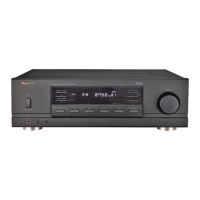
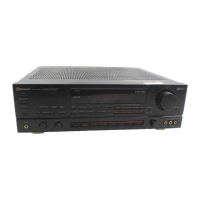
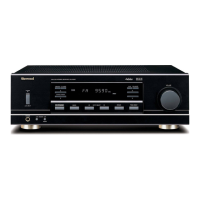
Sherwood RX-5502 - User Manual

Sherwood RX-5502
25 pages
Print Icon
To Next Page IconTo Next Page
Loading...
RX-5502(G) 2007.8.17 4:33 PM 페이지 1

Questions and Answers

  • T
    Tami SmithAug 14, 2025
    What to do if there is no sound from my Sherwood Stereo Receiver?
    • L
      lpadillaAug 14, 2025
      If your Sherwood Stereo Receiver has no sound, make sure the speaker cords are properly connected. Also, check that the volume isn't too low and that the MUTE button isn't activated. Ensure the correct input source is selected and that all components are connected correctly. Finally, verify that the desired speakers are switched on.
  • A
    Alexandra BishopAug 18, 2025
    Why is my Sherwood Stereo Receiver remote control not working?
    • K
      Kenneth HopkinsAug 18, 2025
      If the remote control unit for your Sherwood Stereo Receiver isn't working, first replace the batteries. If that doesn't solve the problem, check for any obstructions blocking the remote sensor.
  • L
    lee12Aug 21, 2025
    How to fix a Sherwood Stereo Receiver that has no power?
    • D
      Darius AndersonAug 21, 2025
      If your Sherwood Stereo Receiver has no power, ensure the AC input cord is securely connected. Also, check the AC wall outlet by testing it with a lamp or another appliance to confirm it is active.
  • C
    christophergilbertAug 25, 2025
    How to improve poor FM reception on my Sherwood Stereo Receiver?
    • J
      Jill PadillaAug 25, 2025
      If you are experiencing poor FM reception with your Sherwood Stereo Receiver, try connecting an antenna. If an antenna is already connected, adjust its position for better reception.
  • B
    Benjamin OlsonAug 27, 2025
    What to do if my Sherwood Stereo Receiver cannot receive stations?
    • R
      Richard BakerAug 27, 2025
      If you can't receive stations on your Sherwood Stereo Receiver, connect an antenna. Ensure that you have tuned in the desired station frequency correctly. Try moving the antenna to a different position and then retry tuning.
  • A
    anthony67Aug 31, 2025
    Why is there hissing noise during AM reception on my Sherwood Stereo Receiver?
    • M
      matthewparsonsAug 31, 2025
      If you experience continuous or intermittent hissing noise during AM reception, especially at night with your Sherwood Stereo Receiver, this could be due to interference from motors, fluorescent lamps, or lightning. Try to keep the receiver away from these noise sources. Consider installing an outdoor AM antenna.
  • E
    Eric ThompsonSep 4, 2025
    Why is there continuous hissing noise during FM reception on my Sherwood Stereo Receiver?
    • E
      eatonsydneySep 4, 2025
      If you experience continuous hissing noise during FM reception, especially when a stereo broadcast is received on your Sherwood Stereo Receiver, this could be due to weak signals. Try changing the position of the antenna. Consider installing an outdoor antenna.
  • C
    Christine MartinezSep 7, 2025
    What to do if my Sherwood Stereo Receiver is not recording?
    • J
      Janet SmithSep 7, 2025
      If your Sherwood Stereo Receiver is not recording, ensure the connections between the components are correct. Also, verify that you are operating each component correctly for playback and recording.
  • N
    nancy00Sep 10, 2025
    Why can't my Sherwood Stereo Receiver receive preset stations?
    • A
      Amy PattersonSep 10, 2025
      If your Sherwood Stereo Receiver cannot receive preset stations, it might be due to an incorrect station frequency being memorized. Memorize the correct station frequency. If the memorized stations are cleared, memorize the stations again.

Summary

Introduction

READ THIS BEFORE OPERATING YOUR UNIT

Essential safety warnings, installation notes, and precautions before operating the unit.

System Connections

Connecting Antennas

Instructions for connecting FM and AM antennas for optimal reception.

Connecting Phono

Guide for connecting turntables with MM type cartridges to the PHONO input.

Connecting Audio Components

How to connect CD players, DVD players, tape decks, and MD recorders to the unit.

Connecting Speakers

Instructions for connecting up to four pairs of speakers for main and ROOM2 playback.

Switched AC Outlet

Information about the switched AC outlet for powering other devices.

AC Input Cord

Guidance on plugging the unit's power cord into the wall outlet.

Front Panel & Remote Controls

Front Panel Layout

Identification and function of controls on the receiver's front panel.

Remote Control Overview

Details on the remote control buttons and their functions.

Fluorescent Display

Explanation of the information displayed on the unit's screen.

Remote Control Operation Range

Loading Batteries

Step-by-step guide for inserting batteries into the remote control.

Operations

Listening to a Program Source

How to power on the unit, select speakers, input sources, and adjust volume.

Listening to Radio Broadcasts

Auto Tuning

Procedure for automatically searching and tuning to radio stations.

Manual Tuning

Method for manually tuning to radio stations by frequency.

Auto Presetting

Automatic search and storage of up to 30 FM stations in memory.

Manual Presetting

Procedure to manually store preferred radio stations into memory.

Tuning to Preset Stations

How to select and listen to pre-stored radio stations.

RDS Tuner

Listening to RDS Broadcasts (FM Only)

Using the RDS system to display program information from FM broadcasts.

RDS Search

Automatically searching for and receiving stations that offer RDS services.

TP Search

Searching for and receiving stations broadcasting traffic programs.

PTY Search

Searching for stations based on specific program types (e.g., news, sports).

Display Modes

Cycling through different information displays like frequency, PS, PTY, CT, RT.

Recording

Recording with Tape

Instructions for recording audio from various sources onto a tape deck.

Other Functions

Operating the Sleep Timer

Setting the unit to automatically shut off after a specified period.

Adjusting Fluorescent Display Brightness

Changing the brightness level of the unit's front display.

ROOM2 Playback

Setting Up ROOM2 Playback

Steps for entering, turning on, selecting speakers, and setting the ROOM2 input source.

Troubleshooting Guide

Common Problems and Solutions

A guide to diagnose and resolve issues like no power, no sound, or reception problems.

Specifications

Amplifier Section Specifications

Technical details for the amplifier, including power output and distortion.

FM Tuner Section Specifications

Technical details for the FM tuner, such as sensitivity and frequency response.

AM Tuner Section Specifications

Technical details for the AM tuner, including sensitivity and selectivity.

General Specifications

Overall specifications like power supply, consumption, and dimensions.

Sherwood RX-5502 Specifications

Amplifier Section IconAmplifier Section
power output2 X 100 W
total harmonic distortion0.05 %
intermodulation distortion0.03 %
input sensitivity (Phono)2.5 mV
input sensitivity (Line)220 mV
signal to noise ratio (Phono)75 dB
signal to noise ratio (Line)98 dB
frequency response (Phono)±0.3 dB
frequency response (Line)±3 dB
output level (TAPE OUT)200 mV
bass/treble control±10 dB
FM Tuner Section IconFM Tuner Section
tuning frequency range87.5~108 MHz
usable sensitivity15 dBf
46 dB quieting sensitivity (mono)25.2 dBf
46 dB quieting sensitivity (stereo)45.2 dBf
signal to noise ratio (mono)68 dB
signal to noise ratio (stereo)65 dB
total harmonic distortion (mono)0.5 %
total harmonic distortion (stereo)0.8 %
frequency response±3 dB
stereo separation30 dB
capture ratio4 dB
IF rejection ratio75 dB
AM Tuner Section IconAM Tuner Section
tuning frequency range522~1611 kHz
usable sensitivity55 dBμ/m
signal to noise ratio50 dB
selectivity30 dB
General IconGeneral
power supply230 V~ 50 Hz
power consumption330 W
switched AC outletTotal 100 W (0.43A) max.
dimensions440×141×368mm
weight8.85 kg

Related product manuals