EasyManua.ls Logo

Sherwood RX-4105 - User Manual

Sherwood RX-4105
18 pages
Print Icon
To Next Page IconTo Next Page
Loading...
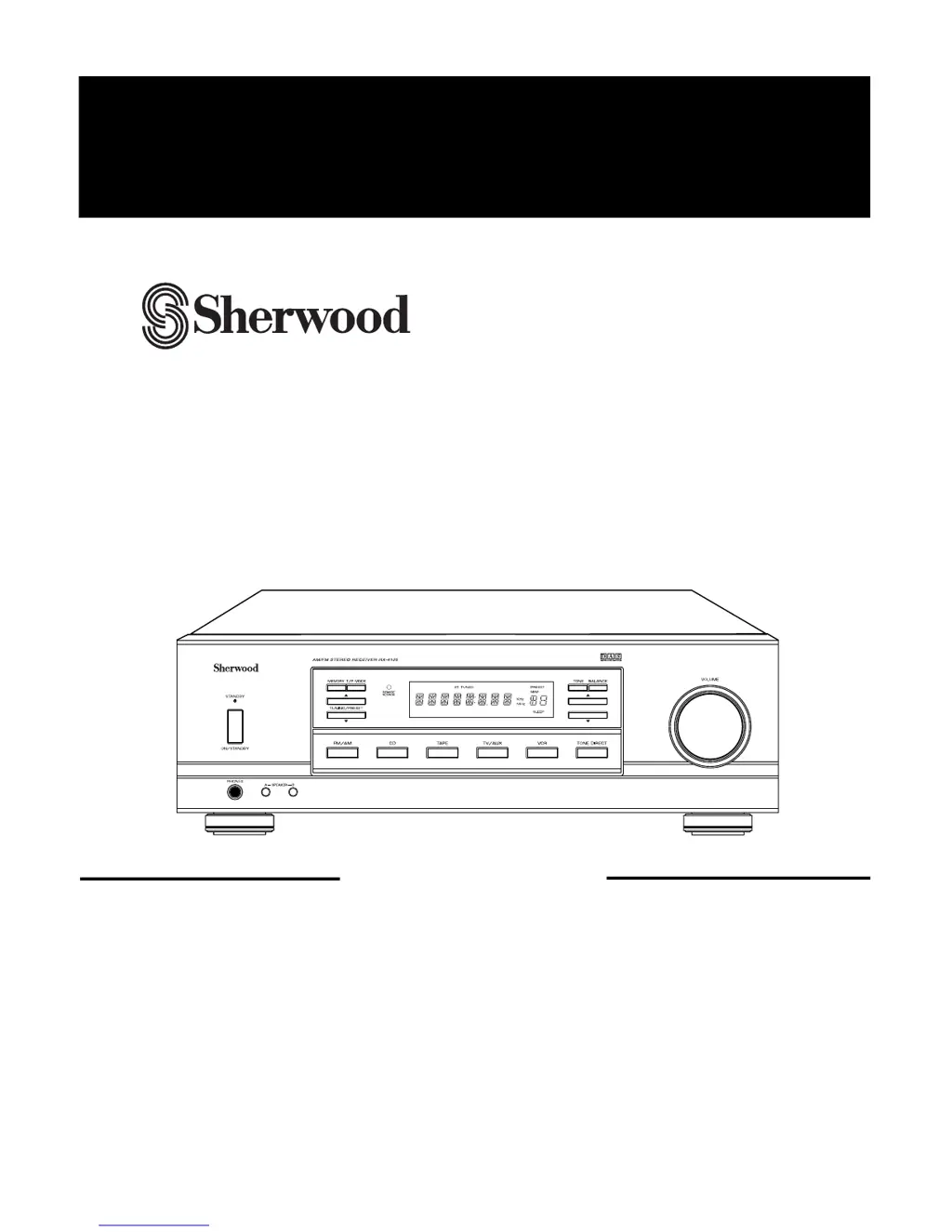
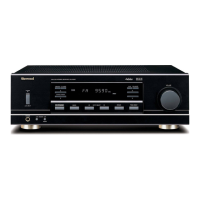
RX-4105
AM/FM STEREO RECEIVER
OPERATINGINSTRUCTIONS

Questions and Answers

  • N
    Natasha KingAug 14, 2025
    What to do if my Sherwood RX-4105 Stereo Receiver has no sound?
    • D
      David RobinsonAug 14, 2025
      If your Sherwood Stereo Receiver has no sound, check the speaker connections and ensure they are properly connected. Also, verify that the volume isn't set too low and that the MUTE button is not activated. Make sure the speakers are switched on by pressing the SPEAKER A or B button. Select the correct input source and ensure all components are correctly connected.
  • S
    stephanie54Aug 17, 2025
    Why is my Sherwood RX-4105 remote not working?
    • K
      Kevin FloresAug 17, 2025
      If your Sherwood Stereo Receiver remote control isn't working, replace the batteries. Also, make sure nothing is blocking the remote sensor.
  • K
    kylie79Aug 21, 2025
    How to fix a Sherwood RX-4105 that won't turn on?
    • C
      carrolljacquelineAug 21, 2025
      If your Sherwood Stereo Receiver has no power, ensure the AC input cord is securely connected. Also, test the AC wall outlet with a lamp or another appliance to confirm it is active.
  • L
    Lisa CochranAug 25, 2025
    What to do if my Sherwood RX-4105 Stereo Receiver can't receive radio stations?
    • R
      Rebecca CarpenterAug 25, 2025
      If you can't receive stations on your Sherwood Stereo Receiver, connect an antenna. Tune in the desired station frequency. Try moving the antenna for better reception.
  • R
    Rachel HernandezAug 27, 2025
    How to improve FM reception on my Sherwood RX-4105?
    • B
      brett26Aug 28, 2025
      If your Sherwood Stereo Receiver has poor FM reception, connect an antenna. If an antenna is already connected, try repositioning it for better signal.
  • B
    bclineAug 31, 2025
    Why is my Sherwood RX-4105 Stereo Receiver hissing during AM reception?
    • N
      Natalie WallAug 31, 2025
      If your Sherwood Stereo Receiver is producing continuous or intermittent hissing noise during AM reception, especially at night, the noise may be caused by motors, fluorescent lamps, or lightning. Keep the receiver away from these noise sources. Consider installing an outdoor AM antenna.
  • A
    Anthony MorganSep 3, 2025
    Why is my Sherwood RX-4105 hissing during FM stereo broadcast?
    • K
      Katherine SmithSep 3, 2025
      If your Sherwood Stereo Receiver is producing a continuous hissing noise during FM reception, especially when a stereo broadcast is received, try changing the position of the antenna. Weak signals may be the cause. Consider installing an outdoor antenna.
  • T
    Todd PittmanSep 7, 2025
    What to do if preset stations on Sherwood RX-4105 cannot be received?
    • D
      Diana LowerySep 7, 2025
      If preset stations cannot be received on your Sherwood Stereo Receiver, the memorized station frequency might be incorrect; in this case, memorize the correct station frequency. If the memorized stations are cleared, memorize the stations again.
  • H
    Hannah RodriguezSep 10, 2025
    What to do if my Sherwood Stereo Receiver is not recording?
    • C
      Charles StewartSep 10, 2025
      If your Sherwood Stereo Receiver is not recording, verify the connections between the components are correct. Also, ensure that each component is operated correctly for playback and recording.

Summary

SAFETY INSTRUCTIONS

Introduction

UNPACKING AND INSTALLATION

Guidelines for unpacking and setting up the receiver unit.

Caution regarding placement

Placement guidelines for proper ventilation, excluding US/Canada.

READ THIS BEFORE OPERATING YOUR UNIT

AC VOLTAGE SELECTION

Instructions for selecting the correct AC voltage for the unit.

System Connections

CONNECTING SPEAKERS

Front Panel & Remote Controls

Control Descriptions

Power and Speaker Management

Controls for power status, speaker selection, and headphone output.

Input and Audio Control

Manages input sources, tone, balance, and volume adjustments.

Radio Functions

Includes tuning, presets, scan, and FM mode selection.

Ancillary and Timer Features

Covers mute, dimmer, sleep timer, and remote sensor.

Operations

Listening to a Program Source

Step-by-step guide to playing audio from various sources.

Adjusting Audio Settings

How to adjust bass, treble, and sound volume balance.

Listening to Radio Broadcasts

Instructions for auto tuning, manual tuning, and presets.

Recording Operations

Guidance on recording audio signals onto tape or VCR.

Additional Functions

Details on sleep timer and display brightness adjustment.

Troubleshooting Guide

Specifications

Sherwood RX-4105 Specifications

General IconGeneral
Output impedance8 Ω
Audio output channels- channels
Power output per channel (20-20KHz@8 Ohm)100 W
Audio (L/R) in5
Speakers connectivity type-
Ethernet LANNo
Supported radio bandsAM, FM
DisplayLED
Sleep timerYes
Product colorBlack
Weight and Dimensions IconWeight and Dimensions
Depth101 mm
Width431 mm
Height355 mm

Related product manuals