EasyManua.ls Logo

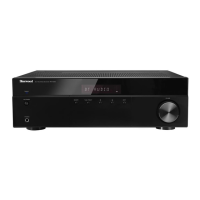
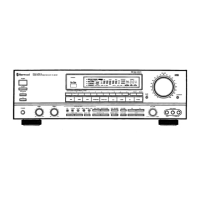
Sherwood R-977 - User Manual

Sherwood R-977
84 pages
Print Icon
To Next Page IconTo Next Page
Loading...

Table of Contents

Questions and Answers

  • B
    Brittney JensenAug 20, 2025
    Why is there no sound coming from my Sherwood R-977 Stereo Receiver?
    • M
      Madison CarrilloAug 20, 2025
      If there's no sound from your Sherwood Stereo Receiver, several factors could be responsible: * The speaker wires might be disconnected, so check these connections. * The master volume could be too low, so adjust it. * The MUTE button might be on, so press it to cancel the muting. * The input source might be selected incorrectly, so select the correct one. * There could be incorrect connections between components, so correct them. * The HDMI AUDIO OUTPUT may be set to “ON”, set it to AMP.
  • M
    Mark FrankAug 21, 2025
    How to fix Sherwood Stereo Receiver remote control that does not operate?
    • A
      Amy GravesAug 22, 2025
      If your Sherwood Stereo Receiver's remote control isn't working, it could be due to dead or missing batteries. Try replacing the batteries. Also, check if anything is obstructing the remote sensor and remove any obstacles.
  • C
    collinsfranciscoAug 25, 2025
    Why is there no sound from the surround speakers on my Sherwood R-977 Stereo Receiver?
    • V
      valenciaashleyAug 25, 2025
      If there's no sound from the surround speakers on your Sherwood Stereo Receiver, it could be because the surround mode is switched off (stereo mode), so select a surround mode. Also, the master volume and surround level might be too low, so adjust them. If you are using a monaural source, select a stereo or surround source. Finally, check that the surround speaker setting is not set to “NO” and select the desired surround speaker setting.
  • K
    kristopher52Aug 26, 2025
    What to do if there is no sound from the center speaker of my Sherwood R-977?
    • N
      Nicole WalshAug 26, 2025
      If there's no sound from the center speaker of your Sherwood Stereo Receiver, it could be because Dolby Virtual Speaker or stereo mode is selected, so select the desired surround mode. Also, check that the center speaker setting is not set to “NO” and select the desired center speaker setting. Finally, the master volume and center level might be too low, so adjust them.
  • J
    jeremiahharrisAug 27, 2025
    What to do if there is no sound from the surround back speakers of my Sherwood Stereo Receiver?
    • A
      ajenkinsAug 27, 2025
      If there is no sound from the surround back (or front height) speakers on your Sherwood Stereo Receiver, it might be because the input signal format or the current surround mode cannot support the 7.1 (or 6.1) surround. Also, the surround back channels’ power amplifier might be assigned to “ROOM2”. Finally, the master volume and surround back level might be too low, so adjust them, or the surround back speaker is set to “NO”, so select the desired surround back speaker setting.
  • M
    Mariah YuAug 29, 2025
    What to do if my Sherwood R-977 Stereo Receiver has no power?
    • J
      Jordan BradyAug 30, 2025
      If your Sherwood Stereo Receiver has no power, it might be due to a disconnected AC input cord. Ensure the cord is securely connected. Another possibility is a poor connection at the AC wall outlet, or the outlet is dead or off. Check the outlet using a lamp or another appliance.
  • M
    mahoneymichelleAug 31, 2025
    What to do if my Sherwood R-977 Stereo Receiver cannot connect to network?
    • T
      Tina BurkeSep 1, 2025
      If your Sherwood Stereo Receiver cannot connect to the network, make sure a LAN/ETHERNET cable is connected. If you are using WiFi, ensure the WiFi antenna is connected. Verify that your network is working. If using a wireless connection, try shortening the distance from the wireless LAN access point or removing any obstacles that may be causing insufficient signal strength.
  • M
    Miss Angela GonzalezSep 3, 2025
    Why are stations cannot be received on my Sherwood Stereo Receiver?
    • J
      John HamiltonSep 3, 2025
      If you're unable to receive stations on your Sherwood Stereo Receiver, ensure an antenna is connected. Also, make sure you have tuned in to the desired station frequency. The antenna's position could also be a factor, so try moving it and retry tuning.
  • Z
    Zachary ValdezSep 5, 2025
    What to do if there is no picture on my Sherwood R-977 Stereo Receiver?
    • J
      Julie JenningsSep 5, 2025
      If there is no picture from your Sherwood Stereo Receiver, check that the video connections between the receiver and the monitor TV are correctly made. Also, verify that the input source is correctly selected on the monitor TV.
  • L
    Lisa WilsonSep 7, 2025
    Why is there poor FM reception on my Sherwood Stereo Receiver?
    • M
      Mrs. Linda Mathews MDSep 7, 2025
      If you're experiencing poor FM reception on your Sherwood Stereo Receiver, first, ensure an antenna is connected. If an antenna is connected, try changing its position. Weak signals can also cause this issue; consider installing an outdoor FM antenna.

Summary

Safety Precautions

General Safety Warnings

Essential safety guidelines covering electric shock and general handling.

System Connections

Connecting Video Components

Guides for connecting video sources like BD/BDR, DVD/DVR, STB/CBL, and game consoles.

Connecting Audio Components and Speakers

How to connect audio inputs (AUX, CDP/PHONO) and speaker systems.

Operations

Enjoying Surround Sound

Explains different surround sound modes for an enhanced listening experience.

OSD Menu Settings

System Setup Options

Settings for amplifier assignment, RS232 control, and saving configurations.

Appendix

Troubleshooting and Specifications

Solutions for common issues and detailed technical specifications of the receiver.

Sherwood R-977 Specifications

General IconGeneral
BrandSherwood
ModelR-977
CategoryStereo Receiver
LanguageEnglish

Related product manuals