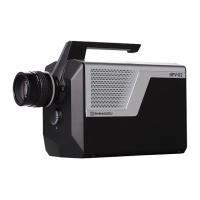
High-Speed Video Camera
HPV-X2
■ Display Angle Setting [ROTATE]
Images can be rotated by 0 degree, 90 degree, 180 degree, or 270 degree, or mirrored.
■ Repeated Playback Setting [REPEAT]
Set whether or not to repeat playback.
Playback is repeated when [REPEAT] is selected.
When [REPEAT] is not selected, images are only played back once.
■ Overexposed Area Display [HIGH LIGHT]
Set whether to display/hide overexposed areas of the displayed image.
When [HIGH LIGHT] is selected, overexposed areas are displayed in red. When [HIGH
LIGHT] is not selected, images are displayed as normal, with overexposed areas not
displayed.
■ Grid Display [GRID]
Set whether to display/hide grid lines in the displayed images.
When [GRID] is selected, grid lines are displayed.
When [GRID] is not selected, grid lines are not displayed.
■ Frame Range Setting [START] [STOP]
Set the first and last frames displayed during playback.
■ Selecting First Frame to Display [FIRST DISPLAY]
Select the frame number of the first frame displayed in the Viewer window after
recording. The image of the frame number selected in [FIRST DISPLAY] is displayed in
the Viewer window.
■ Playback Window Display Settings
[GAMMA]
Set the gamma correction values for displaying images in the playback window.
Gamma correction values can be adjusted between 0.3 and 3.0 in the [GAMMA] field.
Clicking the icon resets the setting to [1.0].
[BRIGHTNESS]
Set the brightness of images displayed during playback.
Brightness values can be adjusted between -100 and 100 in the [BRIGHTNESS] field.
Clicking the icon resets the setting to [0].
[CONTRAST]
Set the contrast of images displayed during playback.c
Contrast values can be adjusted between 0.5 and 2.0 in the [CONTRAST] field.
Clicking the icon resets the setting to [1.00].


 To Next Page