■ Default Settings ( )
Restores playback parameter settings to their default values.
Clicking the con displays the default value setting confirmation window (Fig. 5-20).
Clicking [Yes] sets playback parameter settings to their default values.
Clicking [No] cancels restoring default values.
Fig. 5-20 Default Value Setting Confirmation Window
■ Window Display Mode
Click the
icon to switch between the following two window display modes.
Normal display [Normal View]
Displays images normally in the Viewer.
Enlarged view [Scope View]
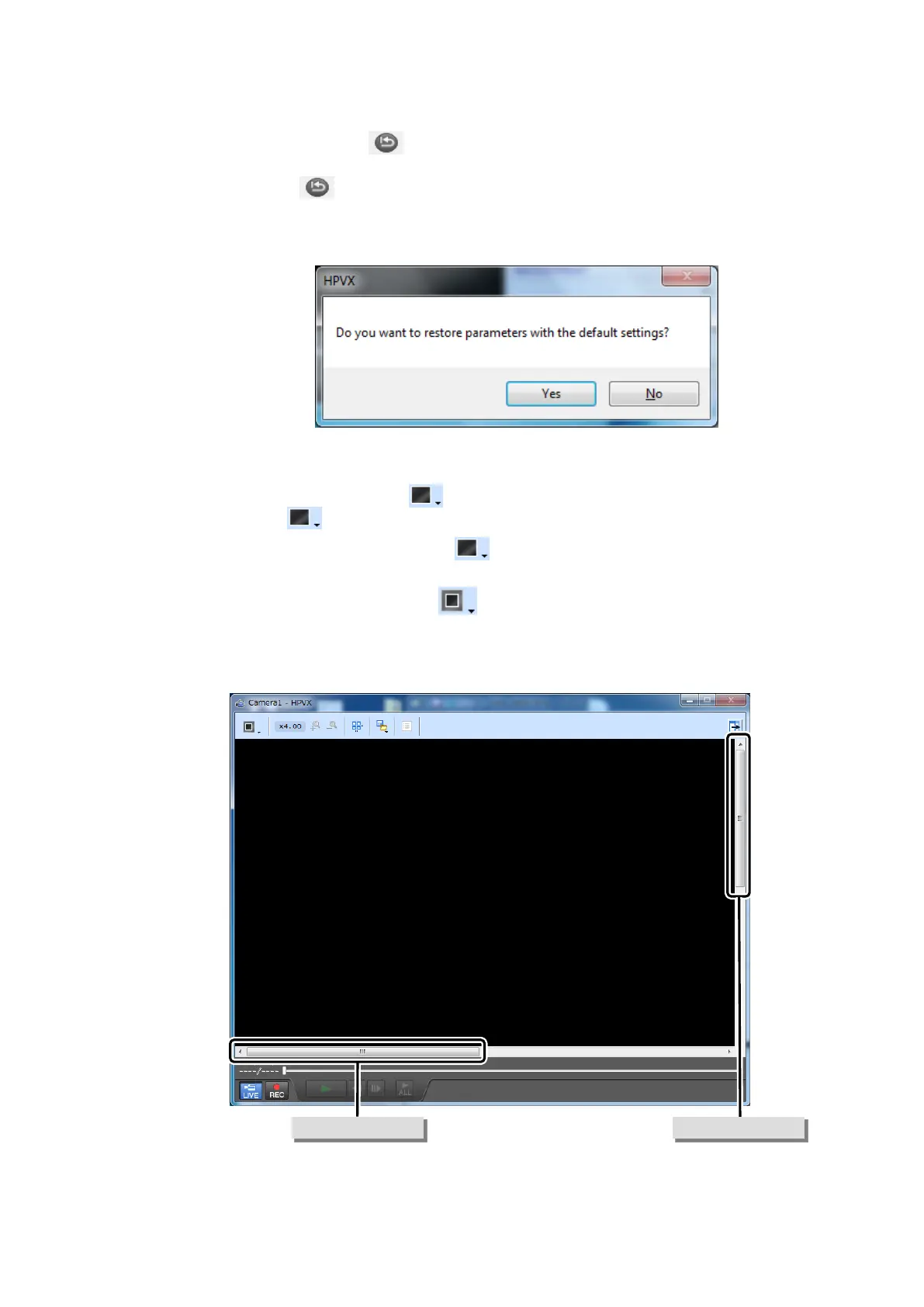
Displays images magnified by four times. Since the displayed area can move when
images are enlarged, vertical and horizontal scroll bars appear in the Viewer window.
Sliding the sliders with the mouse allows moving the displayed area of the image. The
enlargement status can be played back as well.
Fig. 5-21 Scope View Display


 To Next Page