https://shimano-steps.com/
46 47
https://shimano-steps.com/
E6000 MANUALE8000 CONCEPT E8000 MANUAL E6000 CONCEPT
Bluetooth
®
LE Pairing(SC-E8000)
E-TUBE PROJECT for smartphones/tablets may be used if a Bluetooth LE connection is established with a smartphone/tablet.
1. Before setting up a connection, turn on Bluetooth LE on the
smartphone/tablet.
2.
Open E-TUBE PROJECT and set it to listen for Bluetooth LE
signals.
3.
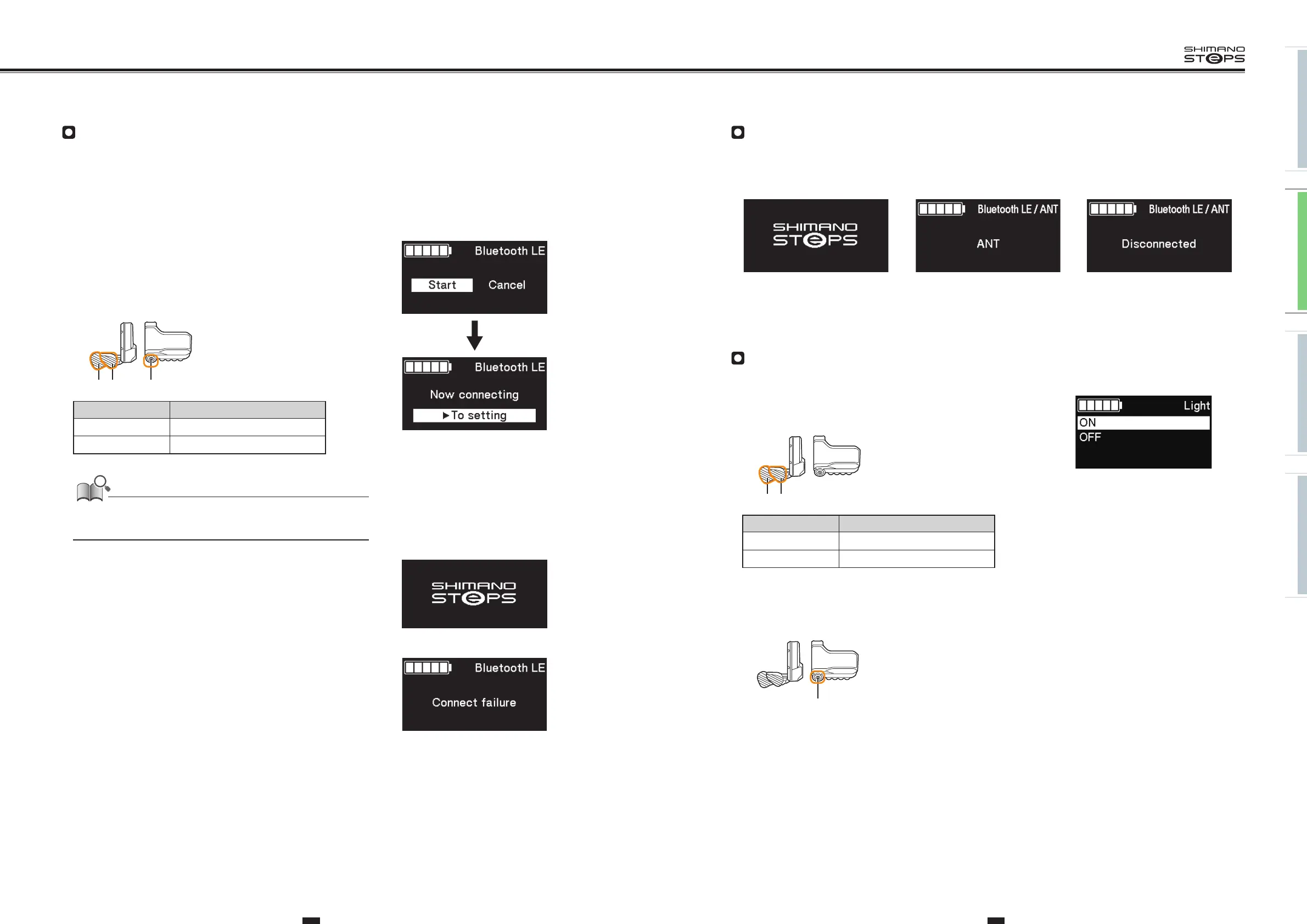
Press X or Y to select [Start].
To start Bluetooth LE pairing, press A to confirm.
• If you press A during Bluetooth LE pairing, the transmission will be interrupted,
then the screen will return to the menu list screen.
XY A
SW-E8000-L/SC-E8000
Items Details
Start Starts Bluetooth LE pairing
Cancel To not perform pairing, select [Cancel]
Generally, Bluetooth LE transmission will begin automatically when the cycle
computer is turned on, however, pairing can be started by selecting [Start] from
the [BLE pairing] menu when connectivity is poor.
4. When connection is successful, SHIMANO STEPS logo is displayed
on screen. If connection is not successful, a message indicating
this is displayed.
• After successful connection or a connection failure, press one of X/Y/A or the
screen will automatically return to the menu list screen after awhile.
Connection successful
Connect failure
Connection failed
5. When connection is successful, the unit name will display in E-TUBE PROJECT.
6.
Select the unit name displayed on screen.
• To disconnect, cancel the Bluetooth LE connection from the smartphone/tablet. (The cycle computer will exit connection mode and return
to regular operation mode.)
Bluetooth LE/ANT(SC-E8000)
Current status of wireless connections can be displayed on screen.
For details on ANT connection, refer to ”ANT connection” in the section ”About Wireless Functions” (page 51).
Select [Bluetooth LE/ANT]] from the menu list screen and confirm to display current wireless connection status.
When connected via Bluetooth LE
When an ANT signal is being emitted
When neither BLE nor ANT is connected
Light (SC-E8000)
Configure the battery-powered light setting.
1. Press X or Y to select the required setting.
XY
SW-E8000-L/SC-E8000
Items Details
ON Keep light always on
OFF Keep light always off
2. Press A to confirm the setting.
• After confirmation, the screen will automatically return to the menu list screen.
A
SW-E8000-L/SC-E8000






 To Next Page