https://shimano-steps.com/
172 173
https://shimano-steps.com/
E6000 MANUALE8000 CONCEPT E8000 MANUAL E6000 CONCEPT
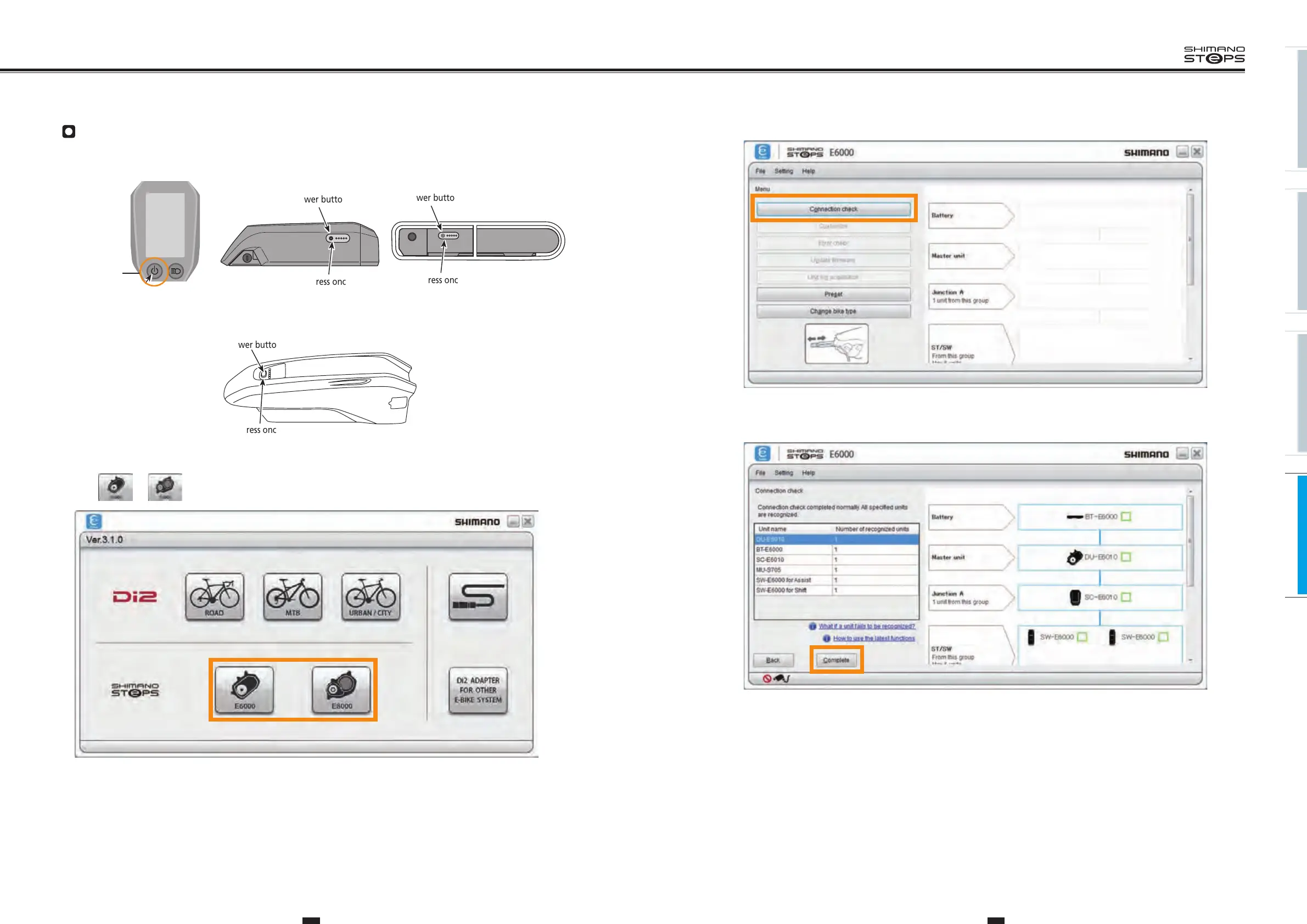
3. Click the [Connection check] button.
4. Click the [Complete] button to complete connection check.
Make connection check
1. Turn on the power.
<SC-E6010>
2 seconds
Power button
Press once
Power button
Press once
<BT-E6001/BT-E6000><BT-E6010>
Power button
<BT-E8010>
Press once
2. Click or on the screen that shows available connections.






 To Next Page