18
Installation/removal
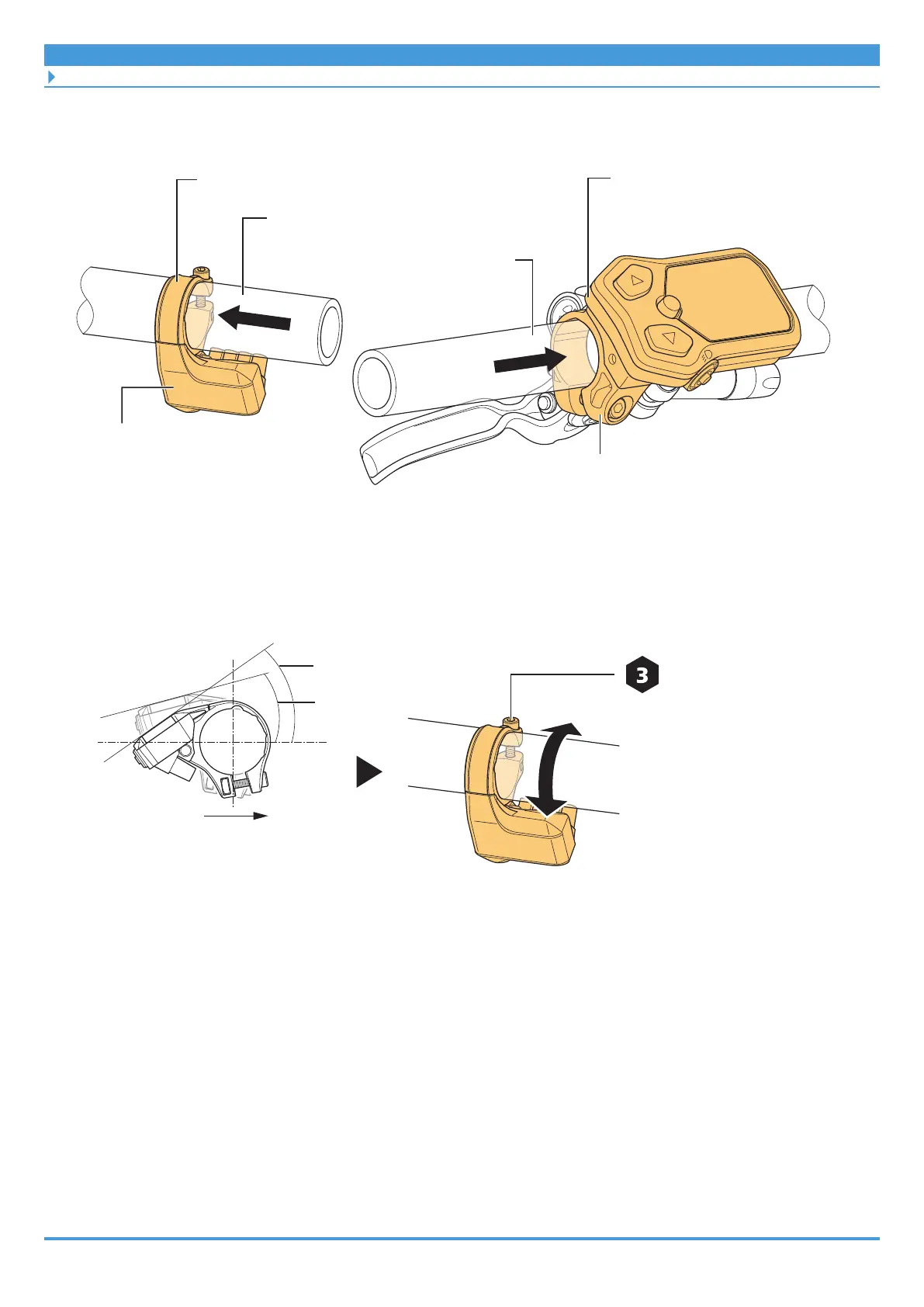
Installing the cycle computer/junction [A]
• Insert a switch unit integrated type cycle computer from the left side of the handlebar
and install it near the handle grip to enable easy operations of the switch part.
Clamp band
Clamp band
Clamp band type cycle computer
Switch unit integrated type
cycle computer
Handlebar (right side)
Handlebar (left side)
2. Adjust the installation angle, and secure the cycle computer to the
handlebar.
Clamp band type cycle computer
Front of bicycle
Clamp screw
0.8 N·m
35°
15°



 To Next Page
 Loading...

