51
Maintenance
Gear shifting adjustment with the electronic gear shifting unit [Adjust]
Notation Operation
[Adjust]
(Example) Gear shifting adjustment
for the electronic shifting unit
Items displayed on the cycle computer screen are enclosed
in square brackets in this manual. When this notation is
used in a procedure, it indicates an operation for selecting
a display on the screen and pressing the function button or
the switch-A of the assist switch to switch the screen or
confirm the setting.
<A>
Indicates an operation for pressing the switch-A of the
assist switch or switch unit integrated type cycle computer.
TECH TIPS
• Operations indicated with <F> may be performed with <A> instead.
Checking the setting value
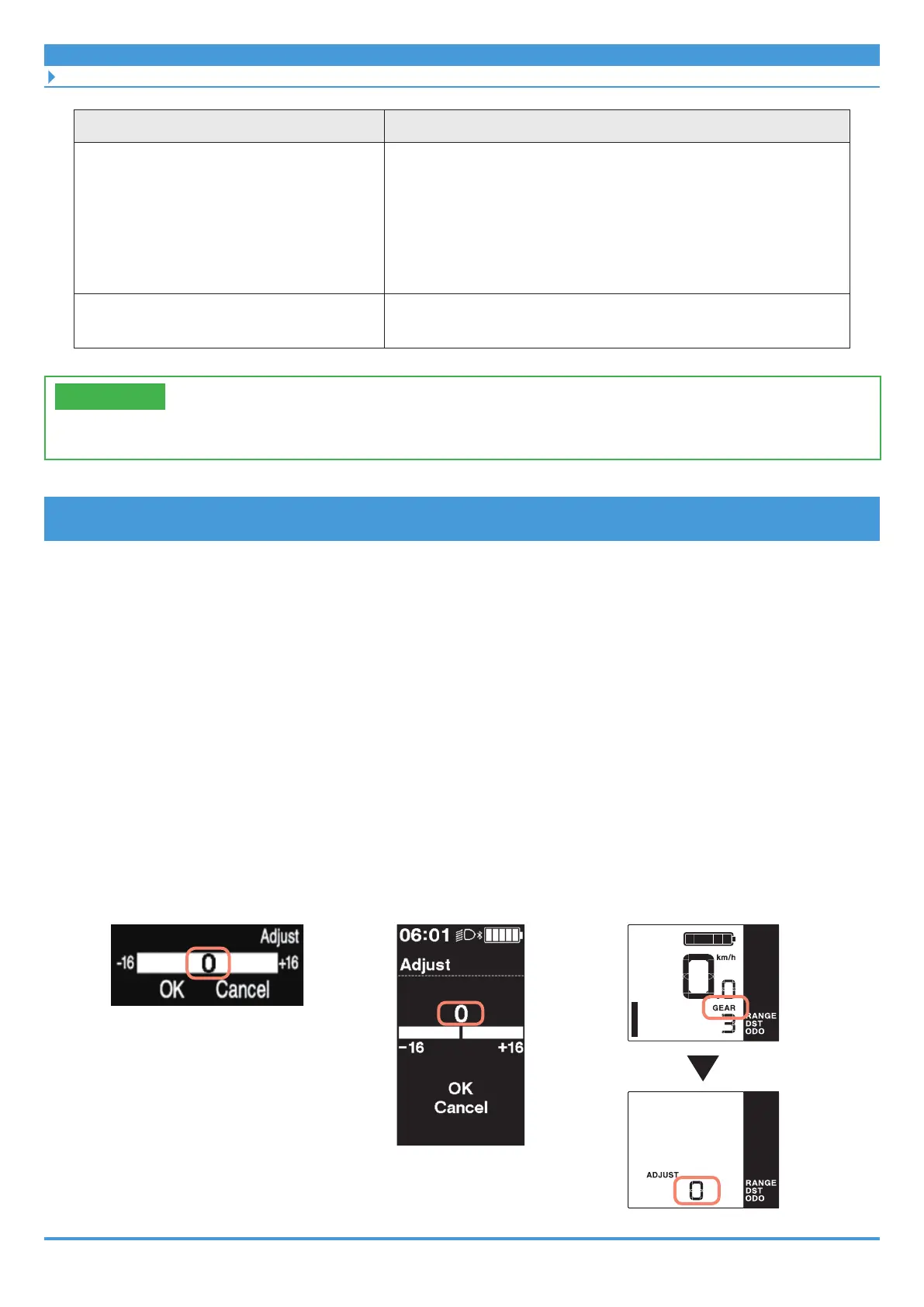
First check whether the [Adjust] setting value is [0].
Refer to the user's manual for each cycle computer for information on the method for
displaying the setting menu screen.
1. Setting menu ⇒ [Adjust] ⇒ check the current setting value
* Switch unit integrated type: With [GEAR] displayed, hold down <A> on the cycle
computer until the display switches to [ADJUST].
• Value is [0]: Proceed to “Adjusting when the setting value is [0].”
• Value is not [0]: Proceed to “Adjusting when the setting value is not [0].”
Clamp band type cycle
computer example
(SC-E7000)
Bracket installation type cycle
computer example (SC-E6100)
Switch unit integrated type
cycle computer example
(SC-E5000)



 To Next Page
 Loading...

