52
Maintenance
Gear shifting adjustment with the electronic gear shifting unit [Adjust]
Adjusting when the setting value is [0]
Adjust the setting value one step at a time with [0] as the reference value.
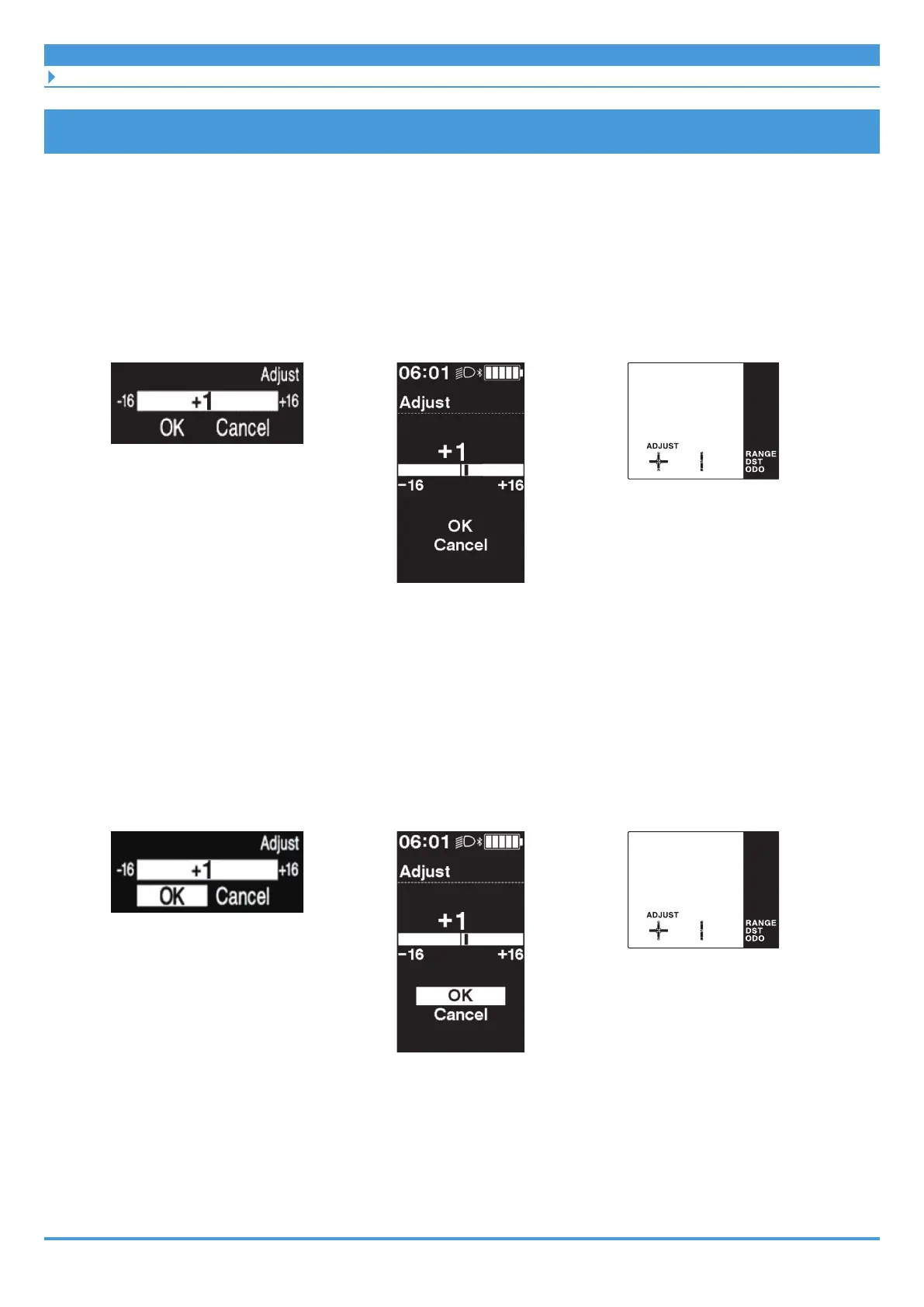
1. <▲><▼> (adjust the setting value by one step)
Clamp band type cycle
computer example
(SC-E7000)
Bracket installation type cycle
computer example (SC-E6100)
Switch unit integrated type
cycle computer example
(SC-E5000)
2. <↑><↓> (select [OK]) ⇒ <F>
* Switch unit integrated type: <A>
The adjusted value is set and the screen returns to the basic screen.
Clamp band type cycle
computer example
(SC-E7000)
Bracket installation type cycle
computer example (SC-E6100)
Switch unit integrated type
cycle computer example
(SC-E5000)
3. Try gear shifting operations.
Press <▲><▼> while turning the crank to perform gear shifting, and confirm that the
adjustment has changed.



 To Next Page