25
Installation/removal
Installing the switch unit
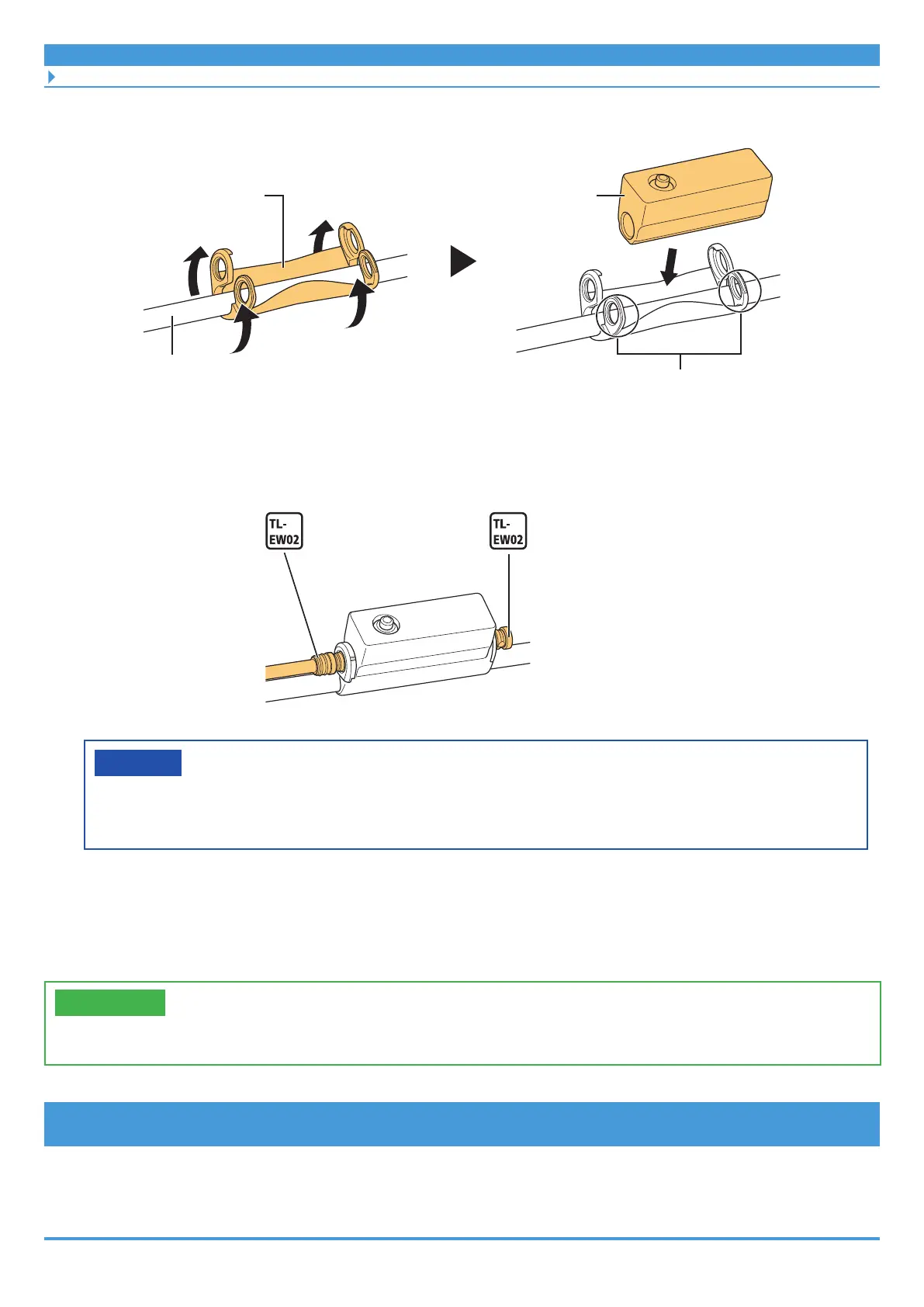
(2) Bend the adapter along the brake hose / brake outer casing.
Adapter
Junction [A]
Brake hose / brake outer casing
Align the holes with this area inward.
2. Connect the electric wire or dummy plug.
Electric wire
Dummy plug
NOTICE
• Be sure to connect either an electric wire or a dummy plug to the E-TUBE ports.
This secures junction [A] to the brake hose / brake outer casing.
Installing the switch unit
Install the assist switch and shifting switch (for electronic gear shifting) to the handlebar.
TECH TIPS
• To remove the switch unit, reverse the following procedure.
MTB type switch unit
For models: SW-E8000-L
• The MTB type switch unit can be installed to Ø22.2 to Ø22.5 handlebars.



 To Next Page
 Loading...

