26
Installation/removal
Installing the switch unit
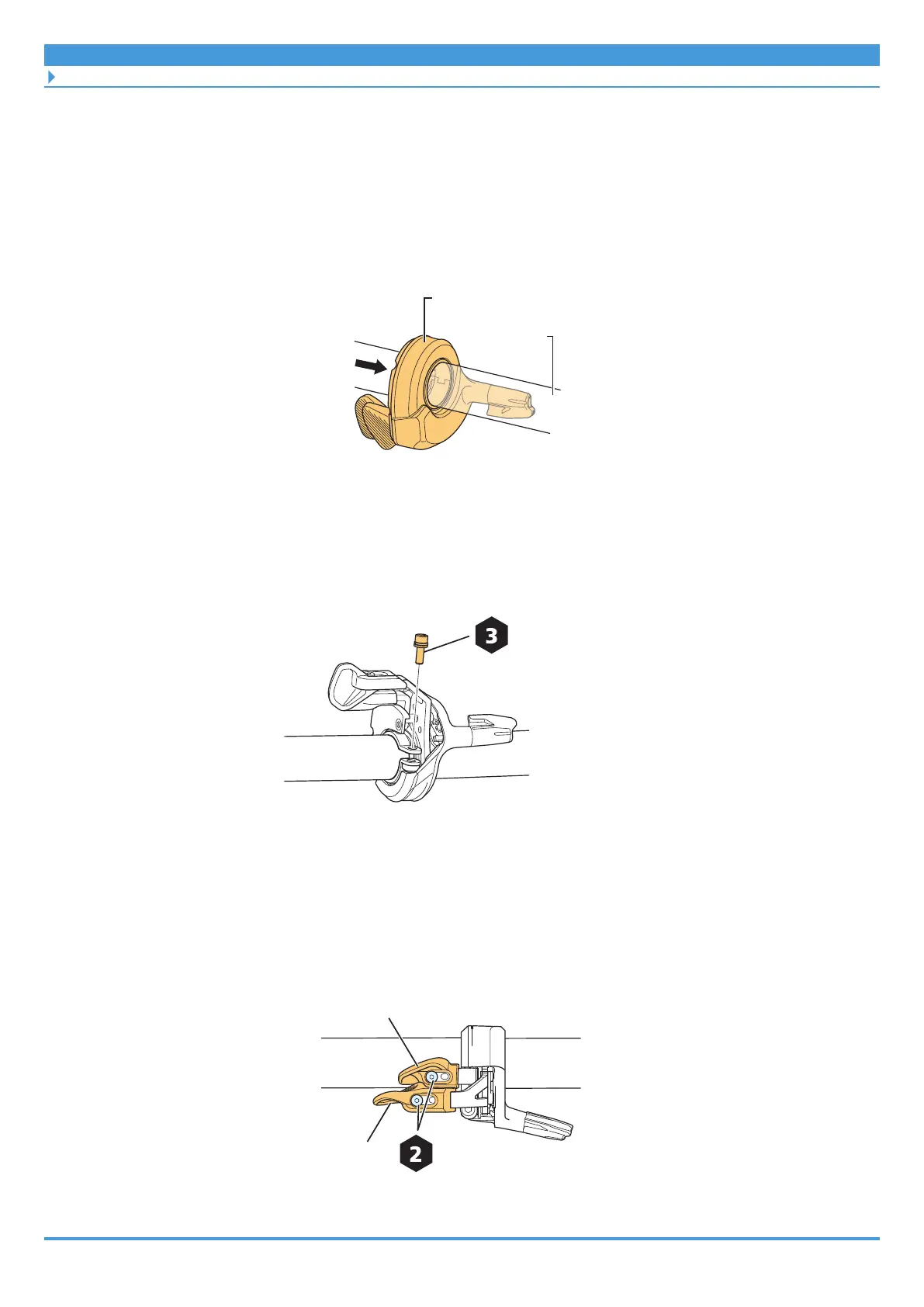
1. Confirm the wiring method for the handlebar.
If the electric wire to the switch unit will be inside the handlebar, wire it ahead of time.
2. Push the switch unit along the handlebar.
If running the electric wire internally through the handlebar, make sure the electric wire
is tucked into the groove of the handlebar so the switch unit can slide over it.
Handlebar
3. Secure the switch unit.
(1) Adjust the installation location and angle of the switch unit.
(2) Tighten the clamp bolt.
Clamp bolt
2 - 2.2 N·m
4. Adjust the locations of lever X and lever Y.
(1) Loosen the mounting screws.
(2) Adjust the locations of lever X and lever Y to the preferred positions.
(3) Tighten the mounting screws.
Lever Y
Mounting screw
0.5 - 0.7 N·m



 To Next Page
 Loading...

