49
Maintenance
Replacing the clamp band
Maintenance
Replacing the clamp band
For models: SC-EM800, SC-E8000, SC-E7000, SC-E5000, SC-E5003
Replace the clamp band of a clamp band type or switch unit integrated type cycle computer.
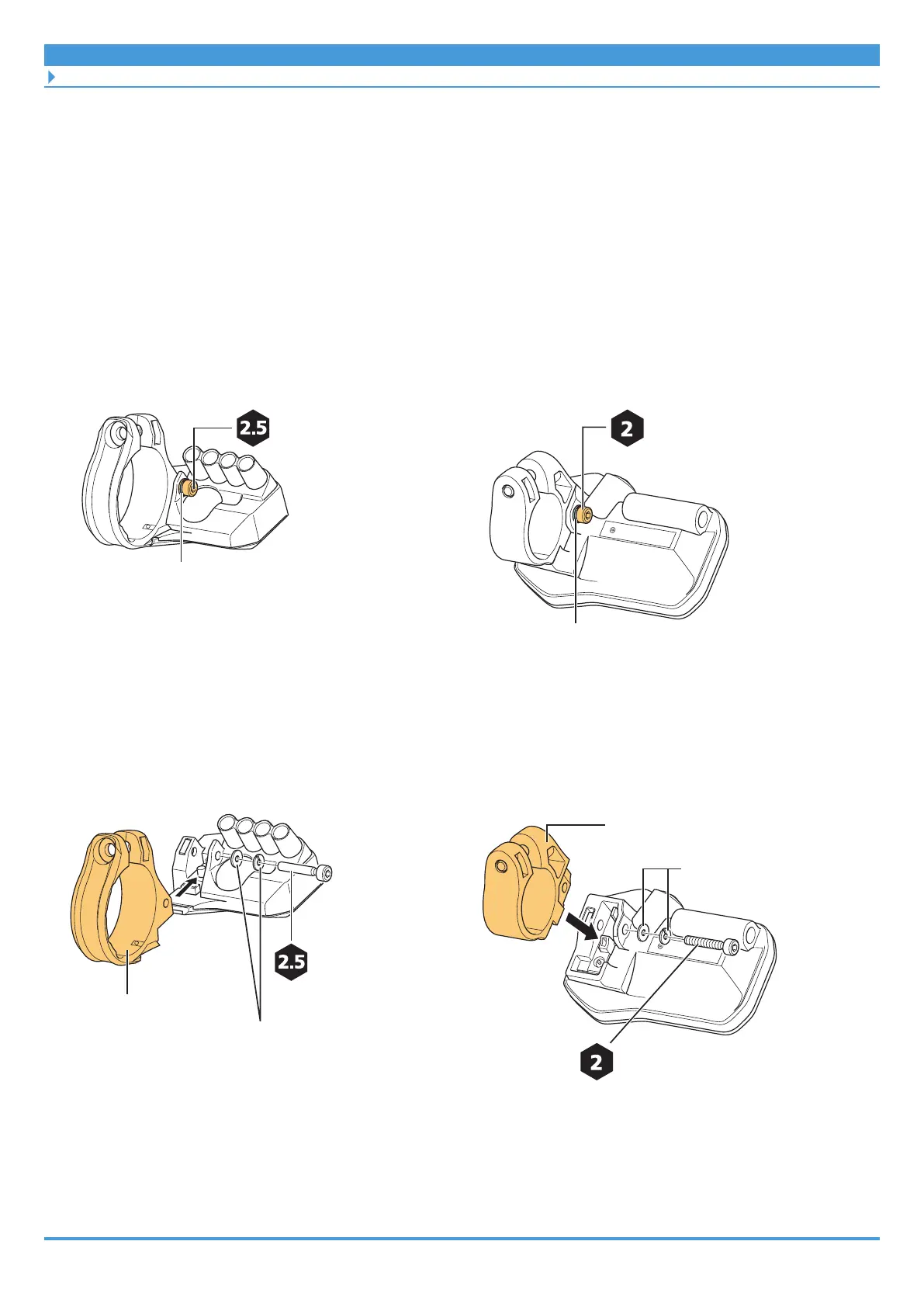
1. Remove the case fixing bolt.
Case fixing bolt
Clamp band type cycle computer
Washer
Case fixing bolt
Washer
Switch unit integrated type cycle computer
2. Replace the clamp band.
Remove the clamp band, and install a new clamp band.
Case fixing bolt
Washer
Clamp band
0.6 N·m
Clamp band type cycle computer
Washer
Clamp band
Case fixing bolt
0.6 N·m
Switch unit integrated type cycle computer



 To Next Page