22
Installation/removal
Installing the cycle computer/junction [A]
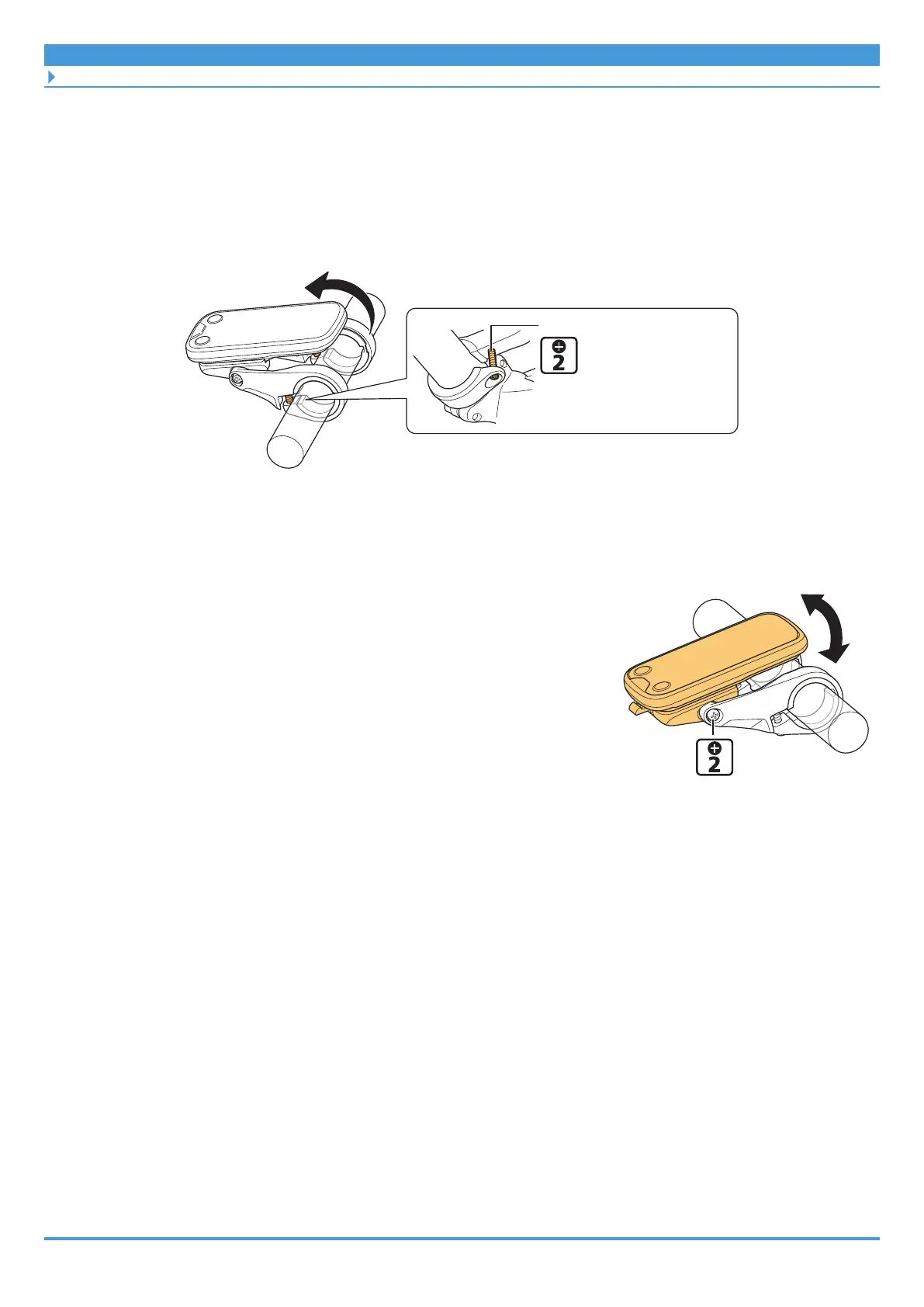
6. Secure the bracket to the handlebar.
(1) Return the cycle computer to its installation position if the cycle computer was stood
up on the stem in step 5.
(2) Secure the bracket.
Clamp screw
1 N·m
(2)
` Adjusting the installation angle
1. Adjust the installation angle of the cycle computer.
(1) Loosen the angle adjustment screw.
(2) After adjusting the angle of the cycle computer to
make it easier to see while riding, tighten the angle
adjustment screw.
Angle adjustment
screw
0.5 N·m
` Removing the cycle computer
1. Remove the mounting bolt on the bottom side of the bracket.
If the cycle computer was not secured, this procedure is not necessary. Skip to step 2.
(1) Loosen the clamp screw, then stand the cycle computer and bracket up on the stem
(as though you are turning the cycle computer around).



 To Next Page