Aoralscan 3_Manual_V1.0.0.30 - 24 -
4. Overview
Benefits of the Product
The Aoralscan 3 is designed to provide powder-free intraoral color scanning, with higher
speeds bringing greater accuracy and less time-lag for image acquisition. It can be used to scan a
single tooth, multiple teeth, and whole dental arches. The captured 3D digital images of teeth and
soft-tissue areas are designed to be used in conjunction with the supplied software programs.
Dental Order System Module, which helps manage the patient information and scanned records,
and Scan module, which assists you in acquiring digital images, and supports scan data export (in
STL/OBJ format) to CAD/CAM systems for different purposes of dental care.
Scanner Overview
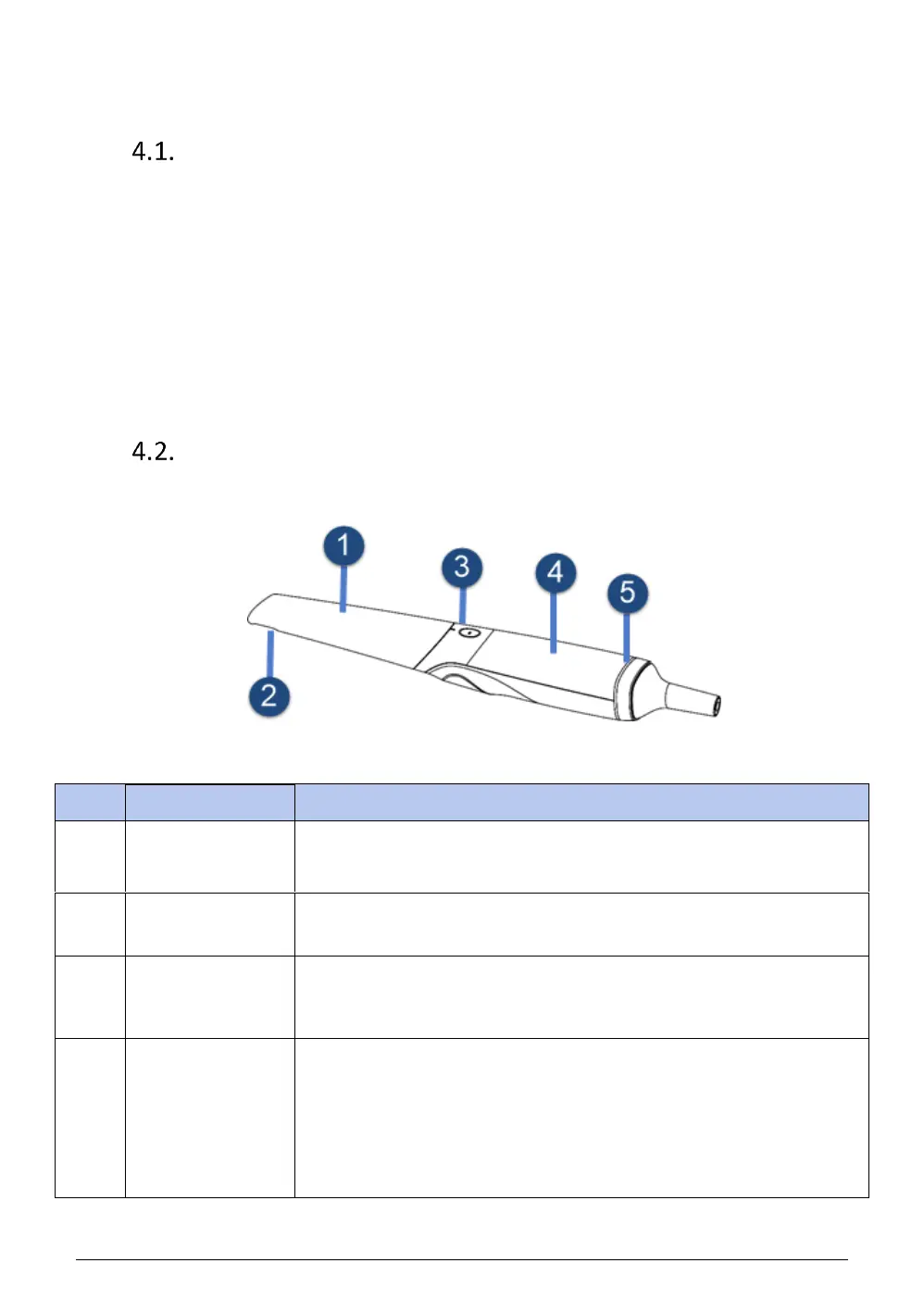
4.2.1. Scan head and scanner body
Use the scanner head to scan the upper, lower or full jaw. The scanner
head can be autoclaved for 30 times.
Single press to start scanning and pause scanning; long press to proceed
to the next step; double click to start the motion sensing function.
Rotate the scanner body during scanning to obtain the best scanning
angle. During the scanning process, the scanner body may heat up, but
the temperature will not cause harm to users and patients.














 To Next Page