EasyManua.ls Logo

Shinko FCR-13A - User Manual

Shinko FCR-13A
60 pages
Print Icon
To Next Page IconTo Next Page
Loading...
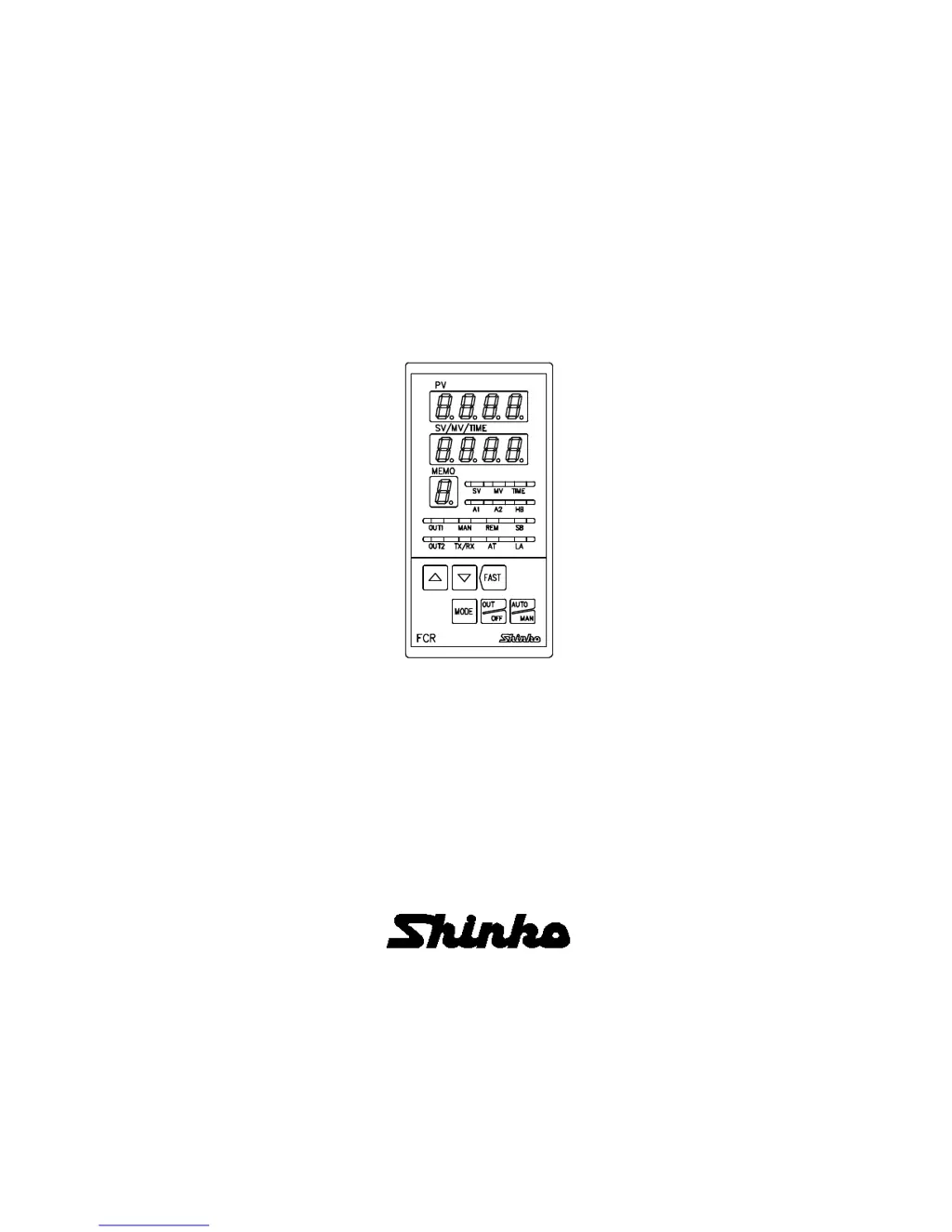
DIGITAL INDICATING CONTROLLER
FCR-13A
INSTRUCTION MANUAL

Table of Contents

Questions and Answers

  • M
    Michelle RiveraSep 23, 2025
    Why control is not performing on Shinko FCR-13A?
    • V
      Vanessa SmithSep 23, 2025
      If control is not performing on your Shinko Controller and only the PV display is indicated, press the key to perform Program control. Alternatively, to perform Fixed value control, select the Fixed value control mode by pressing the key while holding down the key for approximately 3 seconds.
  • S
    Shane GrahamAug 23, 2025
    Why is the PV not rising on my Shinko FCR-13A?
    • J
      justinstanleyAug 23, 2025
      If the PV on your Shinko Controller isn't rising, one potential cause is a burnt-out thermocouple or RTD. Try replacing the sensor. Also, check that the sensor or control output terminals are securely mounted and correctly wired to the instrument terminals.
  • R
    Riley KelleyAug 25, 2025
    Why is the PV display indication irregular or unstable on my Shinko Controller?
    • A
      Ashley UnderwoodAug 25, 2025
      If the PV display indication on your Shinko Controller is irregular or unstable, ensure that a suitable sensor input has been selected using the Rotary switch (SW303) and DIP switch (SW304). Also, verify that the temperature unit is correct using the DIP switch (SW304), the sensor correction value is appropriate, the thermocouple or RTD specification is correct, there is no AC leakage into the thermocouple or RTD circuit (use an ungrounded sensor), and that there is no interfering equipment near the controller.
  • D
    David NguyenAug 27, 2025
    What causes the PV display to flash on a Shinko FCR-13A Controller?
    • M
      Makayla ParkerAug 27, 2025
      If the PV display on your Shinko Controller is flashing, ensure that the polarity of the thermocouple or compensating lead wire is correct. Also, check whether the RTD codes (A, B, B) match the instrument terminals.
  • C
    Cheryl KeyAug 27, 2025
    What to do if control is not performing on my Shinko FCR-13A?
    • R
      rgibbsAug 28, 2025
      If control is not performing on your Shinko Controller and only the PV display is indicated, the Control output OFF function might be active. Press the key to cancel this function. Alternatively, Program mode might be selected. To start Program control, press the key. For Fixed value control, press the key for approximately 3 seconds while holding down the key.
  • E
    Eric BryanSep 18, 2025
    What to do if control does not start even if the key is pressed in the Program mode on Shinko Controller?
    • B
      Billy BullockSep 18, 2025
      If control does not start even when the key is pressed in Program mode on your Shinko Controller, set the step time.
  • M
    Megan RogersSep 15, 2025
    Why the setting indication does not change within the rated scale range on Shinko FCR-13A Controller?
    • K
      kellyshieldsSep 15, 2025
      If the setting indication does not change within the rated scale range on your Shinko Controller, even when pressing the or key, it may be due to the SV high limit or SV low limit being set at a point where the value cannot change. Reset it to a suitable value again while in Auxiliary function setting mode 1.
  • D
    David RodriguezSep 16, 2025
    What to do if the setting mode cannot be selected on Shinko FCR-13A?
    • J
      Joshua BrandtSep 17, 2025
      If the setting mode cannot be selected on your Shinko Controller, change the mode to Automatic control.
  • T
    Tracey SullivanSep 6, 2025
    Why is the indication of PV display abnormal or unstable on my Shinko FCR-13A Controller?
    • C
      caitlynbullockSep 6, 2025
      An unstable or abnormal PV display indication on your Shinko Controller can occur if the sensor input selection is improper. Ensure the Sensor input is correctly set using the Rotary switch (SW303) and the DIP switch (SW304). Also, check that the temperature unit is properly set with the DIP switch. AC may be leaking into the thermocouple or RTD circuit, or there might be interfering equipment nearby. Keep such equipment away from the controller.
  • S
    Sarah SchneiderSep 3, 2025
    Why is OUT1 or OUT2 remaining in an ON status on my Shinko FCR-13A Controller?
    • R
      Ronald CookeSep 4, 2025
      If OUT1 or OUT2 remains in an ON status on your Shinko Controller, the OUT1 low limit value or OUT2 low limit value might be set to 100% or higher in Auxiliary function setting mode 2. Set it to a suitable value.

Summary

Preface and Manual Information

Abbreviations Used in Manual

Lists abbreviations used throughout the instruction manual for clarity.

Characters Used in Manual

Details the characters used for indications and alphabets in the manual.

Important Notes and Safety Precautions

General Notes and Warnings

Provides general notes, warnings, cautions, and prohibitions for using the instrument.

Safety Precautions

Details critical safety precautions for handling and operating the controller.

Export Trade Control Ordinance

Information regarding the ordinance for exporting trade control of the instrument.

Precautions for Safe Operation

Installation Precautions

Specifies precautions to be taken during the installation of the controller.

Wiring Precautions

Outlines essential precautions to follow during the wiring process.

Operation and Maintenance Precautions

Details precautions for operating and maintaining the controller safely.

Product Model and Specifications Overview

Model Identification and Options

Explains how to identify the controller model and its available options.

Standard Specifications

Lists the standard specifications of the FCR-13A controller.

Optional Specifications List

Details the various optional specifications available for the controller.

Input and Model Label Details

Rated Input Ranges

Provides the rated input ranges for different sensor types.

How to Read the Model Label

Guides users on interpreting the information on the controller's model label.

Controller Section Overview

Display Indicators and Their Functions

Describes the function of each display indicator on the controller's front panel.

Keypad Operation Guide

Description of Control Keys

Explains the function and operation of each key on the controller's keypad.

Initial Setup Procedures

Drawing Out Internal Assembly

Instructions on how to safely remove the internal assembly from the controller case.

Switch Setting Configuration

Details on setting DIP and rotary switches for various functions.

Control Panel Mounting

Site Selection Criteria

Guidelines for selecting an appropriate mounting location for the controller.

External Dimensions

Provides the external dimensions of the controller in millimeters.

Mounting Details

Panel Cutout Dimensions

Specifies the dimensions required for the control panel cutout.

Current Transformer (CT) Dimensions

Provides the dimensions of the current transformers (CT) used with the controller.

Mounting Methods

Installation of Mounting Brackets

Instructions for installing the one-touch and screw-type mounting brackets.

Wiring Procedures and Precautions

Solderless Terminal Wiring Requirements

Details on using solderless terminals with M3 screws for wiring.

Terminal Arrangement and Options

Terminal Layout Diagram

Illustrates the terminal arrangement and explains various input/output options.

Wiring Examples

Example Wiring for FCR-13 A-R;M

Provides a wiring example for the FCR-13A controller with R/M model.

Example Wiring for FCR-13 A-S;M, W

Provides a wiring example for the FCR-13A controller with S/M, W models.

Specific Wiring Configurations

Current Transformer (CT) Input Wiring

Details on wiring current transformers for heater burnout alarm.

Settings Configuration Menu

Operation Flowchart

Visual flowchart detailing the controller's operation and setting sequences.

Main Setting Mode

Describes the main setting mode for configuring controller parameters.

Sub Setting Mode

Details the sub setting mode for accessing specific parameter configurations.

Advanced Settings Modes

Auxiliary Function Setting Mode 1

Covers auxiliary functions such as set value lock and sensor correction.

Auxiliary Function Setting Mode 2

Details advanced auxiliary settings like scaling and hysteresis.

Setting Operation Details

Notes Before Key Operation

Provides essential notes and considerations before operating the controller's keys.

Auxiliary Function Settings

Set Value Lock Configuration

Explains the set value lock function and its different lock levels.

Function Parameter Settings

SV Limit, Sensor Correction, and Dead Band

Details settings for SV limits, sensor correction, and overlap/dead bands.

Remote;Local Setting Option

Describes how to configure remote or local setting methods for SV.

Communication and Auxiliary Settings

Instrument Number, Speed, and Protocol

Covers settings for instrument number, communication speed, and protocol.

Auxiliary Function Setting Mode 2 Details

Details settings within Auxiliary Function Mode 2, including scaling.

Output and Filter Parameter Settings

Decimal Point and PV Filter Settings

Configuration for decimal point display and PV filter time constant.

OUT1 Limit and Hysteresis Settings

Details on setting high/low limits and hysteresis for OUT1.

OUT2 Mode and Limit Settings

Configuration for OUT2 action mode and high/low limit settings.

Alarm and Hysteresis Configuration

OUT2 Hysteresis and Alarm Actions

Settings for OUT2 hysteresis and alarm action (Energized/De-energized).

Alarm Action Delay Times

Configuration for delay times for Alarm 1 and Alarm 2 actions.

Input;Output Scaling and SV Rate Settings

External Setting Input Configuration

Details on configuring external analog signals for SV input.

Transmission Output Settings

Configuration for transmission output types and limits.

Control Output OFF Indication and SV Rate

Settings for indication when output is OFF and SV rise/fall rates.

Error Handling and Program Mode

SV Fall Rate and Input Error Output Status

Settings for SV fall rate and output status during input errors.

Introduction to Program Mode

Overview of the controller's program mode functionality.

Program Control Parameter Setup

Fixed Value vs. Program Control Switching

How to switch between fixed value and program control modes.

Setting Program Step Times

Instructions for setting the duration for each step in program control.

Operational Mode Switching and Indication

Auto;Manual Control and Output OFF Function

Details on switching between auto/manual control and using output OFF function.

MV and Remaining Step Time Indication

How to display MV and remaining step time on the controller.

Set Value Memory Function (SM Option)

Memory Selection Terminal Connections

Describes terminal connections for selecting set value memory numbers.

Set Value Memory Operation Procedures

Steps for operating the set value memory function.

Data Registration Process

Explains how to register data into the set value memory.

Controller Operation Procedures

Operation as Temperature Controller

Step-by-step guide for operating the controller as a temperature controller.

Programmable Controller Operation

Operation as Simplified Programmable Controller

Instructions for operating the controller as a simplified programmable controller.

Control Action Explanations

OUT1 Standard Control Action

Explains the standard control actions for OUT1 (Heating/Cooling).

Heater Burnout Alarm Action

Details the optional heater burnout alarm action.

Specific Control Actions

OUT1 ON;OFF Control Action

Describes the ON/OFF control action for OUT1 with hysteresis.

Pattern End Action Description

Explains the pattern end action and its output behavior.

Heating;Cooling Control Actions

Basic Heating;Cooling Control

Details the basic heating and cooling control actions.

Control Action Variations

Setting Dead Band in Control

Explains how to set a dead band for control actions.

Advanced Heating;Cooling Control

Setting Overlap Band with Relay Output

Describes setting an overlap band with relay contact output.

Alarm Function Details

Alarm 1 and 2 Action Logic

Explains the action logic for Alarm 1 and Alarm 2.

Control Action Theory and Tuning

Fuzzy Self-tuning Control Principles

Explains the principles of fuzzy self-tuning for automatic PID adjustment.

PID Control Fundamentals

Details the fundamentals of PID control actions: Proportional, Integral, Derivative.

Auto-Tuning (AT) Process Explanation

AT Process Behavior and Conditions

Describes the AT process, its fluctuations, and conditions affecting completion.

Product Specifications

Standard Specifications Summary

Summarizes the standard specifications including mounting, display, and accuracy.

Optional Specifications Details

Alarm 2 and Heating;Cooling Options

Details specifications for Alarm 2 and Heating/Cooling control options.

Troubleshooting Guide

Diagnosing Display Indication Issues

Lists common PV display indications and their possible causes/solutions.

Troubleshooting Operational Problems

Key Operation and Setting Problems

Addresses issues related to keypad operations and setting parameter problems.

Control Performance and Output Issues

Covers problems related to control performance and output status.

Parameter Reference Table

Character Table for Settings

Provides a character table mapping settings to their respective parameters.

Shinko FCR-13A Specifications

General IconGeneral
Output TypeRelay, Voltage pulse
Display7-segment LED
Power Supply100 to 240 VAC
MountingPanel mount
Power5 VA
Frequency50/60 Hz
Operating Temperature0 to 50°C
Storage Temperature-20 to 65°C
ProtectionIP66 front panel
Dimensions48 x 48 x 78 mm
WeightApprox. 150g

Related product manuals