EasyManua.ls Logo

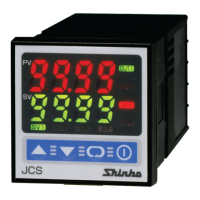
Shinko JCS-33A-R/M T6080 - User Manual

Shinko JCS-33A-R/M T6080
20 pages
Print Icon
To Next Page IconTo Next Page
Loading...
1
INSTRUCTION MANUAL
Micro-computer based digital indicating limit controller JCS-33A-R/M T6080
JCS33T6080E1 2006.12
To prevent accidents arising from the misuse of this controller, please ensure the operator receives this manual.
Safety precautions (Be sure to read these precautions before using our products.)
The safety precautions are classified into categories: “Warning” and “Caution”. Depending on circumstances,
procedures indicated by
Caution may be linked to serious results, so be sure to follow the directions for
usage.
Warning
Warning
• To prevent an electric shock or fire, only our or other qualified service personnel may handle the inner
assembly.
• To prevent an electric shock, fire or damage to the instrument, parts replacement may only be undertaken
by our or other qualified service personnel.
Safety precautions
•
To ensure safe and correct use, thoroughly read and understand this manual before using this instrument.
• This instrument is intended to be used for industrial machinery, machine tools and measuring equipment. Verify
correct usage after consulting purpose of use with our agency or main office. (Never use this instrument for
medical purposes with which human lives are involved.)
• External protection devices such as protection equipment against excessive temperature rise, etc. must be
installed, as malfunction of this product could result in serious damage to the system or injury to personnel.
Also proper periodic maintenance is required.
• This instrument must be used under the conditions and environment described in this manual. We do not accept
liability for any injury, loss of life or damage occurring due to the instrument being used under conditions not
otherwise stated in this manual.
Caution with respect to Export Trade Control Ordinance
To avoid this instrument from being used as a component in, or as being utilized in the manufacture of weapons of
mass destruction (i.e. military applications, military equipment, etc.), please investigate the end users and the final
use of this instrument. In the case of resale, ensure that this instrument is not illegally exported.
Caution
• This instrument should be used according to the specifications described in the manual.
If it is not used according to the specifications, it may malfunction or cause fire.
• Be sure to follow the warnings, cautions and notices. Not doing so could cause serious injury or malfunction.
• Specifications of the JCS-33A and the contents of this instruction manual are subject to change without notice.
• This instrument is designed to be installed in a control panel. If it is not, measures must be taken to ensure
that the operator cannot touch power terminals or other high voltage sections.
• Be sure to turn the power supply to the instrument OFF before cleaning this instrument.
• Use a soft, dry cloth when cleaning the instrument.
(Alcohol based substances may tarnish or deface the unit.)
• As the display section is vulnerable, do not strike or scratch it with a hard object.
• Any unauthorized transfer or copying of this document, in part or in whole, is prohibited.
•
Shinko Technos CO., LTD. is not liable for any damages or secondary damages incurred as a result of using
this product, including any indirect damages.
Caution
Procedures which may lead to dangerous conditions and cause death or serious
injury, if not carried out properly.
Procedures which may lead to dangerous conditions and cause superficial to medium
injury or physical damage or may degrade or damage the product, if not carried out
properly.

Questions and Answers

  • J
    jackwrightAug 15, 2025
    Why is the indication of PV display abnormal or unstable on my Shinko JCS-33A-R/M T6080 Controller?
    • J
      John BranchAug 15, 2025
      An abnormal or unstable PV display indication on your Shinko Controller may be due to incorrect sensor input or temperature unit settings. Ensure you've selected the correct sensor input and temperature unit. Adjust the sensor correcting value to a suitable level. Verify the sensor's specifications are correct and use an ungrounded sensor type. Also, keep equipment that may interfere with the controller away from it.
  • S
    Shawn WelchAug 18, 2025
    What to do if temperature does not rise with Shinko JCS-33A-R/M T6080 Controller?
    • D
      Donna HumphreyAug 18, 2025
      If the temperature isn't rising, replace the sensor. Also, check if the sensor or control output terminals are securely connected to the instrument input terminals, ensuring the wiring is correct.
  • B
    bgordonAug 21, 2025
    Why is “ ” flashing on the PV display of my Shinko JCS-33A-R/M T6080 Controller?
    • A
      ahammondAug 21, 2025
      A flashing “ ” on the PV display indicates a possible issue with the input signal source for DC voltage (1 to 5V DC) or DC current (4 to 20mA DC). Check whether the input signal source is disconnected. Make sure the input signal wire is securely connected to the instrument input terminals. Verify the polarity of the thermocouple or compensating lead wire is correct, and confirm that the RTD codes (A, B, B) match the instrument terminals.
  • R
    Rebecca ReeseAug 25, 2025
    What to do if “ ” is flashing on the PV display of Shinko Controller?
    • K
      Kayla MillerAug 25, 2025
      If “ ” is flashing on the PV display, it could be due to a burnout of the thermocouple or RTD, or a disconnection of DC voltage (0 to 1V DC). Try changing each sensor. Also, check if the input terminals of the thermocouple, RTD, or DC voltage are securely mounted to the instrument input terminal and securely connect the sensor terminals to the instrument input terminals.
  • A
    Amanda ThompsonAug 27, 2025
    What to do if unable to set the SV, A1 value on Shinko Controller?
    • S
      smithjessicaAug 27, 2025
      If you're unable to set the SV or A1 value, and the values do not change when using the keys, try releasing the lock.
  • T
    thomasblanchardAug 30, 2025
    What to do if the setting indication does not change within the input range on Shinko JCS-33A-R/M T6080?
    • D
      davidmooreAug 30, 2025
      If the setting indication does not change within the input range even when the keys are pressed, set it to a suitable value while in Setup mode.
  • C
    Christopher BeckSep 2, 2025
    Why does the PV display keep indicating the value which was set during Scaling low limit setting on my Shinko JCS-33A-R/M T6080 Controller?
    • L
      Lindsey MaySep 3, 2025
      If the PV display continuously shows the value set during Scaling low limit setting, check if the input signal source for DC voltage (0 to 5V DC, 0 to 10V DC) and DC current (0 to 20mA DC) is disconnected. Also, check whether the input lead wire terminals for DC voltage or DC current are securely mounted to the instrument input terminals.
  • J
    James HendersonSep 5, 2025
    What does “ ” mean on the PV display of my Shinko JCS-33A-R/M T6080?
    • J
      Jack ArnoldSep 5, 2025
      If the PV display is indicating “ ”, it means that the internal memory is defective.
  • X
    xhuntSep 8, 2025
    What to do if “ ” or“ ” is indicated on the PV display of Shinko JCS-33A-R/M T6080 Controller?
    • B
      Benjamin CombsSep 8, 2025
      If “ ” or “ ” is indicated on the PV display, press the key once to revert to the PV/SV display.
  • S
    smithmatthewSep 12, 2025
    How to revert to the PV/SV display on Shinko JCS-33A-R/M T6080 Controller if “ ” is indicated?
    • S
      Stanley JacksonSep 12, 2025
      To revert to the PV/SV display, press the key twice.

Summary

Safety Precautions

Warning and Caution Definitions

Explains the meaning of Warning and Caution labels for safe usage.

General Safety Guidelines

Provides essential rules for safe operation and handling of the instrument.

Export Trade Control

Guidance on preventing illegal export related to weapons of mass destruction.

Model Identification

Model Specifications

Details the JCS-33A-R/M T6080 model and its selectable options.

Model Label Interpretation

Explains how to read and understand the model designation on the unit.

Control Panel Overview

PV and SV Displays

Describes the function of the Process Variable (PV) and Set Value (SV) displays.

Indicator Lights

Explains the meaning of various indicator LEDs on the controller.

Operation Keys

Details the function of each key used for operation and setting.

Mounting to Control Panel

Site Selection and Environment

Specifies the recommended installation location and environmental conditions.

External Dimensions

Provides the physical size and mounting bracket details of the unit.

Panel Cutout Specifications

Details the required dimensions for cutting a panel hole for installation.

Mounting Procedures

Vertical Mounting

Instructions for mounting the controller vertically for IP66 compliance.

Bracket Attachment

Details on using mounting brackets and screws for secure installation.

Wiring Instructions

Pre-wiring Safety Warning

Emphasizes turning off power before wiring to prevent electric shock.

Terminal Block Configuration

Explains the wiring layout and terminal functions for power and signals.

Solderless Terminal Usage

Specifies the type and torque for solderless terminals.

Settings Configuration

Operation Procedure Overview

Outlines the sequence for setting input types, alarms, and desired values.

Main Setting Mode

Details setting the desired value (SV) and alarm action points.

Sub Setting Mode

Explains optional settings like value lock and sensor correction.

Setup Mode Parameters

Input Type and Scaling

Configuration of sensor input type, scaling limits, decimal point, and filter.

Alarm Settings

Configuration for A1 and A2 alarm types, hysteresis, and delayed timers.

Control Action Setup

Selection of High/Low limit control and output hysteresis.

Display and Setting Modes

Display Mode Selection

How to select items to be shown on the PV and SV displays.

Main Setting Mode Operations

Procedures for setting SV, A1, and A2 values.

Alarm Setting Ranges

Details the configurable ranges for different alarm types.

Sub Setting Mode Configuration

Set Value Lock

Functionality to lock settings to prevent errors.

Sensor Correction

How to adjust for sensor inaccuracies.

Communication Parameters

Settings for serial communication (protocol, speed, parity, stop bit).

Advanced Setup Mode

Input Type Configuration

Detailed selection of input types (thermocouple, RTD, DC) and units (°C/°F).

Scaling Limits and Filter

Setting scaling high/low limits and PV filter time constant.

Setup Mode Alarms and Control

Alarm Type and Action Selection

Configuration of A1/A2 alarm types and Energized/Deenergized actions.

Alarm Hysteresis and Timing

Setting hysteresis and delayed timers for alarms.

Control Action and Output Hysteresis

Setting High/Low limit control and output hysteresis.

Operation Modes and Running

Start Mode Selection

Configuration of Auto or Manual start for control action.

Sensor Correction Function

Explanation of how sensor correction works.

Running the Controller

Steps to power on, set values, and start control operation.

Control Action Explanation

High Limit Control Action

Explains the behavior of the high limit control sequence.

Low Limit Control Action

Explains the behavior of the low limit control sequence.

Start and Alarm Actions

Auto;Manual Start Behavior

Describes how auto and manual start modes affect control initiation.

A1;A2 Alarm Action Diagrams

Illustrates alarm actions (High/Low limit, standby) and output behavior.

Standard Specifications

General Specifications

Covers mounting, display, accuracy, and input/output details.

Control Action Specifications

Details limit control action and output hysteresis.

Circuit Insulation

Information on insulation resistance and dielectric strength.

Detailed Specifications

Environmental and Physical Specs

Ambient conditions, weight, dimensions, material, and color.

Input Abnormalities and Diagnostics

How the unit handles input issues, burnout, and self-diagnosis.

Optional Specifications

A2 Output and Serial Communication

Details on A2 output and C5 serial communication options.

External Reset and Terminal Cover

Information on SM external reset input and TC terminal cover.

Troubleshooting Guide

Display Indication Problems

Solutions for issues like "E", "HI"/"Lo", or flashing displays.

Operation and Control Issues

Key Operation Problems

Troubleshooting for issues with setting values or key input.

Control Performance Issues

Diagnosing and resolving problems like temperature not rising.

Shinko JCS-33A-R/M T6080 Specifications

General IconGeneral
BrandShinko
ModelJCS-33A-R/M T6080
CategoryController
LanguageEnglish

Related product manuals