a)Main Menu
4) Interface
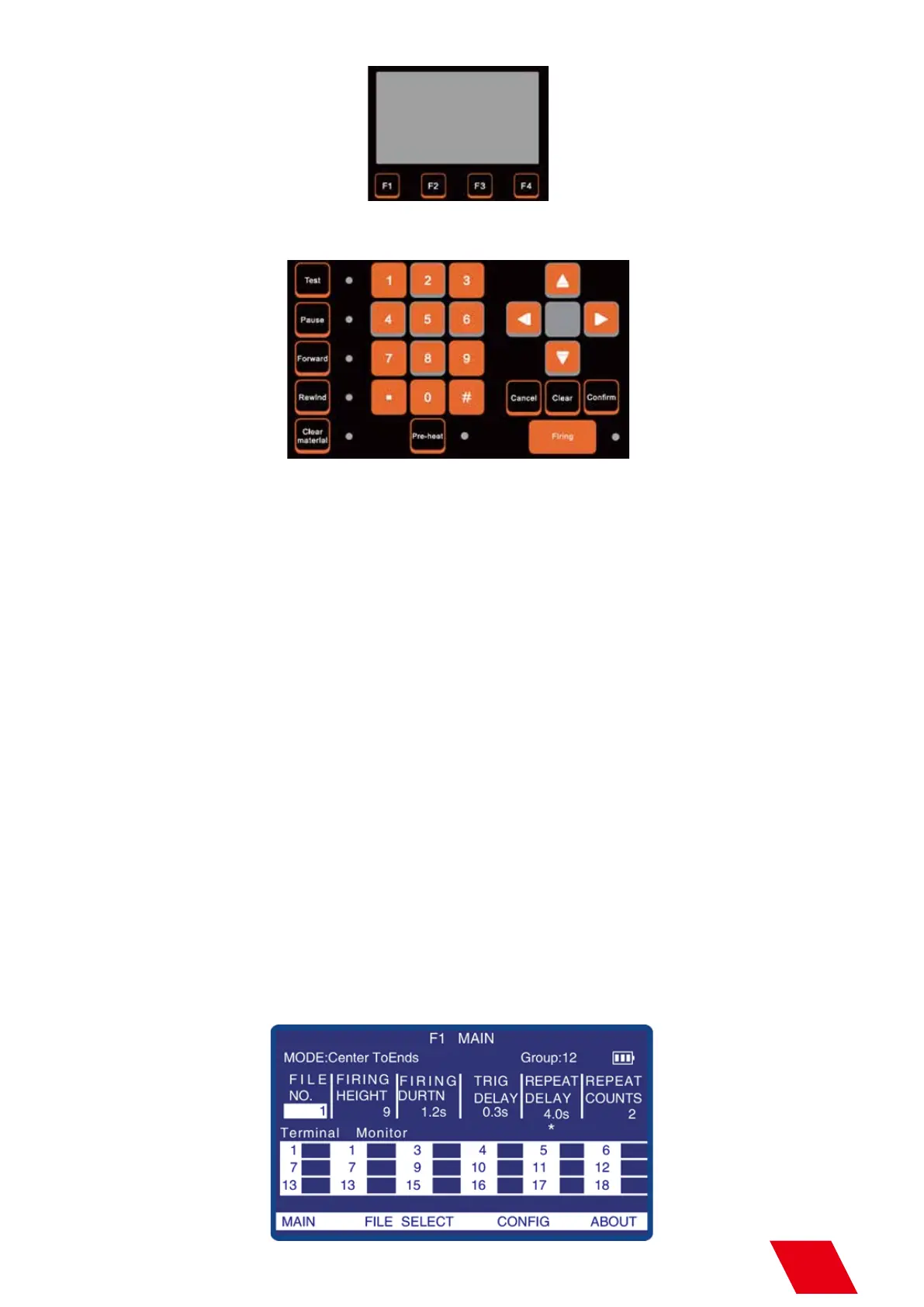
d) LCD Area
F1: Main Menu
F2: File Selection Menu
F3: Configuration Menu
F4: About Menu
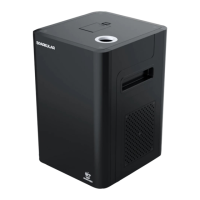
e) Edit/Control Area
Parameters can be programmed through number keys or up/down keys.
Test: For test/demonstration of edit effects. When press the Test, Sparkular file will be operated and LED will display the
effect, but communication won’t be output. This is also for factory testing.
Pause: Device can be forced to stop once any abnormality happens. Pre-heat also shuts off.
Forward: Under the special effect mode, the operating time can be put forward.
Rewind: Under the special effect mode, the operating time can be put backward.
Clear Material: Clear material of SPARKULAR before and after each show, to clean the remaining consumable in the
heating chamber, avoid blocking of the SPARKULAR.
Pre-heat: Press “Pre-heat” to heating up the SPARKULAR. It takes around 5min. For long time not use the machine,
suggest to turn off the “Pre-heat” function and allow SPARKULAR to return to normal temperature.
Firing: Activate/stop SPARKULAR programming.
Left and right keys can make the cursor move on the different parameters.
Parameters can be edited through up/down keys and number keys and it will be saved automatically. The confirm key
can also be initiated to save.
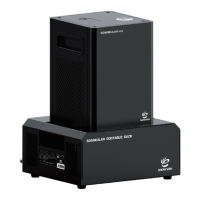
MODE: Effect Mode
GROUP: Total Quantity of Devices.
Battery logo shows battery capacity and when it decrease to one grid, please charge it.
10



 To Next Page