Note:
DMX address must set according to above rules.
If use together with HOST CONTROLLER ZK6200/6300, each unit of SPARKULAR must use different DMX address, other-
wise it may leads to signal interference.
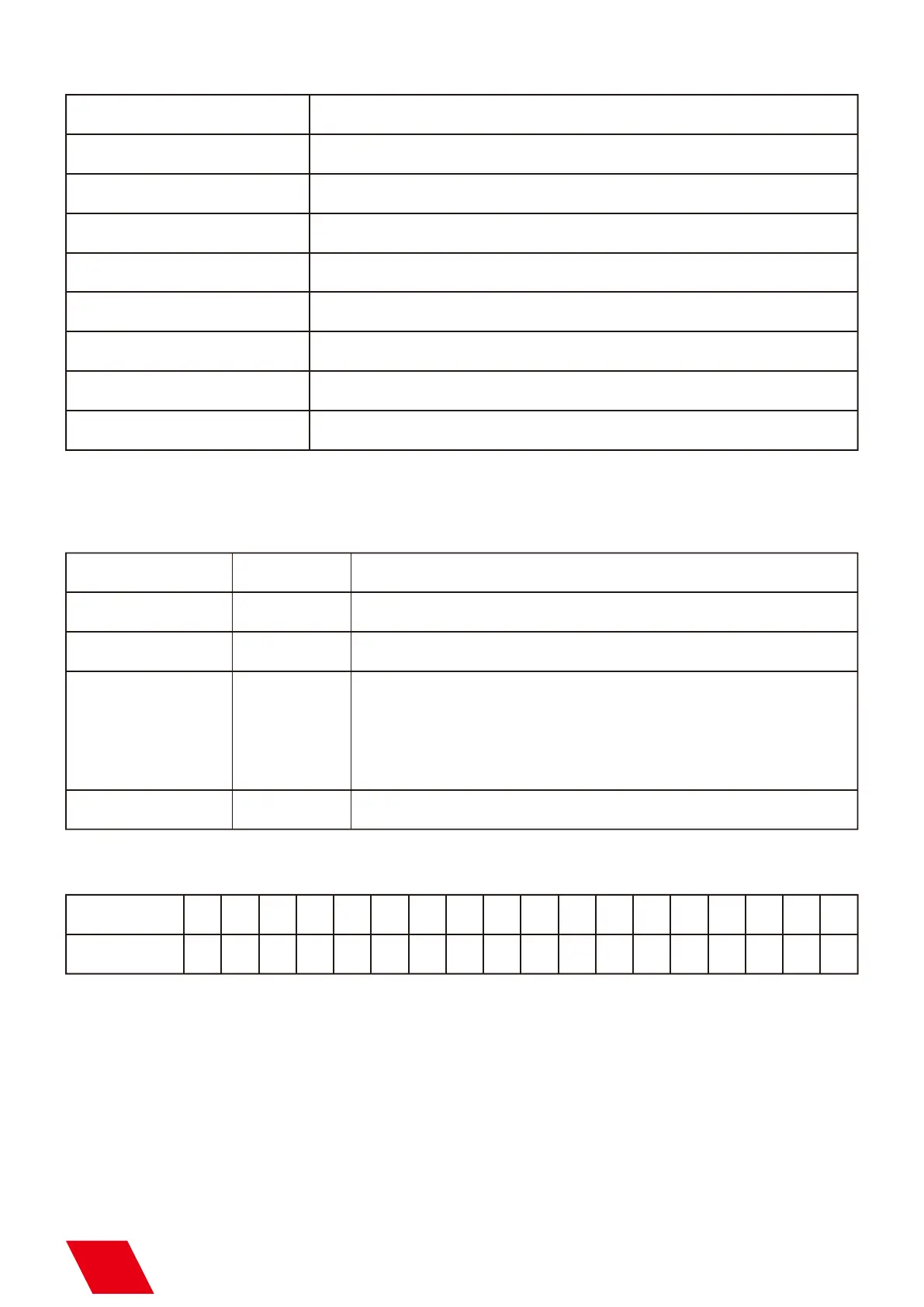
Error Information
b) Setting Menu
Error Information
E0 System IC
E1 Motor Protect
E2 Temp. Sensor
E3 P Temp. Over
Explanation
Systematic error
Over current protection of the motor
Temperature sensor is not connected or damaged
The equipment stops due to the over-temperature of the chassis
E4 Time Remain
Activated time for the machine is not enough, please swip RFID card
E5 K Temp. Over
The equipment stops due to over-temperature of the inner core
E6 Heating Failure
Heating fail, problem on heating PCB of mainboard
E7 Tip Over
Tilt sensor activated when machine slant more than 45 degree.
Press “MENU” switch through setup menu.
DMX address setup for SPARKULAR:
Option
Set DMX Address
Fountain Height
Manual Heat
Range
1-512
Explanation
Set DMX Address.
Manual Fountain
DMX Address
1-10
On/Off
On/Off
10 gears of fountain height, manually adjust the height of sparks.
Start firing manually, only for test.
Sparkular No. 1 2 3 4 5 6 7 8 9 10 11 12 13 14 15 16 17 18
1 3 5 7 9 11 13 15 17 19 21 23 25 27 29 31 33 35
Auto preheat function switch after turn on machine. If it is ON,
machine will heating up automatically after turn on. If it is OFF,
operator need to start heating up on HOST CONTROLLER or DMX
console.
5



 To Next Page