Shure Incorporated
10/23
•
•
•
•
•
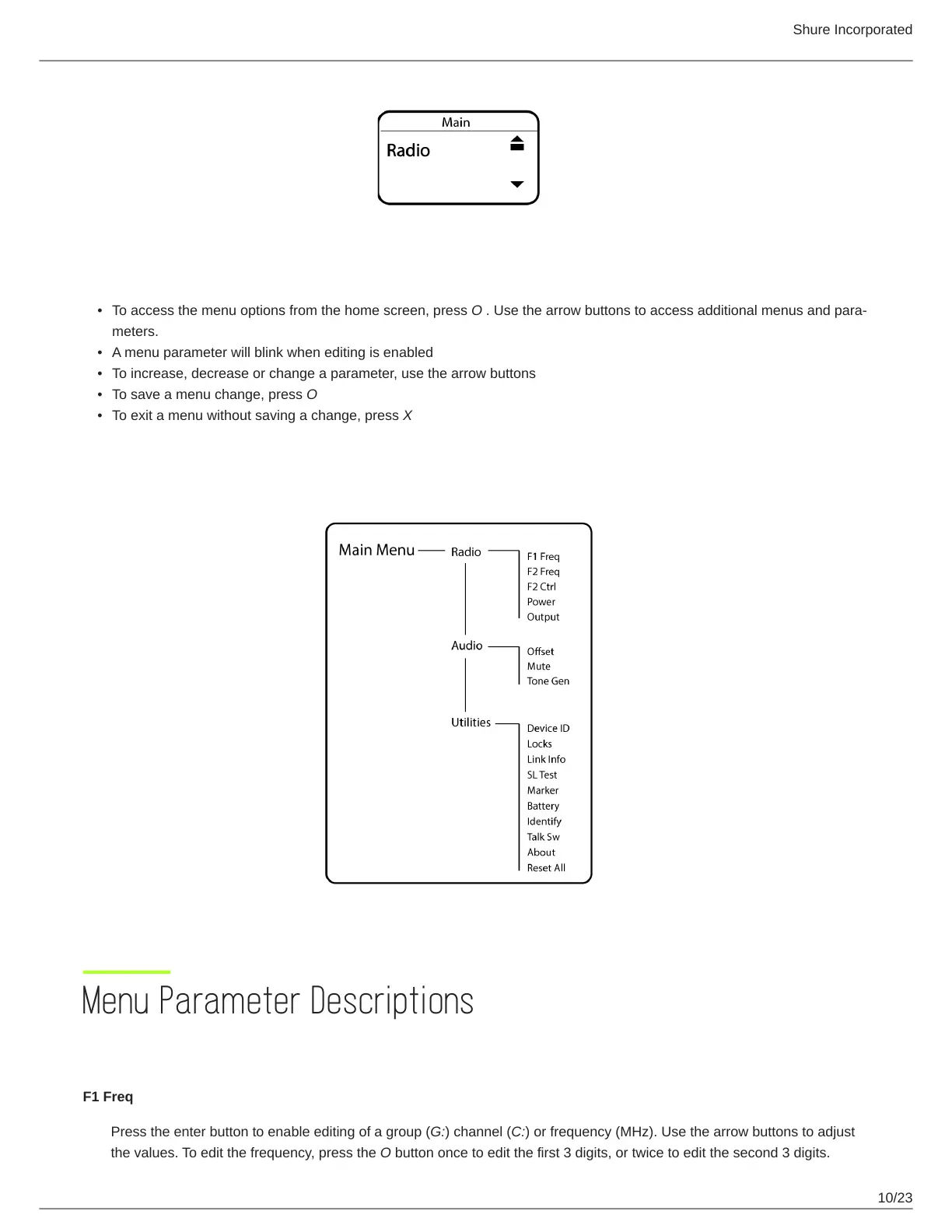
Tips for Editing Menu Parameters
To access the menu options from the home screen, press O . Use the arrow buttons to access additional menus and para
meters.
A menu parameter will blink when editing is enabled
To increase, decrease or change a parameter, use the arrow buttons
To save a menu change, press O
To exit a menu without saving a change, press X
Menu Map
Menu Parameter Descriptions
Radio Menu
F1 Freq
Press the enter button to enable editing of a group (G:) channel (C:) or frequency (MHz). Use the arrow buttons to adjust
the values. To edit the frequency, press the O button once to edit the first 3 digits, or twice to edit the second 3 digits.



 To Next Page