Shure Incorporated
8/16
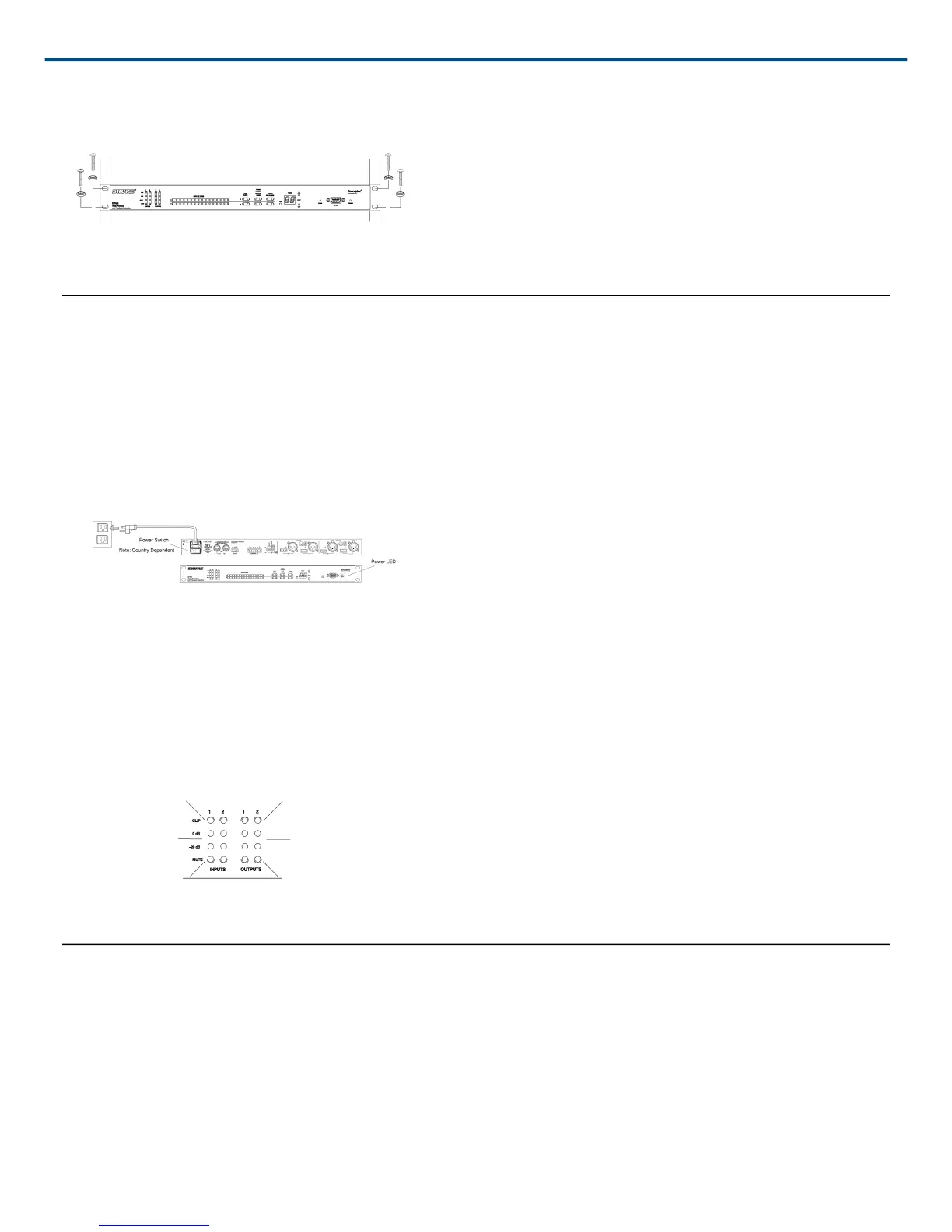
Avoid mounting wireless equipment and power amplifiers directly above or below the DFR22. Additional rack
mount supports may be necessary for mobile installations.
Figure 5: Rack Mounting the DFR22
Power and Initialization
Power Mains Connections
Use the supplied power cable to connect the DFR22 Audio Processor to an active 100-240 Vac power souvce, as
shown in Figure 6. The Power LED on the front panel will glow green when power is applied.
Figure 6: DFR22 Power Connection
Initialization
Once power is applied, the DFR22 Audio Processor takes approximately 5 seconds to initialize. When initialization
is complete, the Input/Output LEDs will flash, as shown in Figure 7. The DFR22 is ready to use once the LEDs
stop flashing.
Figure 7: DFR22 Initialization
Audio Connections
Audio will pass from the inputs to the outputs, even if it has not yet been configured through the computer inter
face.
DO NOT connect equipment to both the Phoenix and XLR connectors of the same input or output at the
same time. Doing so could damage the equipment.


 To Next Page