Shure Incorporated
11/26
•
•
•
LED Behavior Device State
Red Error (Check event log for details)
Solid amber Firmware update in progress
Painting the Grille
You can paint the loudspeaker's grille to match the surroundings. For best results:
Use a professional painting house.
Only paint the grille after removing it from the loudspeaker.
Remove the magnetic Shure logo before painting.
Reset Button
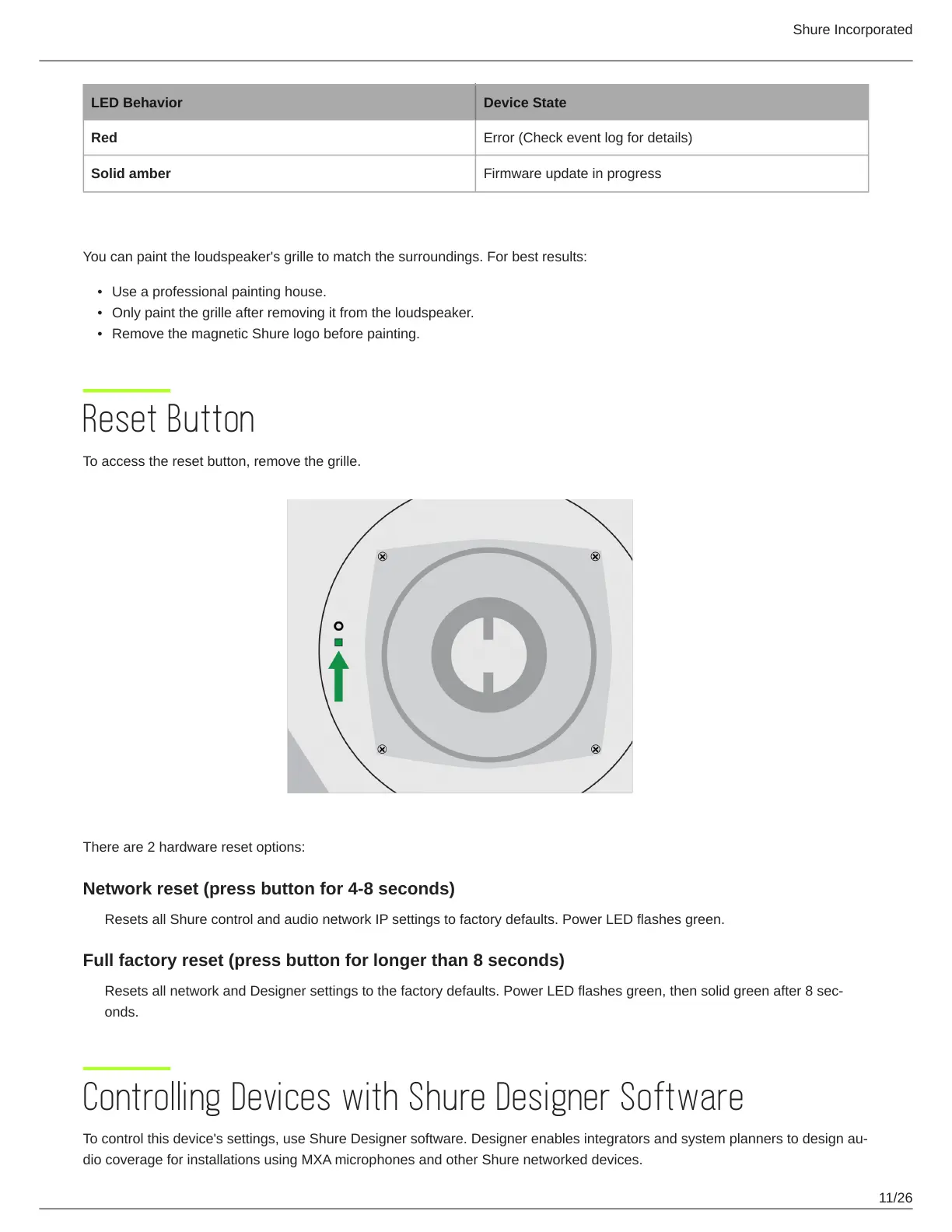
To access the reset button, remove the grille.
There are 2 hardware reset options:
Network reset (press button for 4-8 seconds)
Resets all Shure control and audio network IP settings to factory defaults. Power LED flashes green.
Full factory reset (press button for longer than 8 seconds)
ResetsallnetworkandDesignersettingstothefactorydefaults.PowerLEDflashesgreen,thensolidgreenafter8sec-
onds.
Controlling Devices with Shure Designer Software
To control this device's settings, use Shure Designer software. Designerenablesintegratorsandsystemplannerstodesignau-
dio coverage for installations using MXA microphones and other Shure networked devices.


 To Next Page