Shure Incorporated
13/26
1.
◦
2.
Using the Dante Inputs
The 2 Dante input channels are summed and sent to the loudspeaker's output. These input channels are useful if you need to
send a far-end signal and program audio to the loudspeaker.
Using the Dante Output
TheDanteoutputisusefulifyouneedtosendtheloudspeaker'ssignaltoanotherloudspeakerortoanAECreferencechan-
nel. There are 2 processing options for Dante output signal:
Pre-DSP
Sends a pre-DSP signal to the Dante output (DSP is still applied to loudspeaker output). Use this option to send the signal to
another loudspeaker. This option prevents DSP blocks from stacking on top of each other.
Post-DSP
Sends a post-DSP signal to the Dante output. Use this option to send the loudspeaker's signal to an AEC reference channel on
an MXA910.
Routing Signals to the Loudspeaker
To route audio to the loudspeakers, you can use Shure Designer software or Dante Controller software.
In Designer, create a room that has all loudspeakers and any Dante audio sources.
Shure's P300 or ANI processors are easy ways to manage Dante signals from many sources.
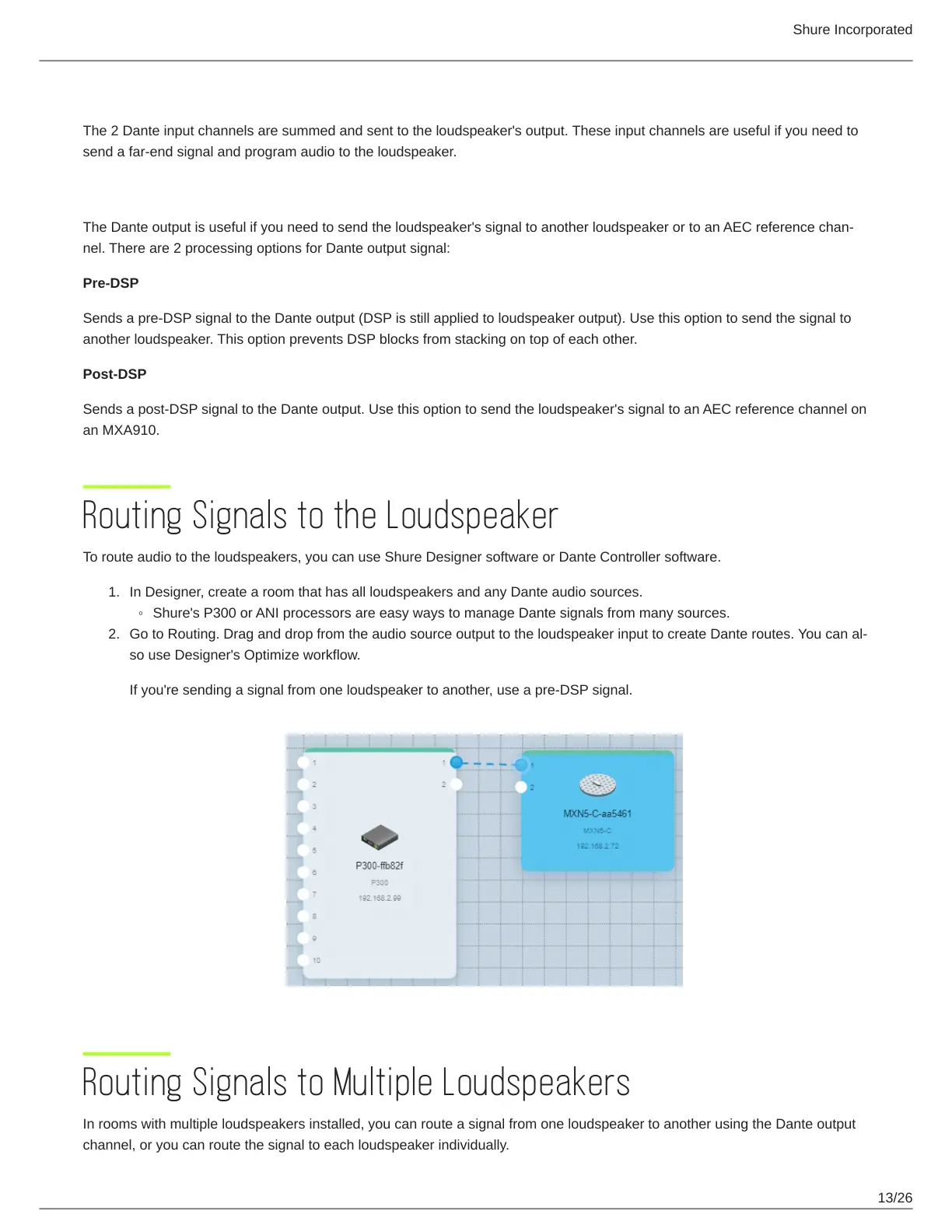
Go to Routing.DraganddropfromtheaudiosourceoutputtotheloudspeakerinputtocreateDanteroutes.Youcanal-
so use Designer's Optimize workflow.
If you're sending a signal from one loudspeaker to another, use a pre-DSP signal.
Routing Signals to Multiple Loudspeakers
In rooms with multiple loudspeakers installed, you can route a signal from one loudspeaker to another using the Dante output
channel, or you can route the signal to each loudspeaker individually.


 To Next Page