EasyManua.ls Logo

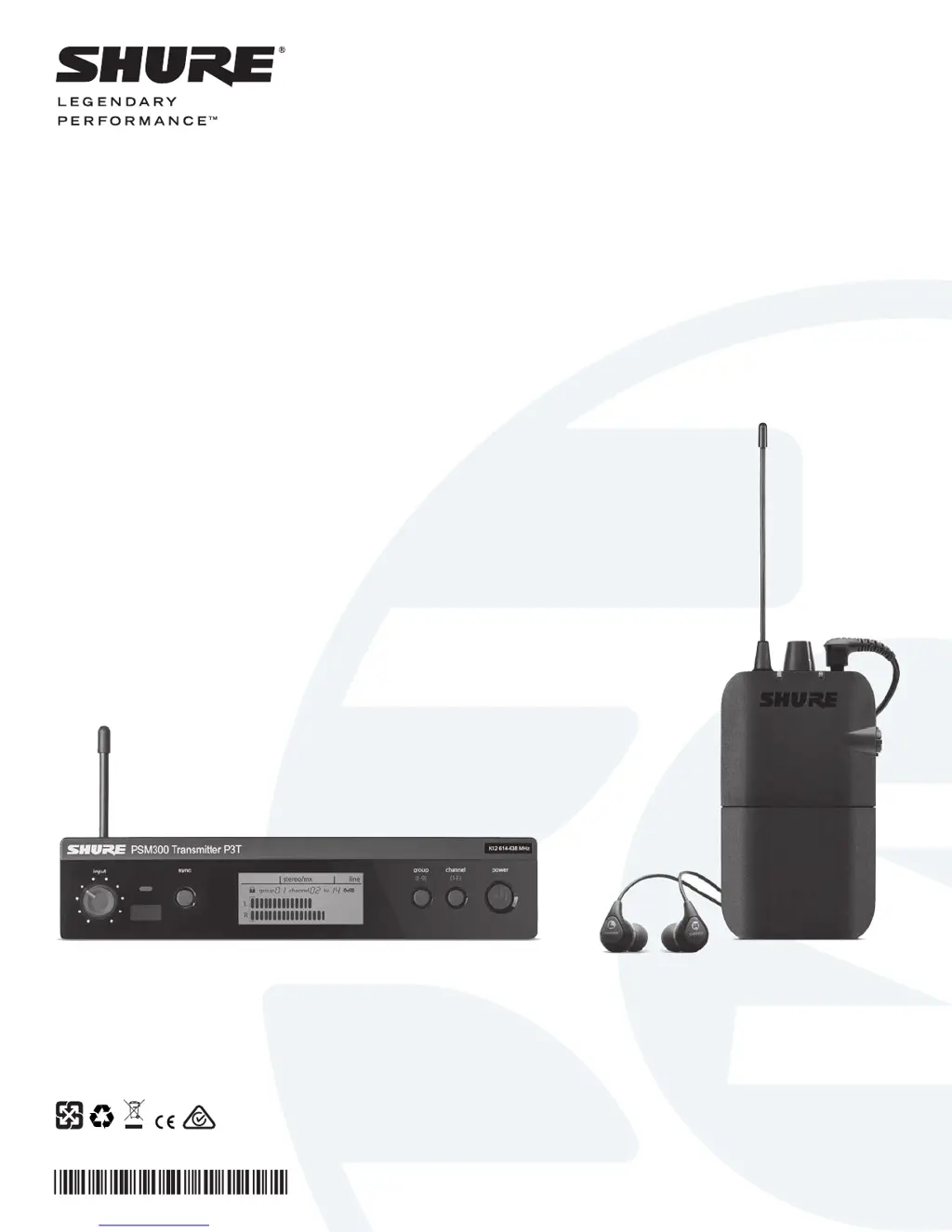
Shure PSM 300 - User Manual

Shure PSM 300
16 pages
Print Icon
To Next Page IconTo Next Page
Loading...
© 2014 Shure Incorporated
27A23049 (rev. 1)
Printed in China
STEREO WIRELESS
PERSONAL MONITORING SYSTEM
USER GUIDE
Le Guide de l’Utilisateur
Guia del Usuario
Manual do Usuário
Bedienungsanleitung
Manuale d’uso
Руководство п
ользователя
Gebruikershandleiding
PSM
300
®

Questions and Answers

  • B
    Blake DelacruzSep 12, 2025
    How to resolve IR sync failure on a Shure Microphone system?
    • H
      hardindebraSep 12, 2025
      To resolve IR sync failure on your Shure Microphone system, verify the distance between the receiver and transmitter is between 6-11 cm.
  • A
    Amy BeardSep 10, 2025
    How to fix low audio output at the receiver of my Shure Microphone system?
    • J
      Jennifer MillerSep 10, 2025
      To address low audio output at the receiver of your Shure Microphone system: * Check the headphone connection and volume level. * If you're only sending a single channel into the P3T transmitter, check if the MixMode knob is turned towards a silent channel. If using one channel, set the P3T transmitter to mono mode.
  • T
    tmoranSep 9, 2025
    What to do if the MixMode knob doesn't affect the sound on my Shure Microphone system?
    • D
      David SchneiderSep 9, 2025
      If the MixMode knob isn't affecting the sound on your Shure Microphone system, the Stereo-MX/Mono switch on the rear panel of the P3T might be set to mono. For the MixMode knob to function, the transmitter must be set to Stereo-MX. Also, verify that the signals going from the mixer to the transmitter are not identical, and check that the bodypack is set to MixMode.
  • E
    Emily RamseySep 8, 2025
    Why does the audio or RF drop out on my Shure Microphone system?
    • M
      Melissa PattersonSep 8, 2025
      Audio or RF dropouts in your Shure Microphone system may occur due to several reasons. Try performing a scan to ensure the receiver is on a clear frequency. Ensure there's a line-of-sight path between the transmitter antenna and the bodypack receivers. Check that other wireless devices being monitored, like wireless microphones, aren't experiencing RF dropouts. If you're using an antenna other than the one included with the system, verify it's designed to operate in the correct frequency range.
  • S
    Shannon HansonAug 23, 2025
    Why does the Shure PSM 300 Speaker System audio keep dropping out?
    • M
      marcorichardsonAug 23, 2025
      If you are experiencing audio or RF dropouts with your Shure Speaker System, try the following: * Perform a scan to ensure the receiver is on a clear frequency. * Make sure there is a line-of-sight path between the transmitter antenna and the bodypack receivers. * Verify that other wireless devices that are being monitored, such as wireless microphones, are not experiencing RF dropouts. * If using an antenna other than the one included with the system, make sure it is designed to operate in the correct frequency range.
  • H
    Helen VaughnSep 6, 2025
    Why is the audio distorted in my Shure Microphone system?
    • S
      Sandra CochranSep 6, 2025
      Distorted audio in your Shure Microphone system can stem from several factors. Check the volume levels at the P3T transmitter to ensure the meter isn't hitting the overload indicator. Verify levels going in and out of the mixer, as distortion in the signal chain will persist even if the PSM300 system isn't overloading. Ensure the receiver's batteries are fresh and that you're using 1/4 inch balanced cables to avoid introducing noise. Confirm all cables are fully plugged into the mixer and P3T inputs. Lastly, use line-level outputs from the mixer, avoiding main speaker outputs from powered mixers, which can overload the P3T inputs.
  • L
    lcookSep 4, 2025
    What to do if turning the MixMode knob doesn't affect the sound on my Shure Speaker System?
    • R
      Richard WallsSep 5, 2025
      If the MixMode knob on your Shure Speaker System isn't affecting the sound, the Stereo-MX/Mono switch on the rear panel of the P3T may be switched to mono. For the MixMode knob to work, the transmitter must be set to Stereo-MX. Also, verify that the signals going from the mixer to the transmitter are not identical and check that the bodypack is set to MixMode.
  • M
    marisa87Sep 3, 2025
    How to increase low audio output on Shure PSM 300 receiver?
    • J
      Joel OrtizSep 4, 2025
      To increase low audio output on your Shure Speaker System receiver, check the headphone connection and volume level. If you're only sending a single channel into the P3T transmitter, check if the MixMode knob is turned towards a silent channel. If using one channel, set the P3T transmitter to mono mode.
  • J
    jill02Sep 2, 2025
    How to fix distorted audio on a Shure PSM 300 Speaker System?
    • F
      franklinjimmySep 2, 2025
      To fix distorted audio on your Shure Speaker System: * Check the volume levels at the P3T transmitter and ensure the meter isn't overloading. * Verify levels going in and out of the mixer, as distortion in the signal chain will persist even if the PSM300 system isn't overloading. * Ensure the receiver batteries are fresh. * Use 1/4 inch balanced cables to prevent noise. * Confirm all cables are fully plugged into the mixer and P3T inputs. * Use line-level outputs from the mixer, avoiding amplified main speaker outputs from powered mixers.
  • C
    christina90Sep 1, 2025
    What to do if there is no sound from my Shure PSM 300 receiver?
    • J
      Joseph RoySep 1, 2025
      If you're not getting any sound from your Shure Speaker System receiver, make sure the transmitter and receiver are linked to the same group and channel. Also, verify levels are registering at the transmitter and that the volume is turned up on the receiver. Finally, check that the receiver is on and that the headphones are properly connected.

Summary

Important Safety Instructions

Safety Precautions

System Overview

Hardware

P3 R Wireless Receiver

Receiver Controls and Indicators

Details the display, buttons, knobs, and ports of the P3R receiver.

Applications

Multiple Transmitters with Separate Mixes

Signal Routing to External Devices

System Setup and Configuration

Creating a Wireless Connection Between Receivers and Transmitters (Sync)

Sync Procedures

Guides for syncing single/multiple transmitters and receivers.

Operation

Adjusting Gain and Listening Volume

Guide to setting optimal audio levels for transmitter input and receiver output.

Creating Monitor Mixes

MixMode and Stereo Monitoring

Mode Selection and Adjustment

How to select Stereo/MixMode and adjust levels/blends.

Troubleshooting

Specifications

PSM300 Specifications

Technical details for the PSM300 system, including RF and audio performance.

P3 R Receiver Specifications

Technical details for the P3R bodypack receiver.

Shure PSM 300 Specifications

General IconGeneral
Tuning Steps25 kHz
MixMode ControlYes
TypePersonal Monitoring System
System ComponentsTransmitter
Frequency Range470-952 MHz (region dependent)
Transmitter Output Power10, 50 mW (region dependent)
RF Output Power10, 50 mW (region dependent)
Audio Input ConnectorXLR, 1/4" TRS
Audio Output Connector (Receiver)3.5 mm TRS
Signal-To-Noise Ratio90 dB
Total Harmonic Distortion< 0.5%
Audio THD<0.5%
Pilot ToneYes
Power Source (Receiver)2 AA batteries
Power SupplyIncluded
Operating Temperature Range-18 to 57°C (0 to 135°F)
Number of Channels1

Videos

How to Set Up Shure PSM 300 Stereo Personal Monitor System

Related product manuals