Shure Incorporated
10/43
◦
◦
Hardware Interface
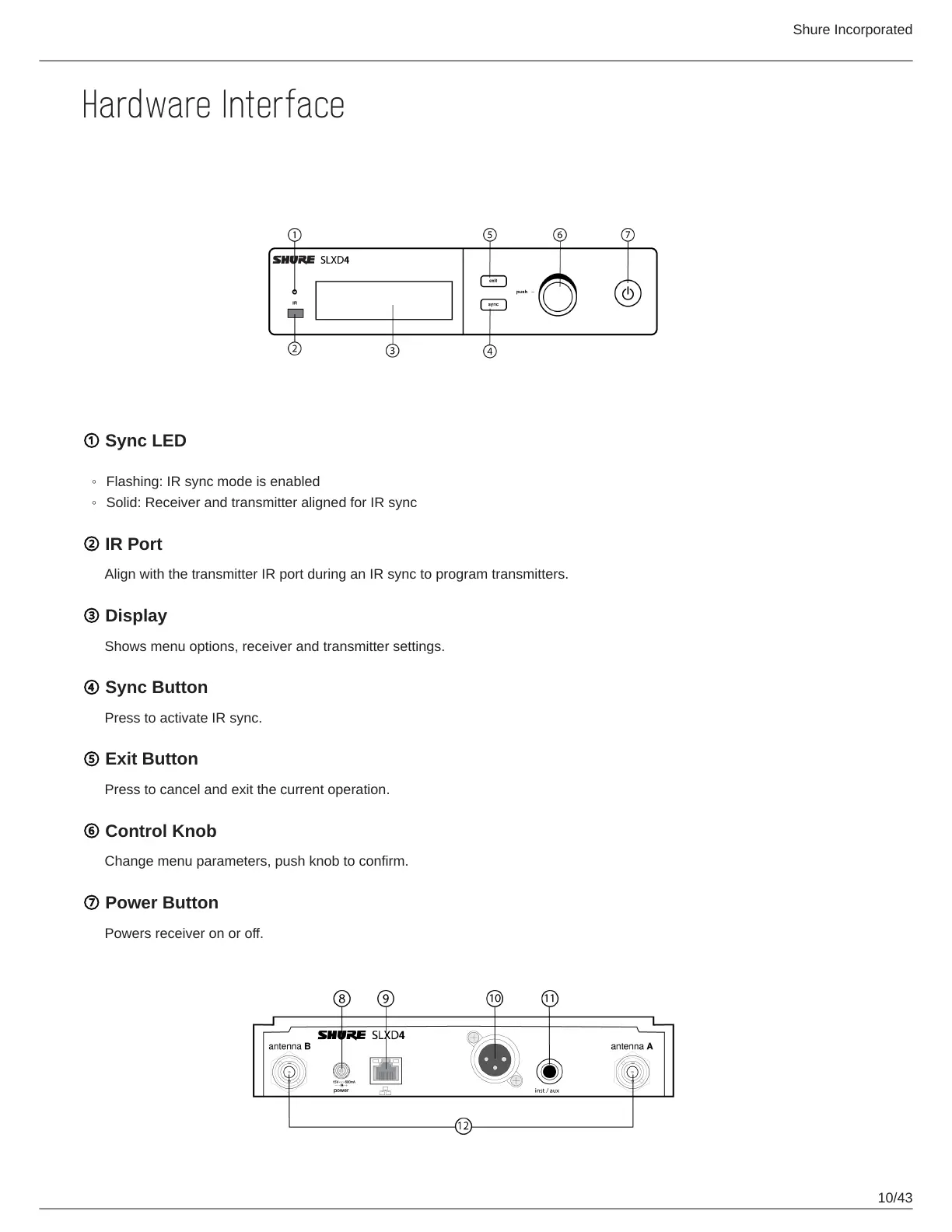
Receiver Front and Back Panels
① Sync LED
Flashing: IR sync mode is enabled
Solid: Receiver and transmitter aligned for IR sync
② IR Port
Align with the transmitter IR port during an IR sync to program transmitters.
③ Display
Shows menu options, receiver and transmitter settings.
④ Sync Button
Press to activate IR sync.
⑤ Exit Button
Press to cancel and exit the current operation.
⑥ Control Knob
Change menu parameters, push knob to confirm.
⑦ Power Button
Powers receiver on or off.











 To Next Page